07K5-065
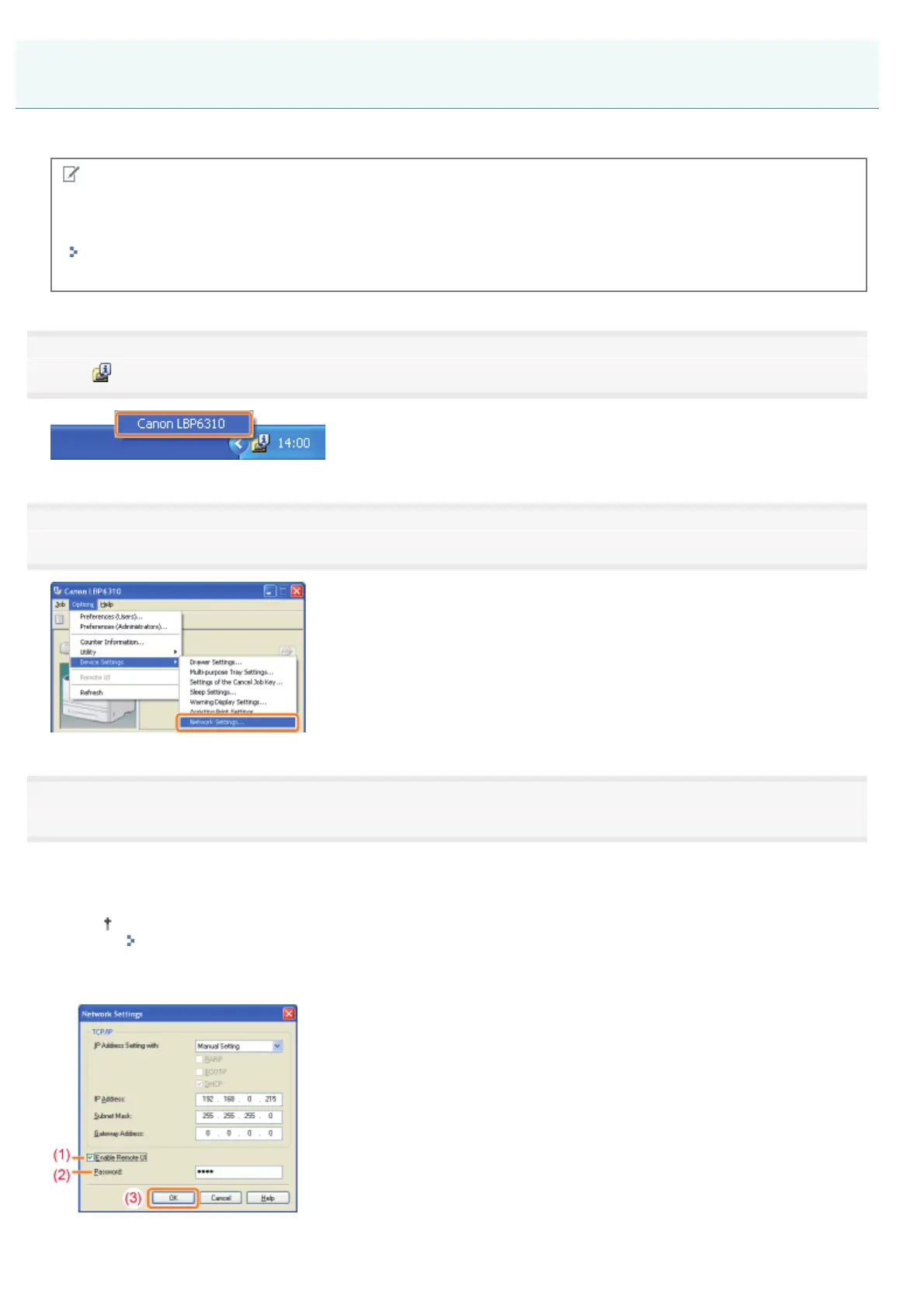
This section describes the procedure for enabling the Remote UI using the Printer Status Window.
NOTE
When enabling the Remote UI using software other than the Remote UI
You can also enable the Remote UI using the following software.
"FTP Client"
You can enable the Remote UI by accessing the FTP server of the printer using Command Prompt.
1
Click [ ] in the Windows task tray, and then select the printer name.
2
3
Enable the Remote UI.
(1) Select the [Enable Remote UI] check box.
(2) Enter the administrator password for the printer (the password that is specified in the Remote UI).
If the password is not specified, you do not need to enter the password.
"Setting the Administrator Password"
(3) Click [OK].
Enabling the Remote UI
㻟㻜㻥㻌㻛㻌㻠㻡㻞














 To Next Page