07K5-06F
The process of removing software to restore the computer to the same state as before the software was installed is
referred to as uninstallation. Use the following procedure to uninstall NetSpot Device Installer.
1
Uninstall NetSpot Device Installer.
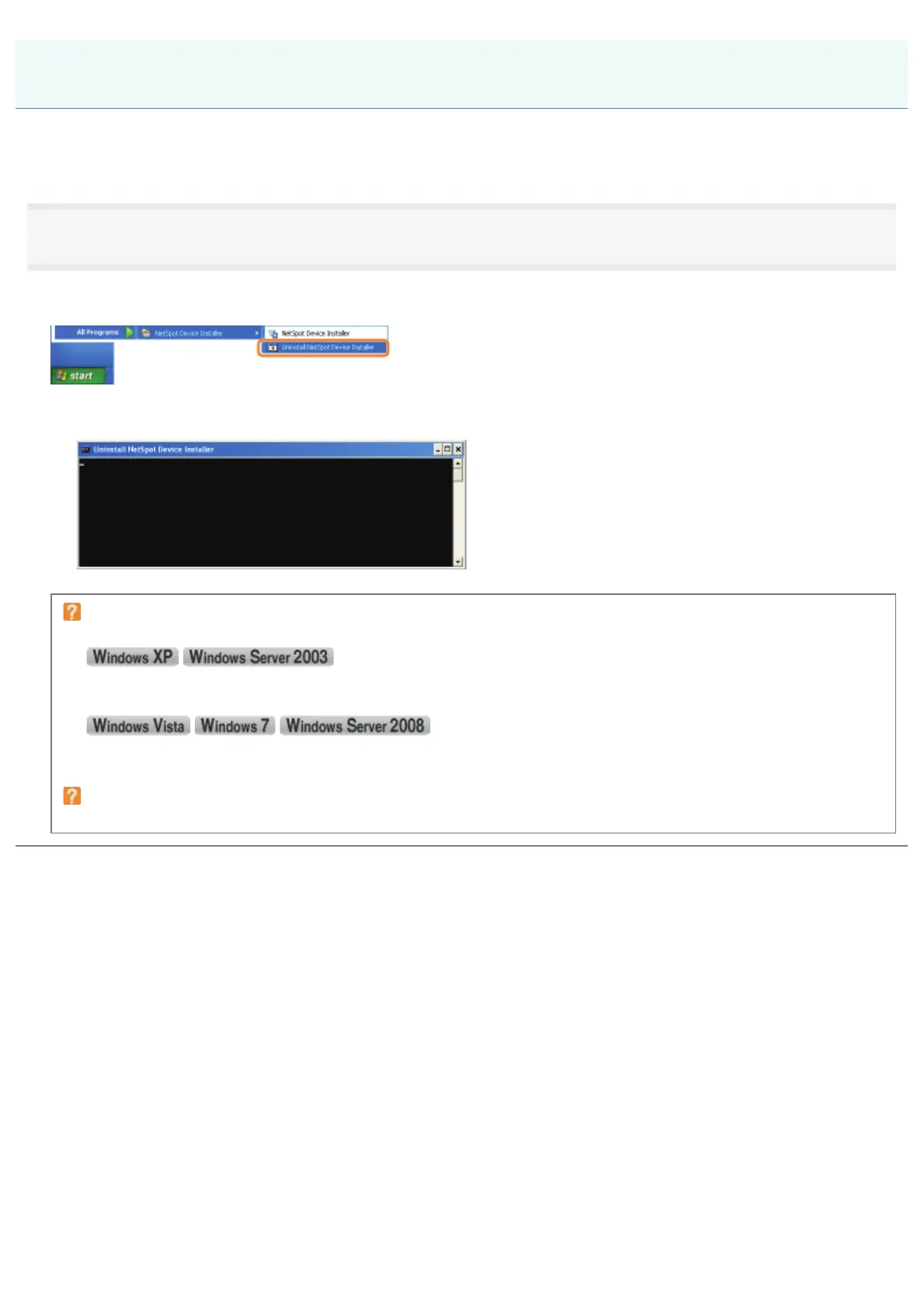
)URPWKH>6WDUW@PHQXVHOHFW>$OO3URJUDPV@RU>3URJUDPV@ĺ>1HW6SRW'HYLFH,QVWDOOHU@ĺ>8QLQVWDOO1HW6SRW'HYLFH
Installer].
ĺ Command Prompt appears, and the uninstallation starts.
(The uninstallation is completed when Command Prompt closes.)
If NetSpot Device Installer is not found in the [Start] menu
Double-click [rmnsdi.bat] in the following location.
"\Documents and Settings\<the user name>\Local Settings\Application Data\canon.jp\nsdi" in the drive on which the
system is installed
"\Users\<the user name>\AppData\Local\canon.jp\nsdi" in the drive on which the system is installed
If NetSpot Device Installer cannot be uninstalled completely
See Readme in the folder in which NetSpot Device Installer is installed.
Uninstalling NetSpot Device Installer
㻟㻟㻝㻌㻛㻌㻠㻡㻞














 To Next Page