07K5-03Y
You can print multiple pages on one sheet.
This is a printing method which is referred to as intensive printing or N-page Print.
IMPORTANT
About the application function to print a document as a collated set of copies
Some applications provide a function to print a document as a collated set of copies. Do not use this function when
printing multiple pages on one sheet. The document may not be printed properly.
1
Display the setting screen of the printer driver.
"Displaying the Setting Screen"
2
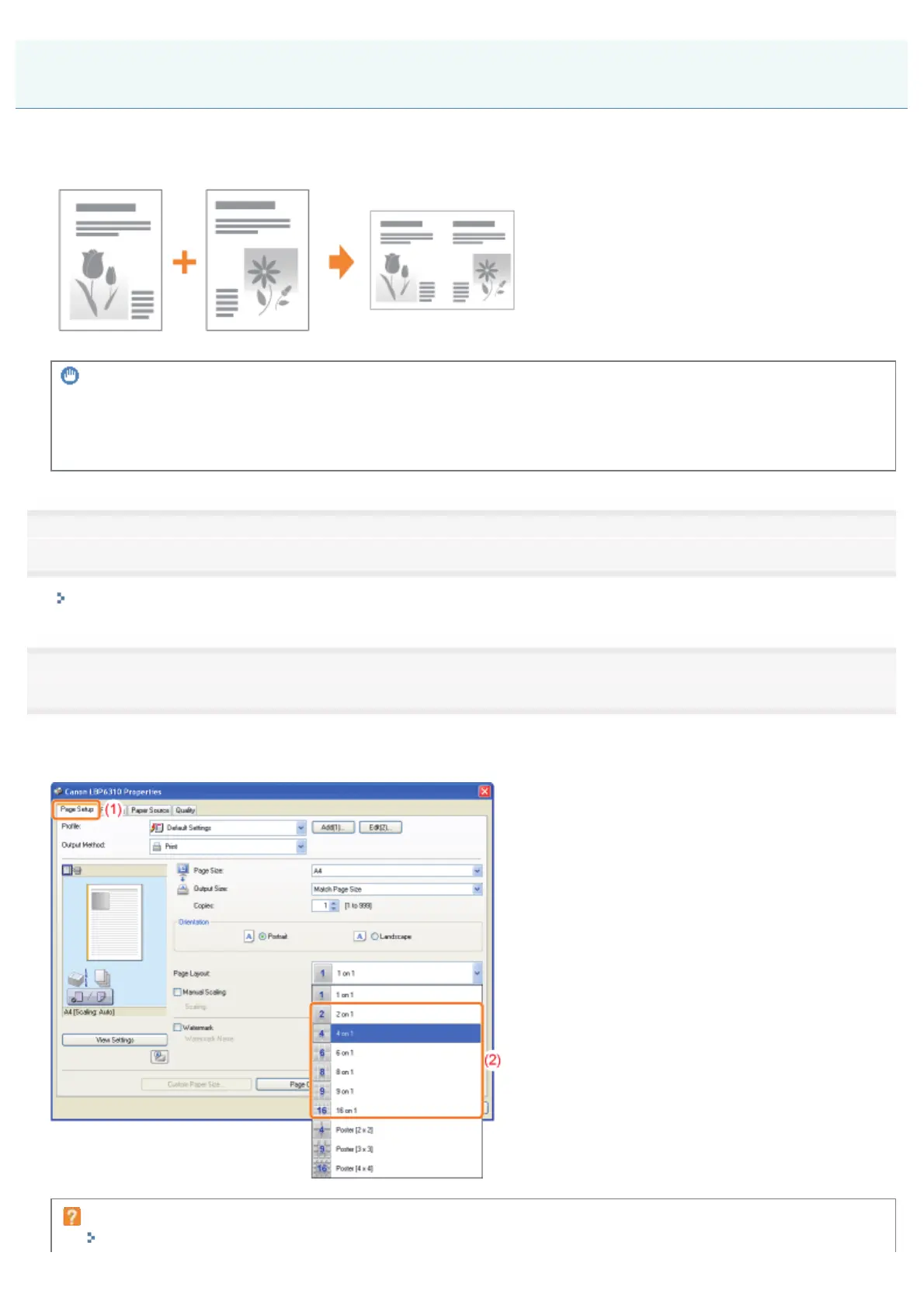
Specify the setting for [Page Layout].
(1) Display the [Page Setup] sheet.
(2) Select the number of pages to be printed on one sheet.
If you cannot specify the setting
"The Printer Driver Settings Cannot Be Changed"
Layout Printing (N-page Print)
㻝㻤㻢㻌㻛㻌㻠㻡㻞














 To Next Page