07K5-075
If you cannot print when the printer is connected to the computer by a USB cable, check the problem following the
questions below.
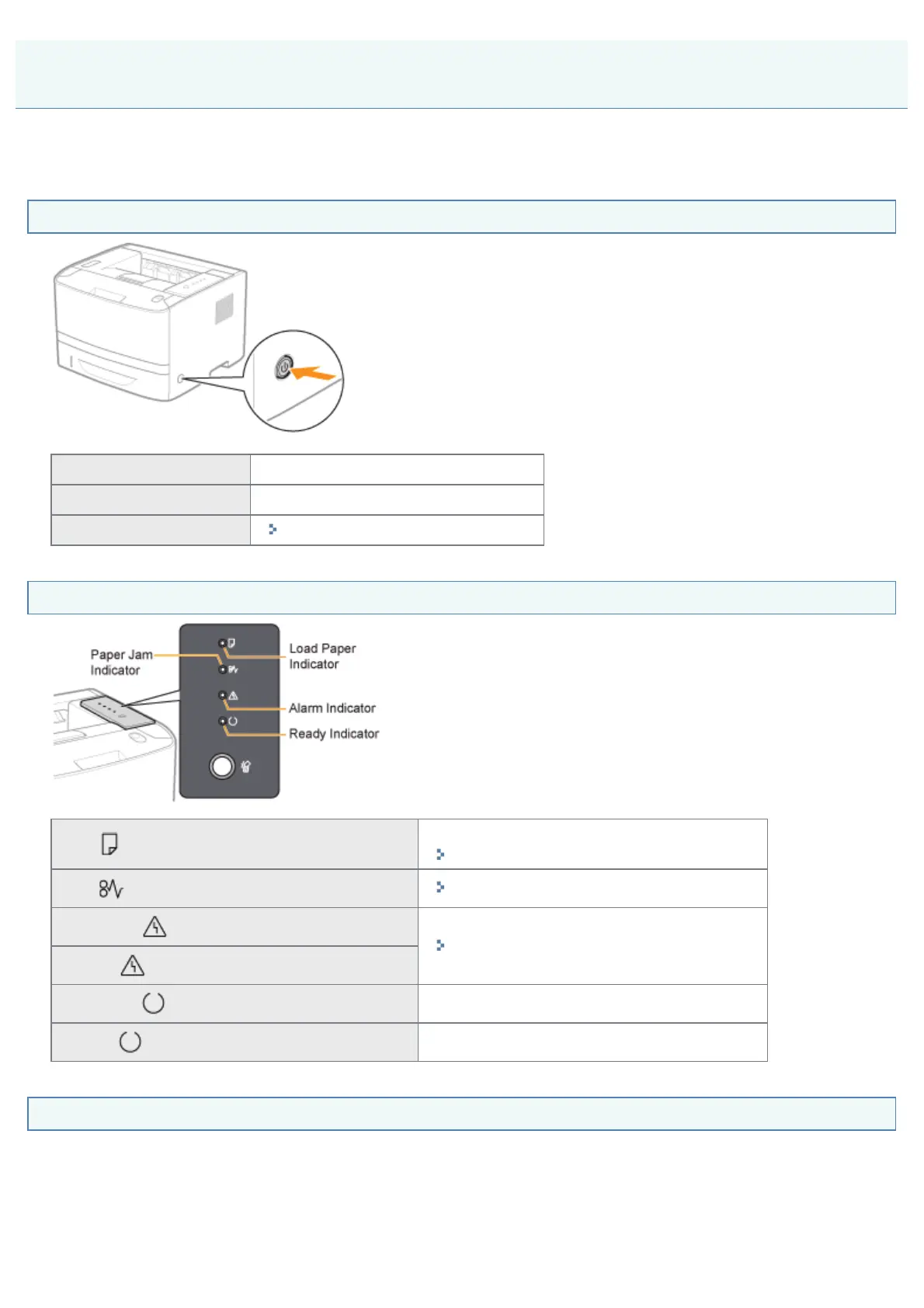
<Question 1> Is the printer turned ON?
ON To <Question 2>
OFF Turn the printer ON.
Cannot be turned ON
"You Cannot Turn the Printer ON"
<Question 2> Check the indicators on the printer unit.
The (Load Paper) indicator is blinking.
Load paper.
"Paper Loading and Output"
The
(Paper Jam) indicator is blinking.
"Paper Jams"
The
(Alarm) indicator is on.
"The Alarm Indicator Is On/Blinking"
The
(Alarm) indicator is blinking.
The
(Ready) indicator is on.
To <Question 3>
The
(Ready) indicator is blinking.
The printer is operating. Please wait a moment.
<Question 3> Is the USB cable connected properly?
Printing Cannot Be Performed (USB Connection)
㻟㻢㻣㻌㻛㻌㻠㻡㻞














 To Next Page