07K5-04R
1
Open the printer folder.
"Basic Operations/Various Information for Windows"
2
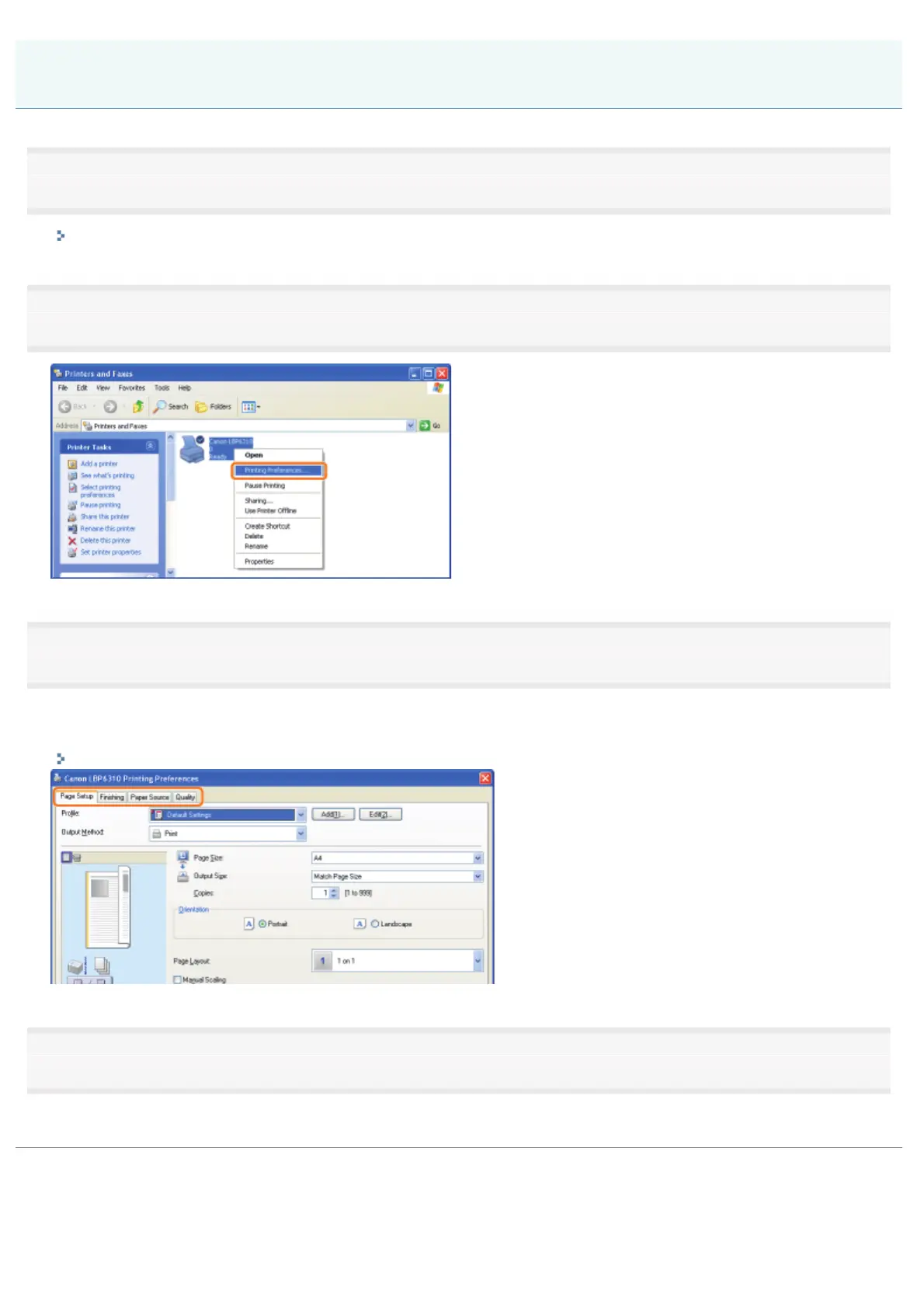
Right-click the icon for this printer, then select [Printing Preferences] from the pop-up menu.
3
Change the printing preferences in the [Page Setup], [Finishing], [Paper Source], and [Quality] sheets.
The settings changed here become the default values.
For more details on the settings, see Help.
"How to Use Help"
4
Confirm the settings, then click [OK].
ĺ The printer folder reappears.
Changing the Default Values for Printing Preferences
㻞㻞㻠㻌㻛㻌㻠㻡㻞














 To Next Page