07K5-02Y
For details on the paper that you can load in the multi-purpose tray, see "Usable Paper."
Before loading paper, see "Attention (Multi-purpose Tray)."
1
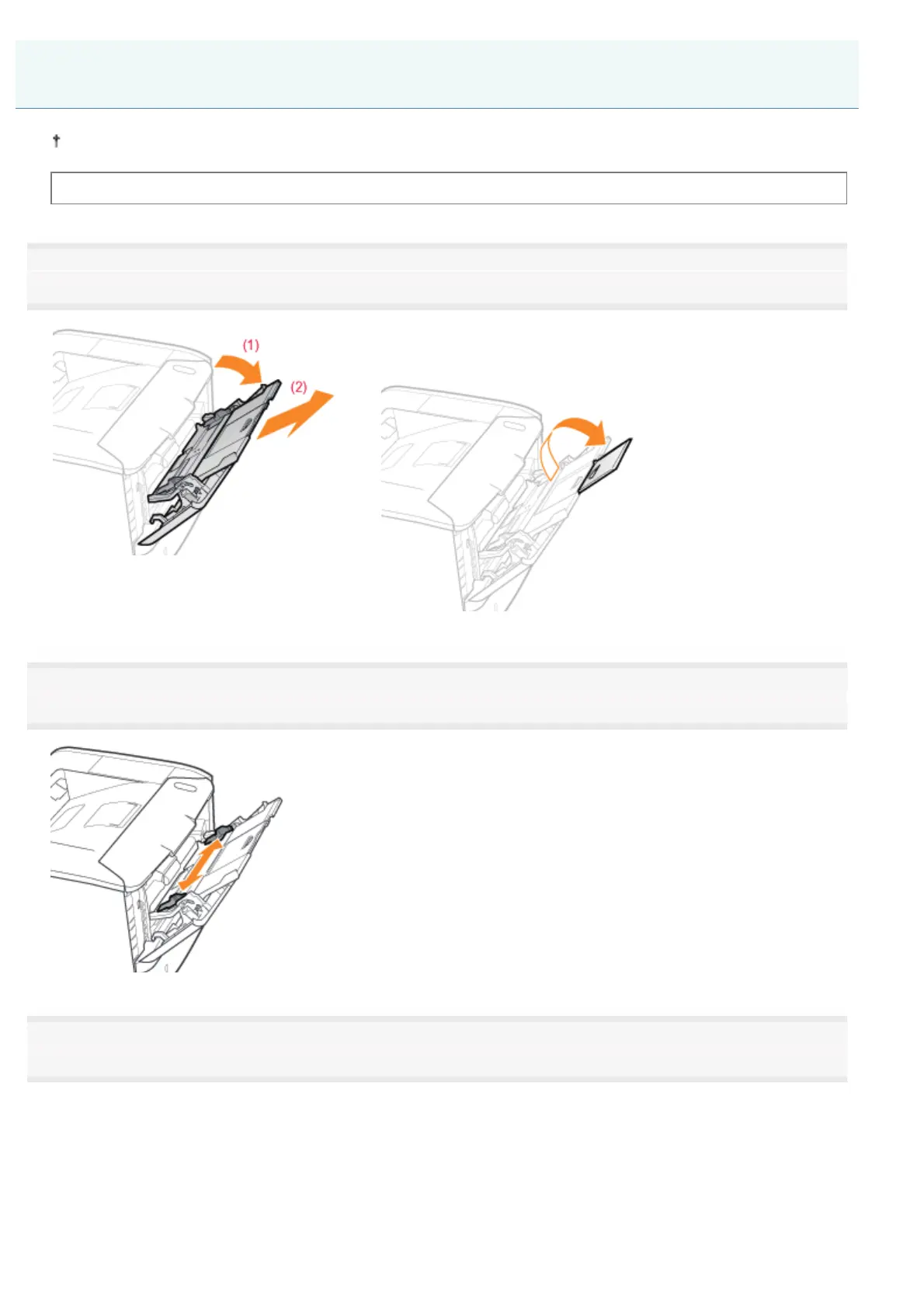
Open the multi-purpose tray, and then pull out the auxiliary tray.
When loading long-size paper
Open the tray extension also.
2
Slide the paper guides a little wider than the actual paper width.
3
Gently load paper with the printing side facing up until it touches the back of the tray.
Be sure to load paper in portrait orientation.
Loading Paper in the Multi-purpose Tray
㻝㻠㻣㻌㻛㻌㻠㻡㻞














 To Next Page