07K5-036
1
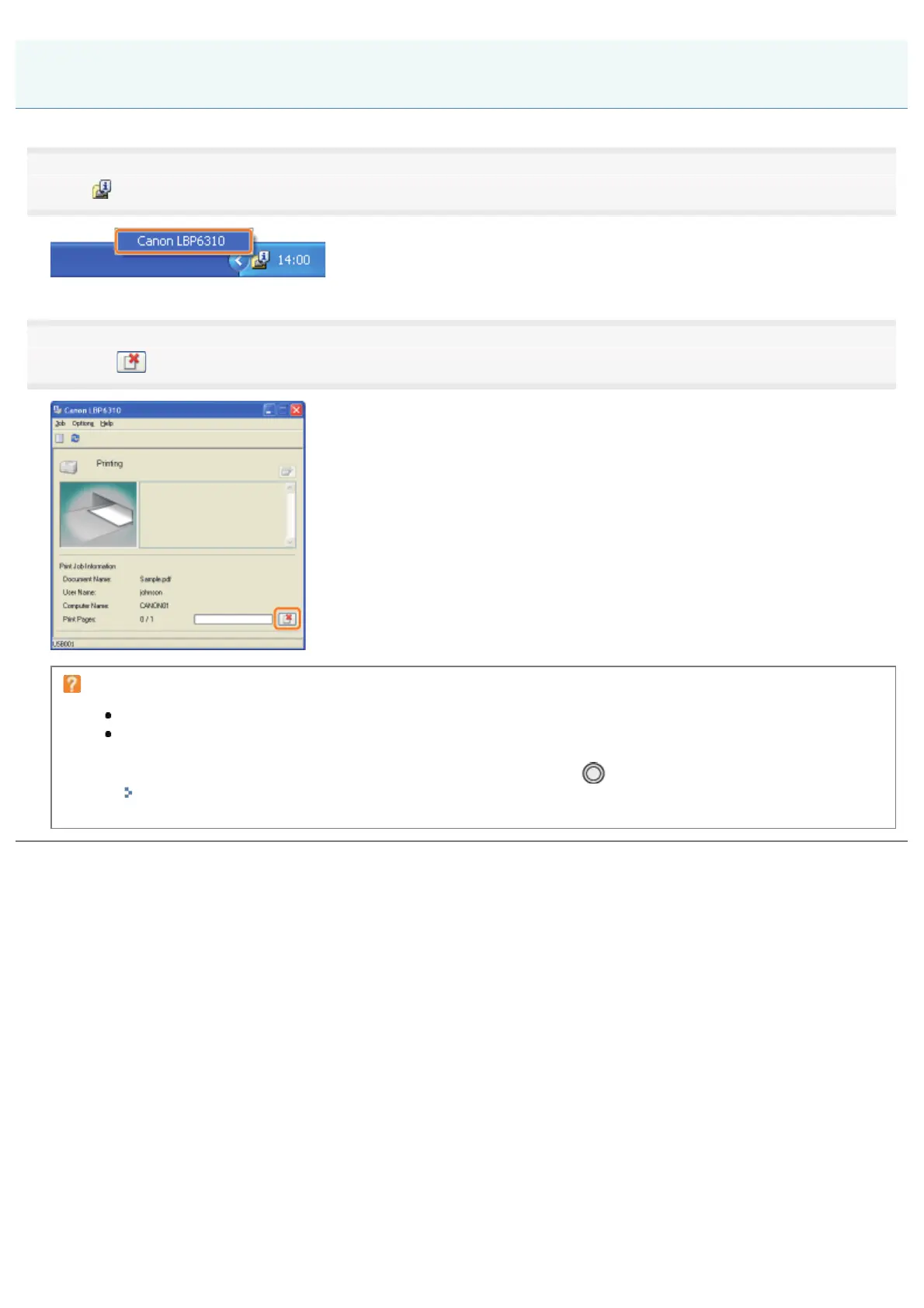
Click [ ] in the Windows task tray, and then select the printer name.
2
Clicking [ ] (Cancel Job) cancels the print job.
If you cannot cancel a job
You cannot cancel the job whose pages are in the process of printing.
You cannot cancel another user's job. (For the print server environment, you can cancel print jobs on the
print server.)
If an error is occurring with a print job from another user, use the [
] (Cancel Job) key to cancel the job.
"Canceling a Print Job Using the Cancel Job Key"
Canceling a Print Job Using the Printer Status Window
㻝㻢㻝㻌㻛㻌㻠㻡㻞














 To Next Page