07K5-05J
NOTE
About the item names
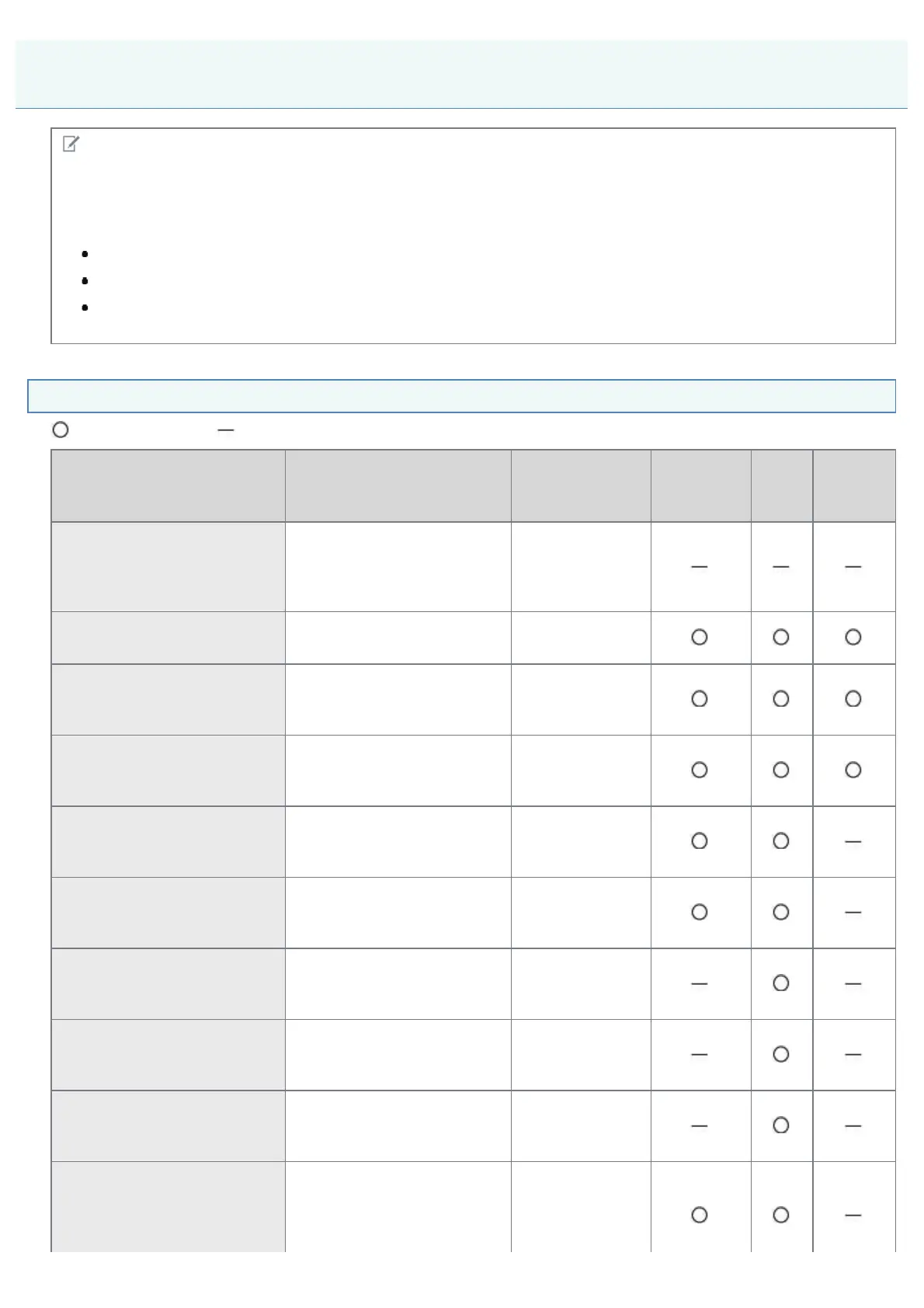
In the following table, the characters shown in parentheses are exclusively for FTP Client.
For example, "Device Name (SYS_NAME)" is displayed differently as follows, depending on the software.
Remote UI: [Device Name]
NetSpot Device Installer: [Device Name]
Config file of FTP Client: [SYS_NAME]
General Settings
: Can be specified : Cannot be specified
Item Description Default Setting Remote UI
FTP
Client
NetSpot
Device
Installer
(PS_NAME)
The name of the network
interface
(The name is fixed at the
default setting.)
CANONXXXXXX
[Device Name]
(SYS_NAME)
The name of the printer
(0 to 32 characters)
(Blank)
[Location]
(SYS_LOC)
The installation site of the
printer
(0 to 32 characters)
(Blank)
[Administrator]
(SYS_CONTACT)
The name of the
administrator of the printer
(0 to 32 characters)
(Blank)
[Phone]
(SYS_CONTACT_TEL)
The telephone number of the
administrator of the printer
(0 to 32 characters)
(Blank)
[Comments]
(SYS_CONTACT_COMMENT)
Comments from the
administrator of the printer
(0 to 32 characters)
(Blank)
(SERVICE_MAN_NAME)
The name of the service
person
(0 to 32 characters)
(Blank)
(SERVICE_TEL)
The telephone number of the
service person
(0 to 32 characters)
(Blank)
(SERVICE_COMMENT)
Comments from the service
person
(0 to 32 characters)
(Blank)
[Display Language]
(DISP_LANG)
The language displayed in
the Remote UI
(English, French, German,
Italian, Spanish, Japanese,
Default
Network Setting Items
㻞㻣㻡㻌㻛㻌㻠㻡㻞














 To Next Page