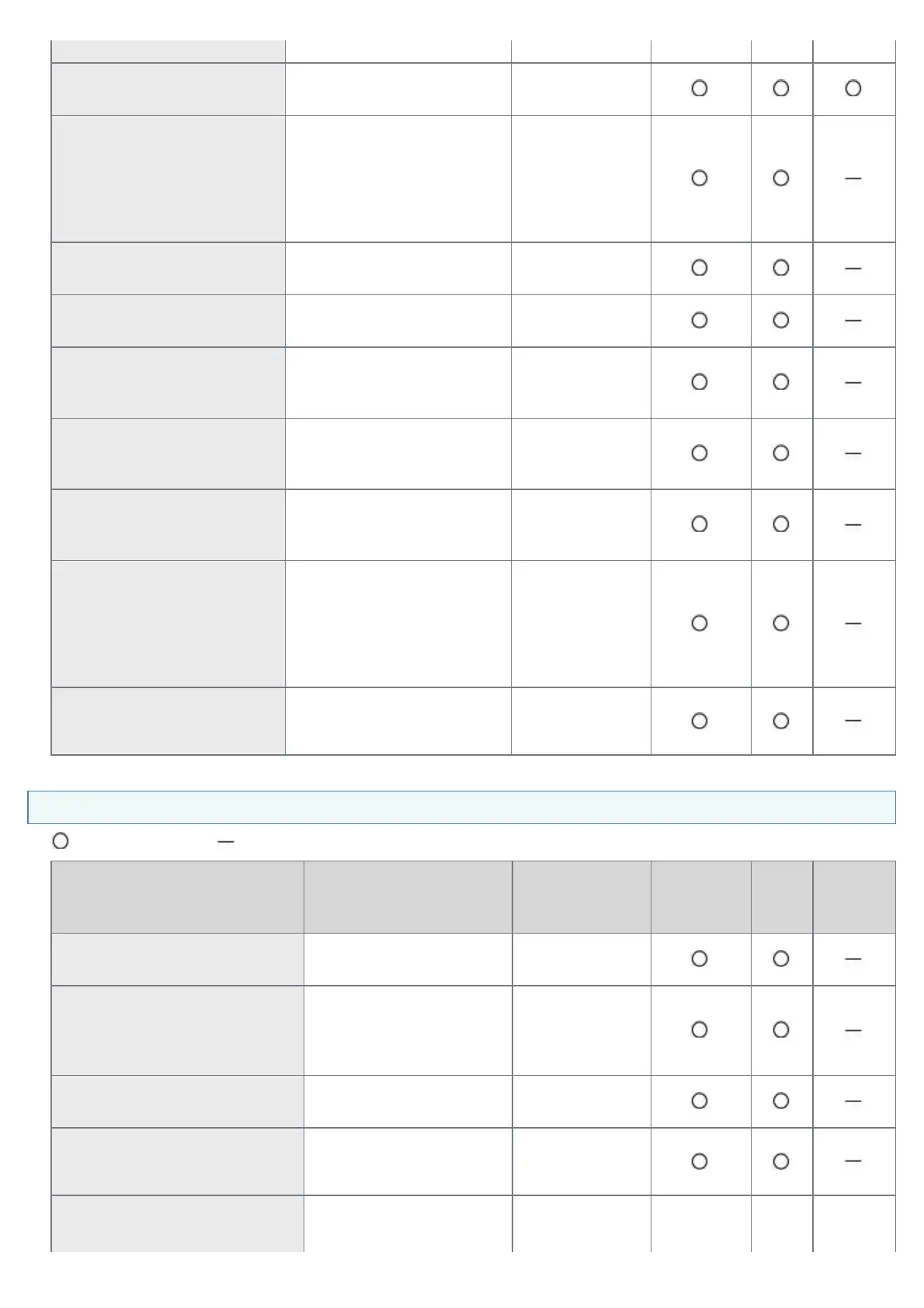
Default)
[Administrator Password]
(ROOT_PWD)
The password of the printer
(0 to 15 characters)
(Blank)
[Ethernet Driver Setting]
(NETWORK_SPEED)
The network transmission
speed or transfer mode
(AUTO_SENSE,
10_HALF_DX, 10_FULL_DX,
100_HALF_DX,
100_FULL_DX)
AUTO_SENSE
[SNMP v. 1]
(SNMP_V1_ACCESS_ENB)
Access using the SNMP v. 1
protocol
YES
[SNMP v. 3]
(SNMP_V3_ACCESS_ENB)
Access using the SNMP v. 3
protocol
NO
[Community Name]
(PUB_COMMUNITY)
The community name of
SNMP
(0 to 32 characters)
public
[Access Rights]
(SNMP_V1_ACCESS_MODE)
The operation mode of the
SNMP v. 1 agent
(Read-only or Read-Write)
Read-Write
[Restrict SNMP
Monitoring/Setting Changes]
(SNMP_CONT_ENB)
Whether to restrict users who
can monitor or change the
SNMP settings
NO
[Permit Specified Addresses]
[Reject Specified Addresses]
(SNMP_CONT_MODE)
Accept or reject monitoring
and changing of settings
using the SNMP protocol for
users specified in [IP
Addresses]
(Accept, Reject)
Accept
[IP Addresses]
(SNMP_CONT_LIST)
The IP addresses specified
to restrict monitoring and
changing the SNMP setting
(Blank)
Security Settings
: Can be specified : Cannot be specified
Item Description Default Setting Remote UI
FTP
Client
NetSpot
Device
Installer
[Restrict TCP/IP Printing]
(TCP_CONT_ENB)
Whether to restrict the
users who can print
NO
[Permit Specified Addresses]
[Reject Specified Addresses]
(TCP_CONT_MODE)
Accept or reject print jobs
from users specified in [IP
Addresses]
(Accept, Reject)
Accept
[IP Addresses]
(TCP_CONT_LIST)
The IP addresses rejected
to perform TCP/IP printing
(Blank)
[Restrict Multicast Discovery]
(SLP_CONT_ENB)
Whether to restrict the
users who can perform the
multicast discovery
NO
[Respond to Specified IP
Addresses]
Accept or reject the
response to multicast
㻞㻣㻢㻌㻛㻌㻠㻡㻞














 To Next Page