07K5-09E
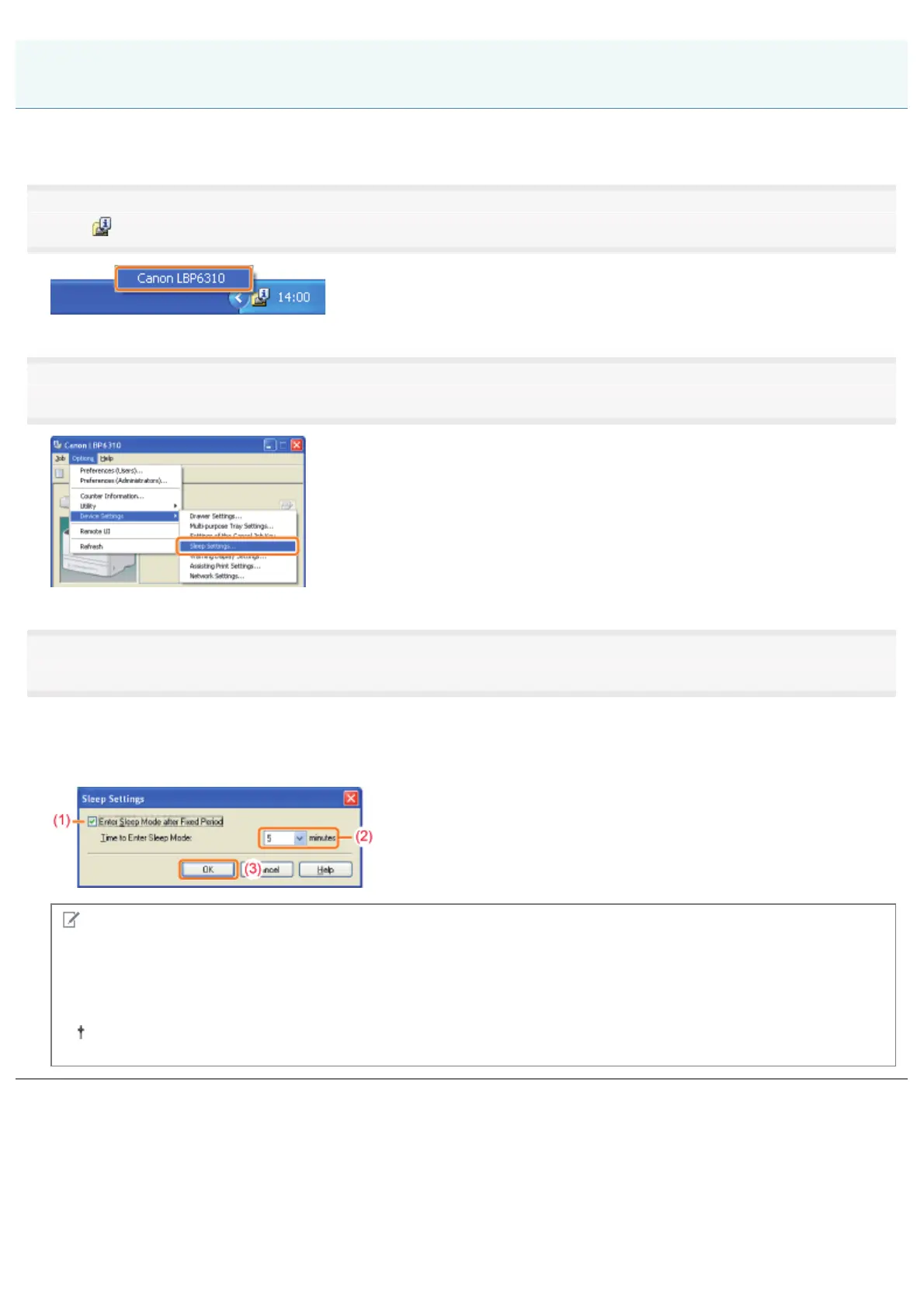
You can specify the settings for sleep mode using the following procedure.
1
Click [ ] in the Windows task tray, and then select the printer name.
2
3
Specify the settings for the sleep mode.
(1) Select the [Enter Sleep Mode after Fixed Period] check box.
(2) Specify the time until the printer enters the sleep mode in [Time to Enter Sleep Mode].
(3) Click [OK].
NOTE
About the setting for the time to enter the sleep mode
You can select [5], [10], [15], [30], [60], [90], [120], [150], or [180] minutes for [Time to Enter Sleep Mode]. The default
value is [5] minutes.
We recommend that you use this option in the default setting.
Sleep Mode
㻡㻢㻌㻛㻌㻠㻡㻞














 To Next Page