07K5-082
1
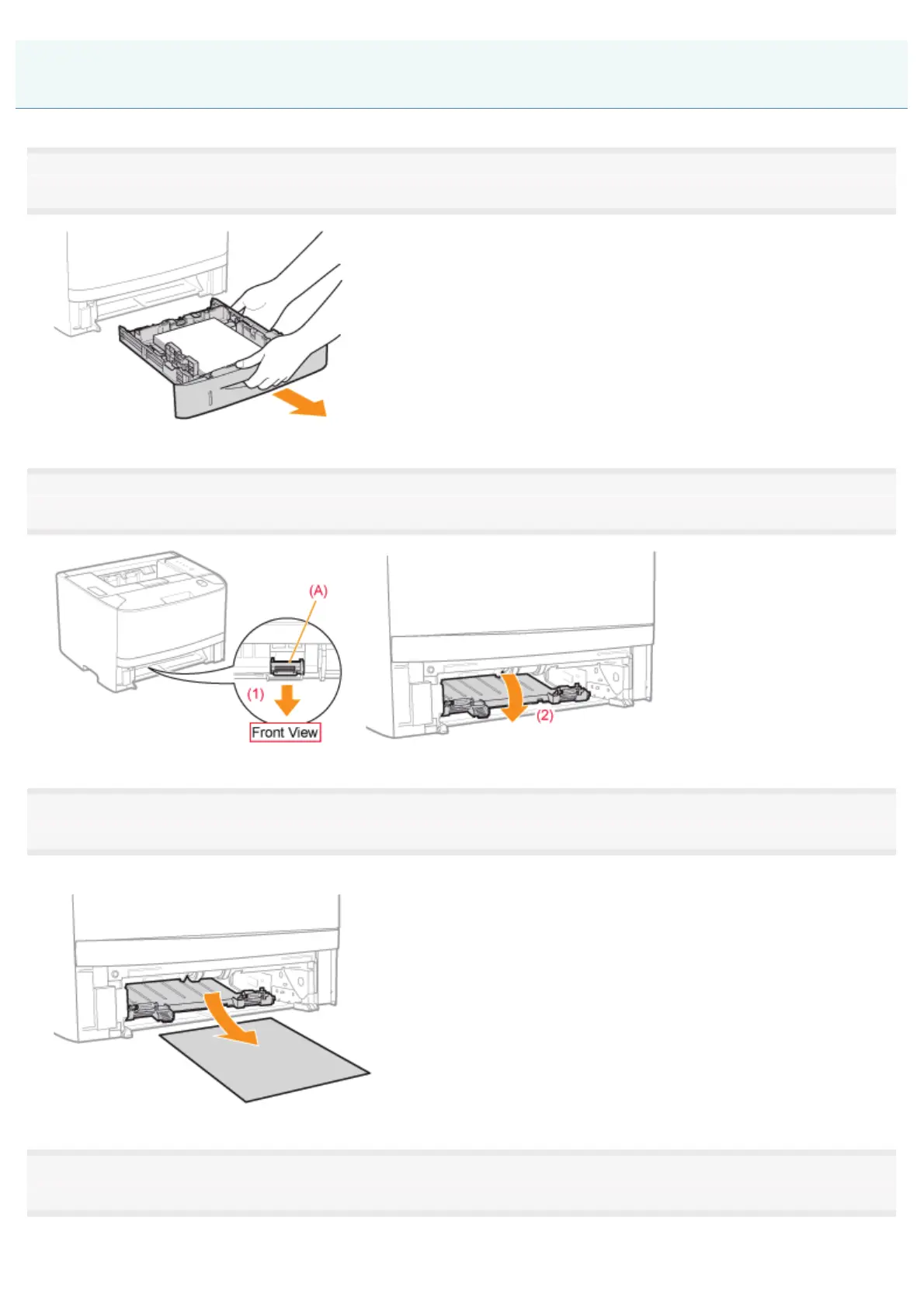
Pull out the paper drawer.
2
Holding the green tab (A), open the duplex print transport guide.
3
Remove the paper by pulling it gently.
If the jammed paper cannot be removed easily, do not try to remove it forcefully but proceed to Step 4.
4
Holding the green tab, close the duplex print transport guide firmly.
Close it by pressing the both sides firmly.
Clearing Paper Jams (Duplex Unit)
㻠㻜㻞㻌㻛㻌㻠㻡㻞














 To Next Page