07K5-042
You can superimpose watermarks (such as [COPY] and [DRAFT]) over the documents created by an application.
Additionally, you can add new watermarks and edit or delete the added watermarks.
1
Display the setting screen of the printer driver.
"Displaying the Setting Screen"
2
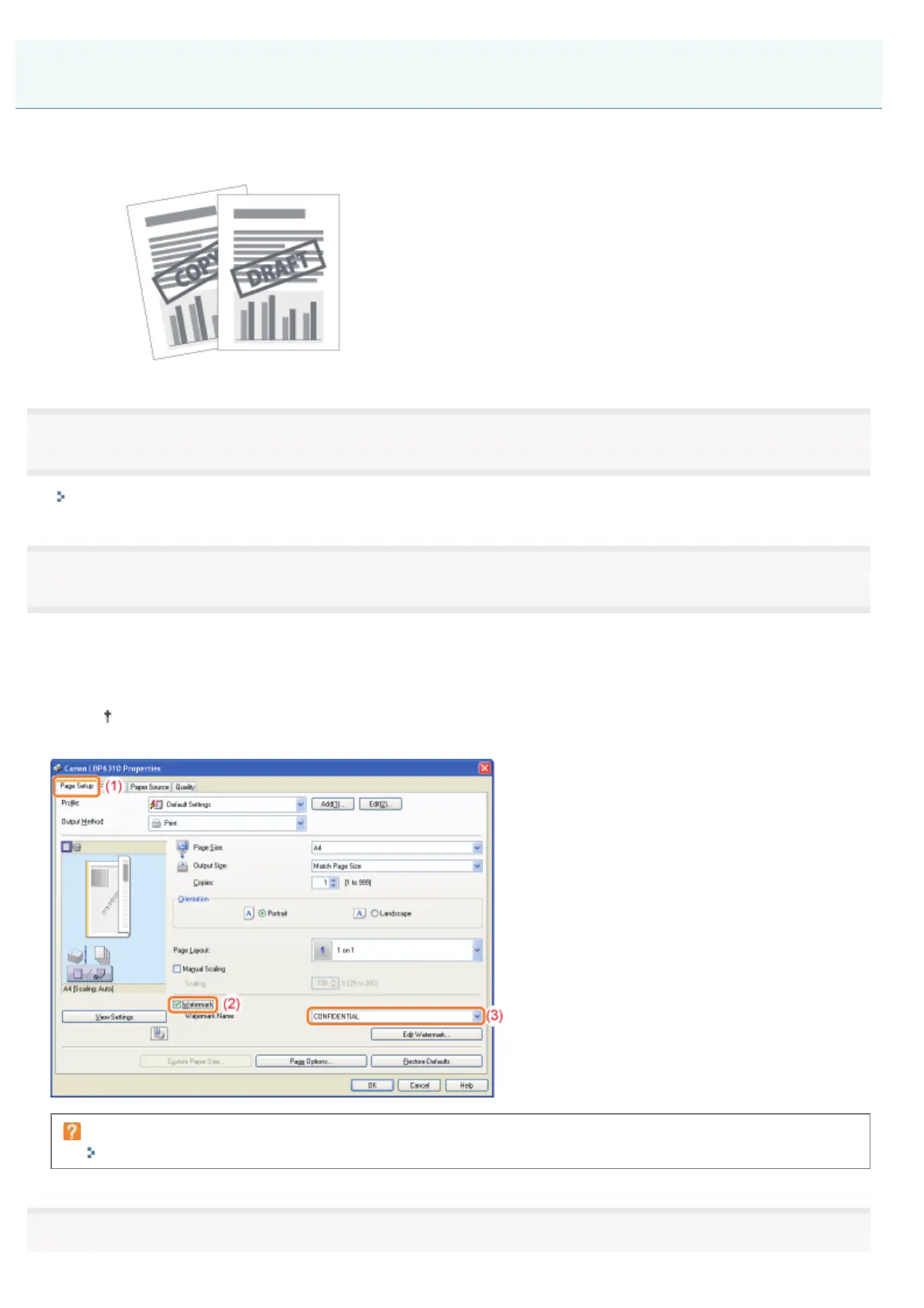
Select a watermark.
(1) Display the [Page Setup] sheet.
(2) Select the [Watermark] check box.
(3) Select the character string to be printed as a watermark.
When adding, editing, or deleting a watermark, see "Adding, Editing, or Deleting a Watermark."
If you cannot select the [Watermark] check box
"The Printer Driver Settings Cannot Be Changed"
3
Adding a Watermark to a Document to Be Printed (Watermark Printing)
㻝㻥㻟㻌㻛㻌㻠㻡㻞














 To Next Page