07K5-044
You can print a border, the date, and page numbers on the document to be printed.
1
Display the setting screen of the printer driver.
"Displaying the Setting Screen"
2
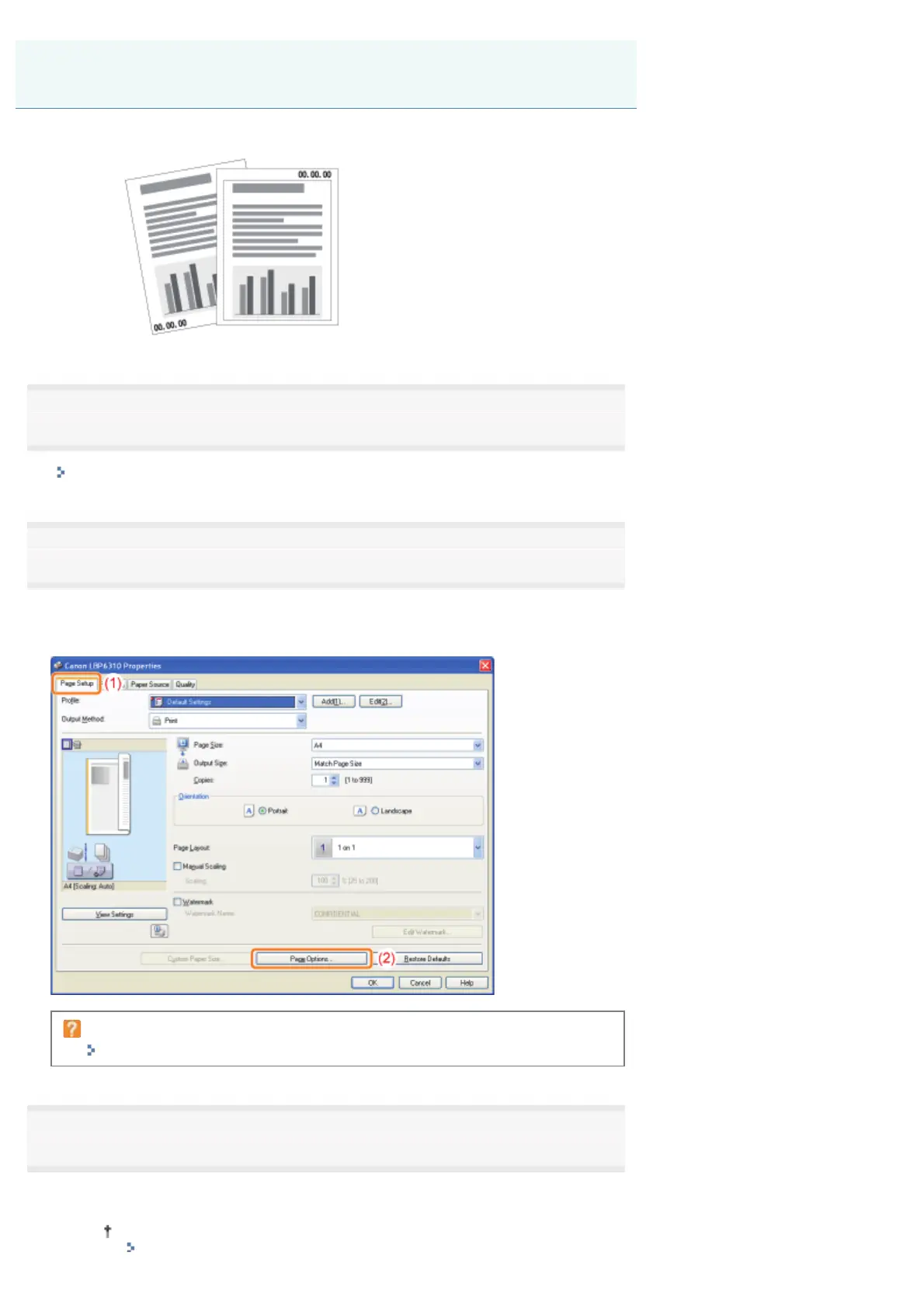
Display the [Page Options] dialog box.
(1) Display the [Page Setup] sheet.
(2) Click [Page Options].
If you cannot click [Page Options]
"The Printer Driver Settings Cannot Be Changed"
3
Specify the settings for borders, the printing date, and so on.
(1) Specify each setting.
For more details on each setting, see Help.
Printing Borders, the Printing Date, and so on
㻝㻥㻤㻌㻛㻌㻠㻡㻞














 To Next Page