07K5-07W
If you cannot specify the settings for Drawer 2 (optional) in [Paper Source] or [Register Paper Sizes], specify the status of
the paper feeder using the following procedure.
1
Open the printer folder.
"Basic Operations/Various Information for Windows"
2
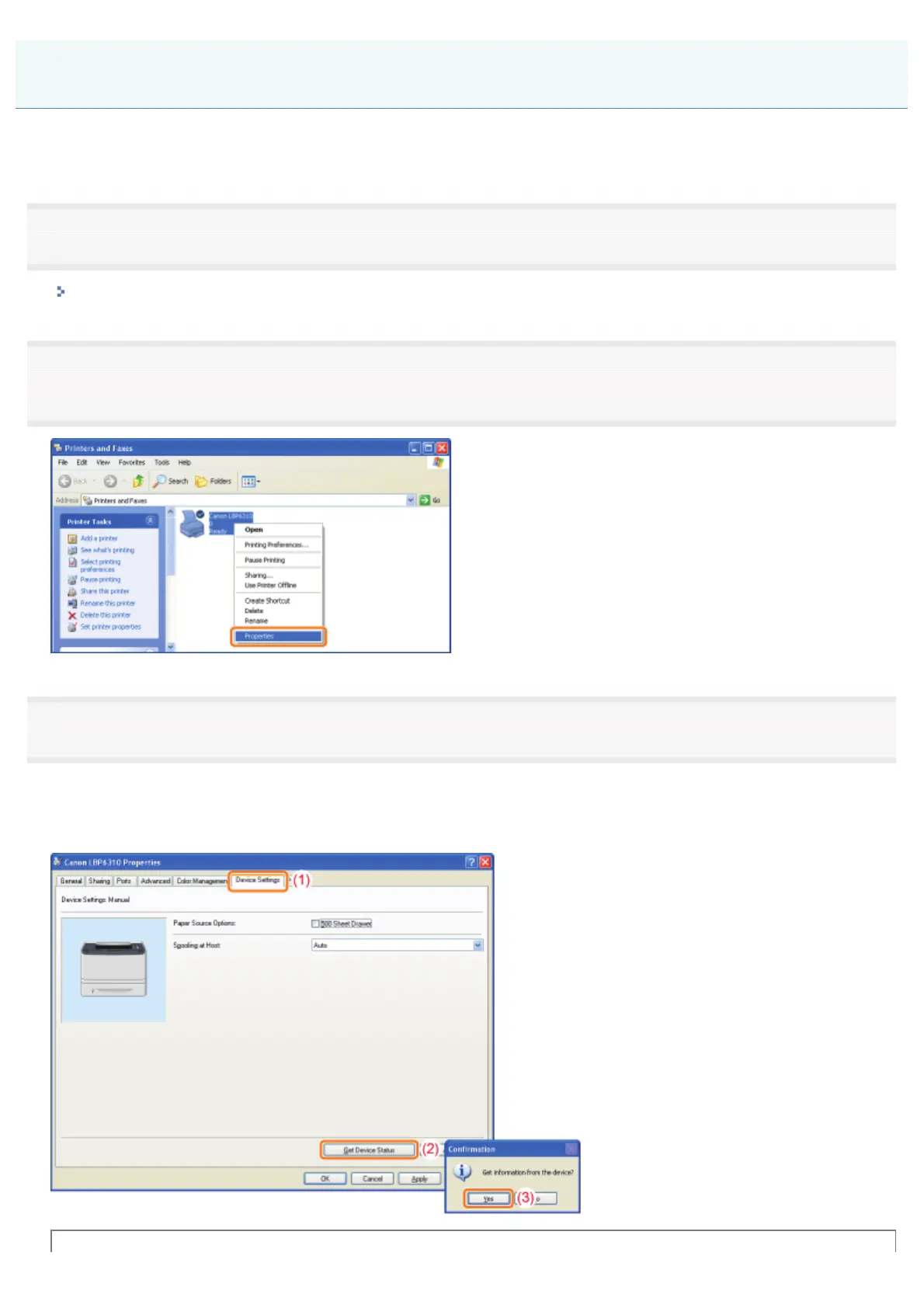
Right-click the icon for this printer, and then select [Properties] or [Printer properties] from the pop-
up menu.
3
Obtain the status of the paper feeder.
(1) Display the [Device Settings] sheet.
(2) Click [Get Device Status].
(3) Click [Yes] to obtain the status of the paper feeder.
The Status of the Paper Feeder Cannot Be Obtained Automatically
㻟㻥㻡㻌㻛㻌㻠㻡㻞














 To Next Page