07K5-028
For details on the procedure before selecting an installation method (the procedure before Step 1), see "Easy
Installation."
1
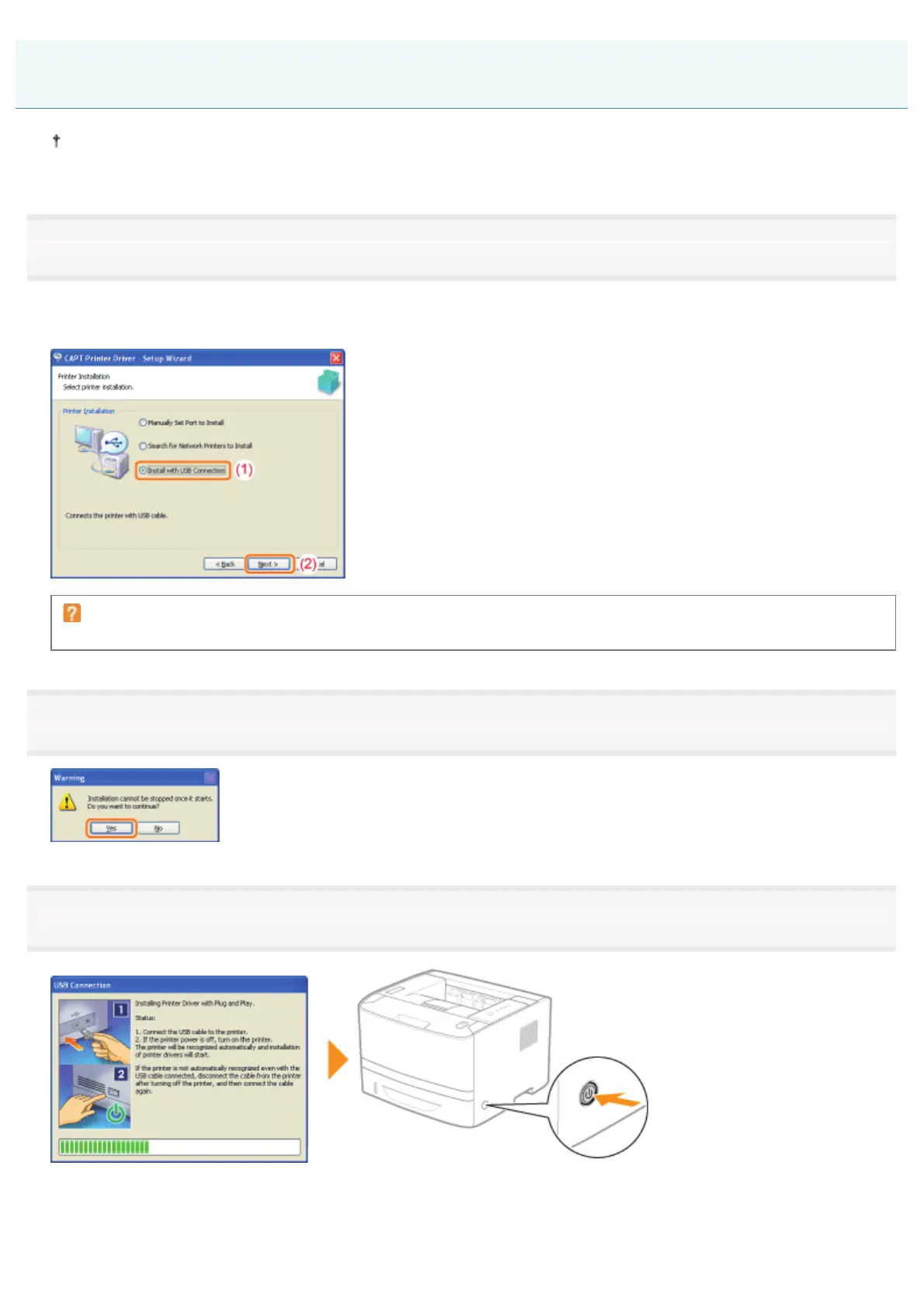
Select the method of installation.
(1) Select [Install with USB Connection].
(2) Click [Next].
If a message that prompts you to restart the computer appears
Restart the computer and install the printer driver again.
2
Click [Yes].
3
When the following screen appears, turn the printer ON.
ĺ The installation starts.
Easy Installation (USB Connection)
㻝㻜㻤㻌㻛㻌㻠㻡㻞














 To Next Page