07K5-03S
You can specify the various printing preferences in the setting screen of the printer driver.
There are the following methods to display the setting screen.
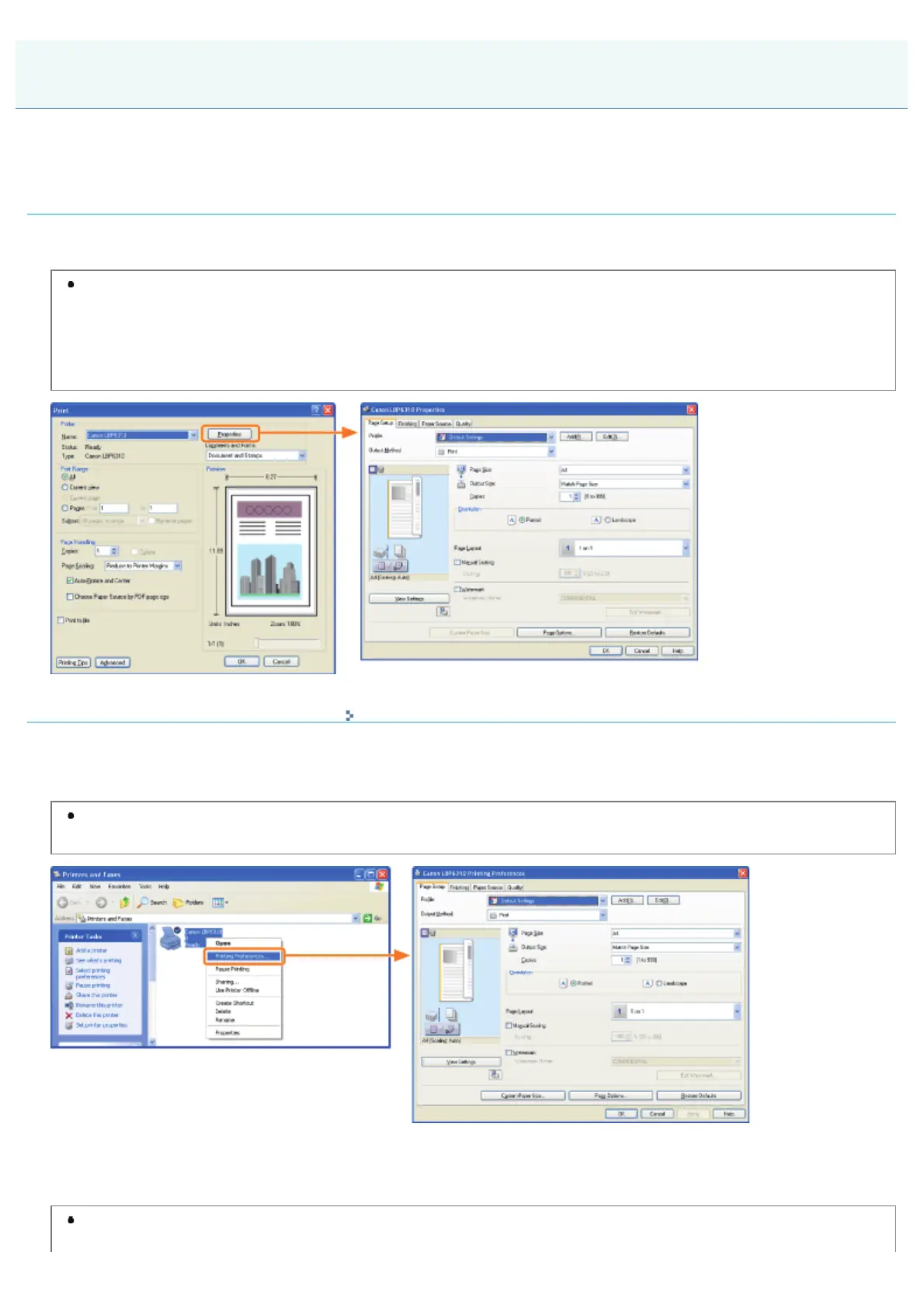
Displaying from an application
The specified settings apply only to data to be printed from the same application. Exiting the application resets the changed
settings to the default settings.
How to display
(The procedure may differ depending on the application you are using.)
1. Select [Print] from the [File] menu in the application.
2. Select this printer, and then click [Properties] or [Preferences].
Displaying from the printer folder ( "Basic Operations/Various Information for Windows")
<Printing preferences screen>
You can change the default values for printing preferences which apply to all data.
How to display
Right-click the icon for this printer, then select [Printing Preferences] from the pop-up menu.
<Printer properties screen>
You can specify the settings for the paper source option, "Profiles" to be added to the server, and so on.
How to display
Right-click the icon for this printer, and then select [Properties] or [Printer properties] from the pop-up menu.
Displaying the Setting Screen
㻝㻣㻤㻌㻛㻌㻠㻡㻞














 To Next Page