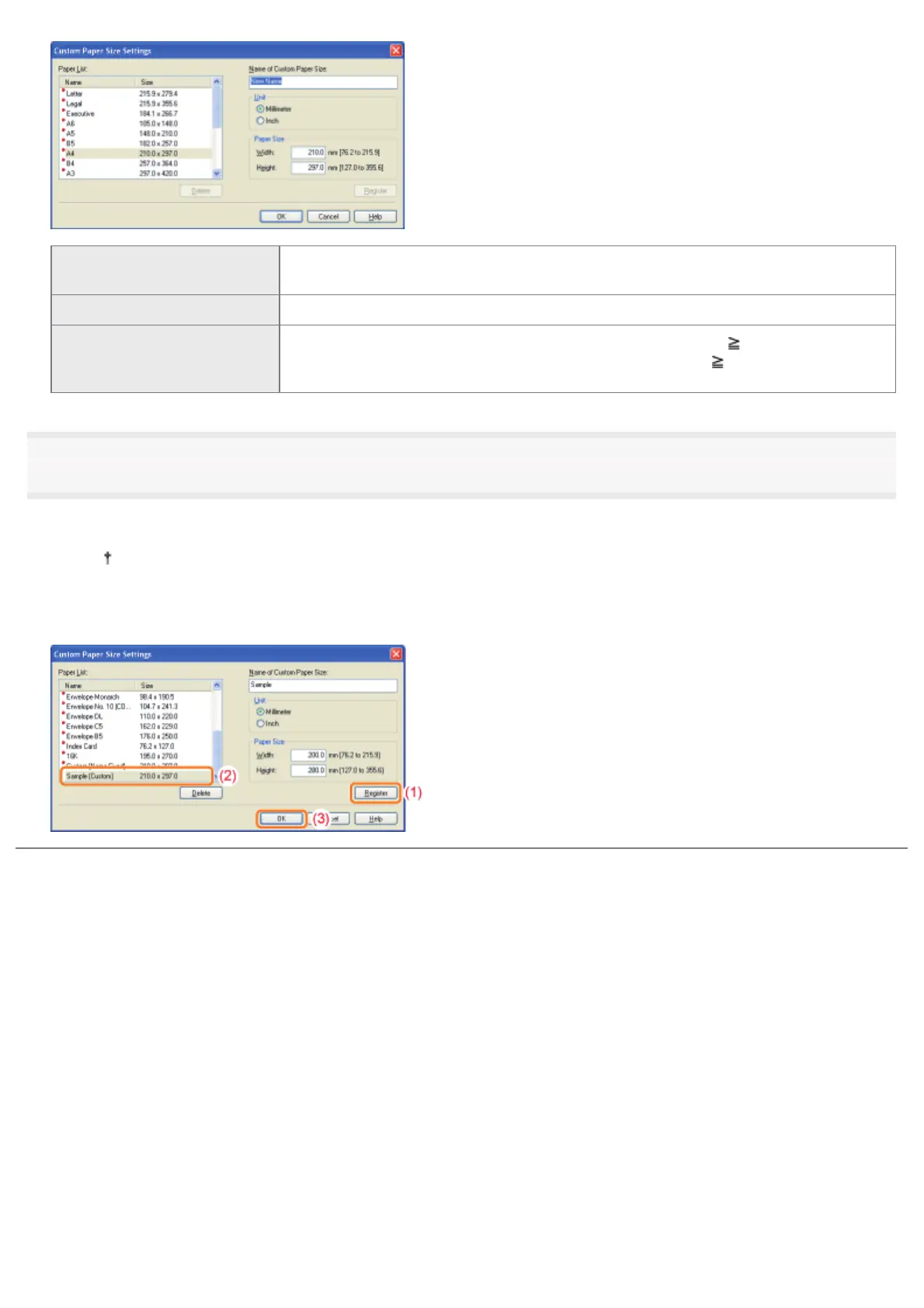
[Name of Custom Paper Size]
Enter the name of the custom paper size to be added. You can enter up to 31
characters.
[Unit] Select the unit to be used when setting the custom paper size.
[Paper Size]
Specify the height and width of the custom paper size ([Height]
[Width]).
Specify the custom paper size in portrait orientation ([Height]
[Width]) within user-
definable sizes.
5
Register the custom paper size.
(1) Click [Register].
The number of custom paper sizes that you can add depends on the system environment.
(2) Confirm that the registered custom paper size is added to [Paper List].
(3) Click [OK].
㻝㻣㻡㻌㻛㻌㻠㻡㻞














 To Next Page