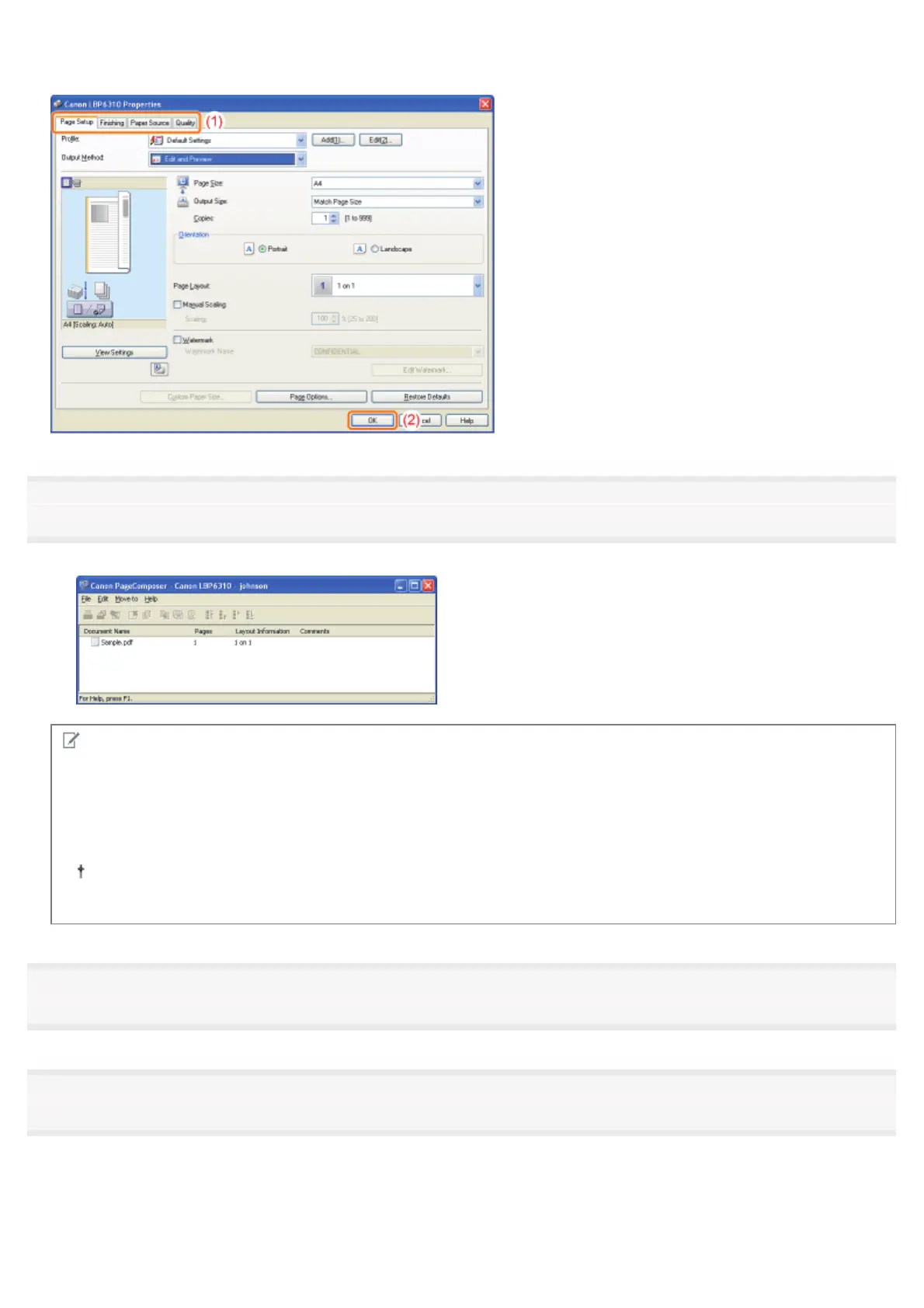
(1) Specify the printing preferences in each sheet as needed.
(2) Click [OK].
5
Perform printing from an application.
ĺ The list of print data is displayed in the [Canon PageComposer] dialog box.
NOTE
To specify the setting to always display the [Canon PageComposer] dialog box when performing
printing
Set [Output Method] to [Edit and Preview] as a default value for printing preferences, and then select the [Lock] check
box.
For details on the procedure for changing the default values for printing preferences, see "Changing the Default
Values for Printing Preferences."
6
Repeat Step 1 to 5 to combine the desired data.
7
Combine the print data.
(1) Select the print data that you want to combine.
(2) Select [Combine] from the [Edit] menu.
㻞㻜㻝㻌㻛㻌㻠㻡㻞














 To Next Page