NOTE
Specifying the network path directly
Specify the network path as "\\the print server name (the computer name of the print server)\the printer name."
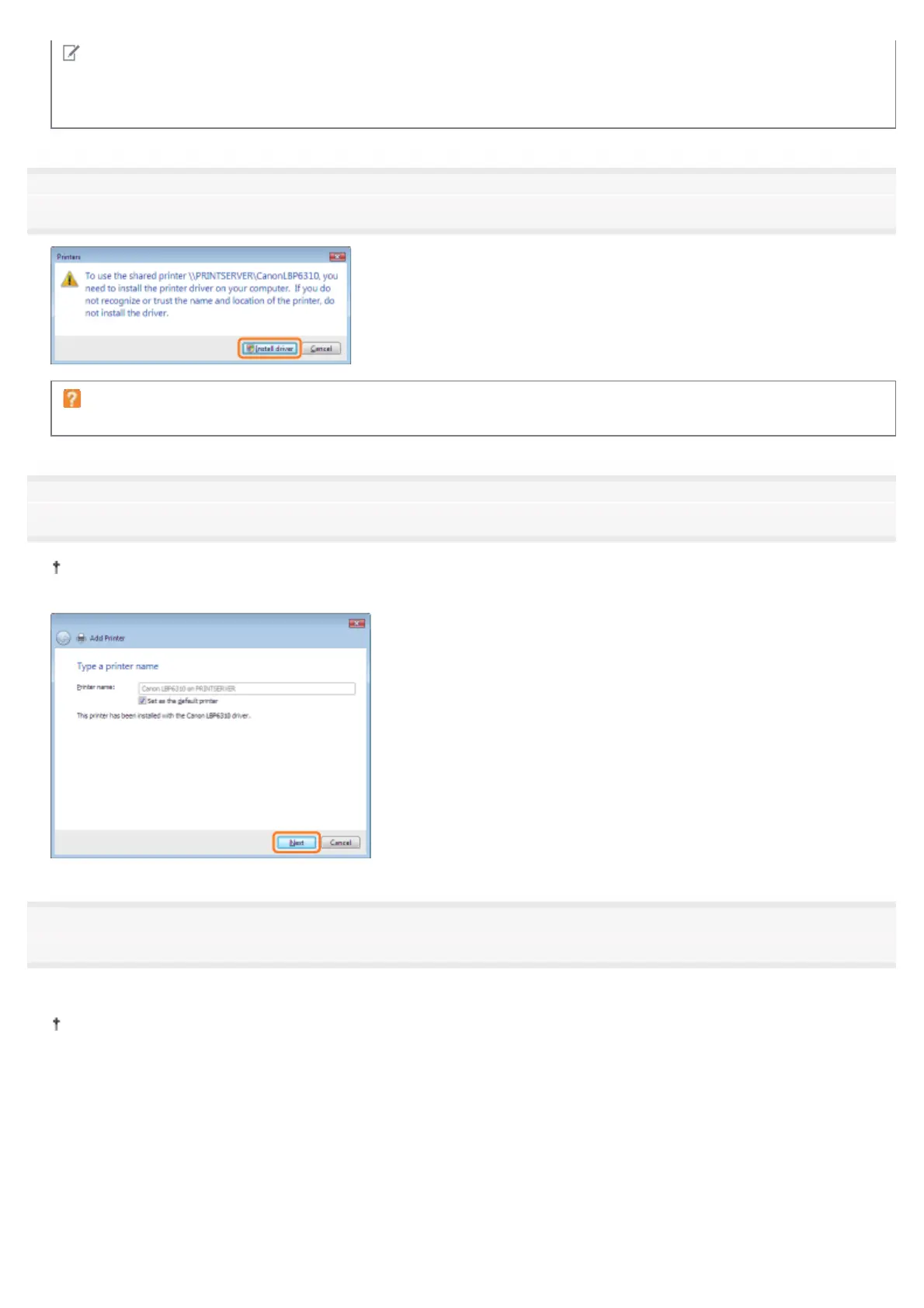
8
Click [Install driver].
If the [User Account Control] dialog box appears
Click [Continue] or [Yes].
9
Click [Next].
When [Set as the default printer] is displayed, select whether or not to use the printer as the default printer. (Windows
Vista and Server 2008)
10
Click [Finish].
If you want to print a test page, click [Print a test page].
When [Set as the default printer] is displayed, select whether or not to use the printer as the default printer. (Windows
7 and Server 2008 R2)
㻞㻥㻣㻌㻛㻌㻠㻡㻞














 To Next Page