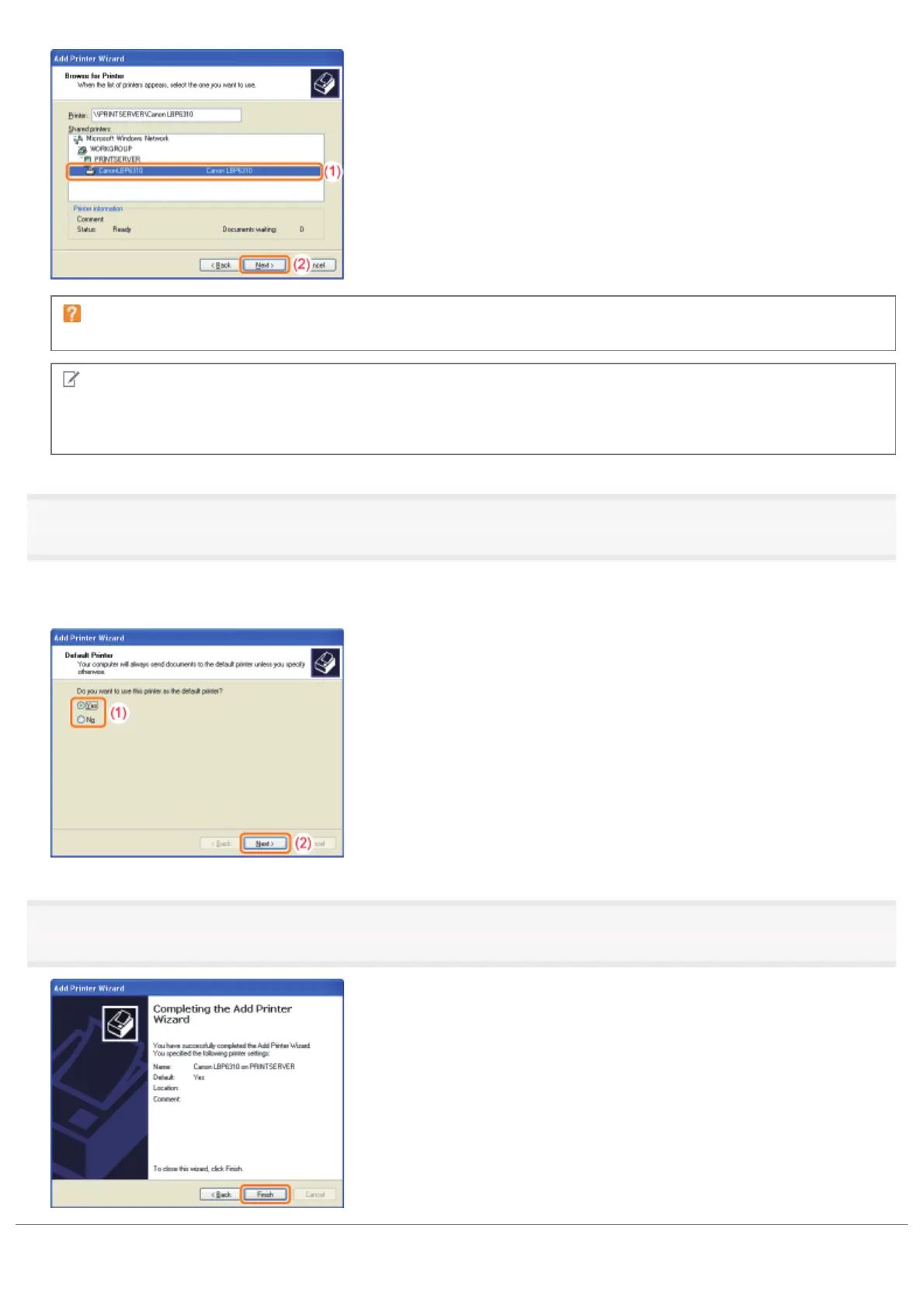
If the [Connect to Printer] dialog box appears
Follow the directions in the message.
NOTE
Specifying the network path directly
Specify the network path as "\\the print server name (the computer name of the print server)\the printer name."
8
When the following screen appears, select whether or not to use this printer as the default printer.
(1) If you want to use the printer as the default printer, select [Yes].
(2) Click [Next].
9
Click [Finish].
㻟㻜㻜㻌㻛㻌㻠㻡㻞














 To Next Page