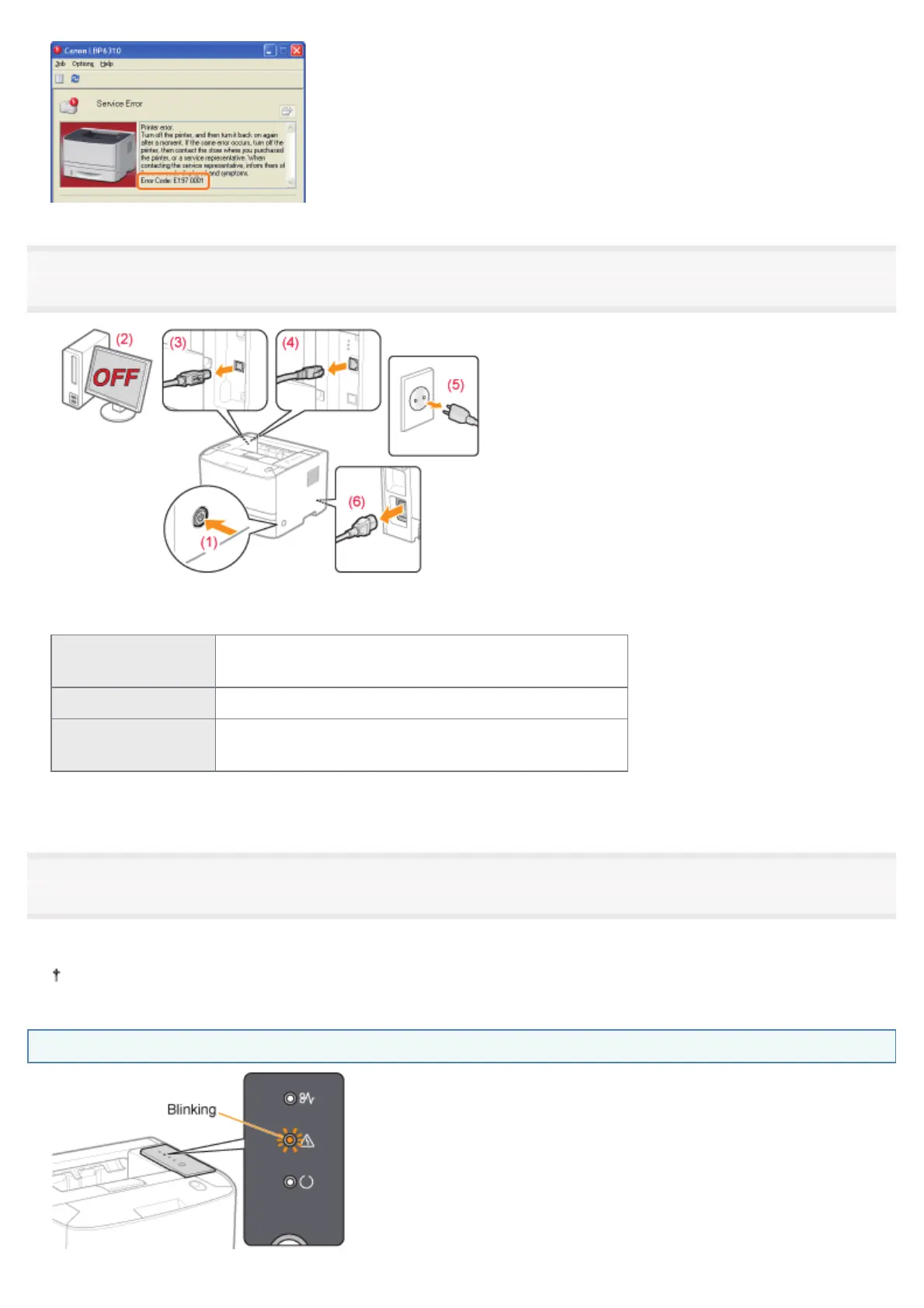
3
Turn the printer OFF, then disconnect the cables or cords from the printer.
<How to disconnect the cable or cord>
USB cable
*
(2) Turn the computer off.
(3) Disconnect the cable from the printer.
LAN cable
*
(4) Disconnect the cable from the printer.
Power cord
(5) Disconnect the power plug from the AC power outlet.
(6) Disconnect the cable from the printer.
*
Whether the cable is connected or not varies depending on your environment.
4
Contact your local authorized Canon dealer to request service.
When contacting your Canon dealer, please report also the error code which you noted down in Step 2.
If you are not sure what the problem is, contact your local authorized Canon dealer.
The Alarm Indicator Is Blinking
㻠㻝㻜㻌㻛㻌㻠㻡㻞










 To Next Page