4
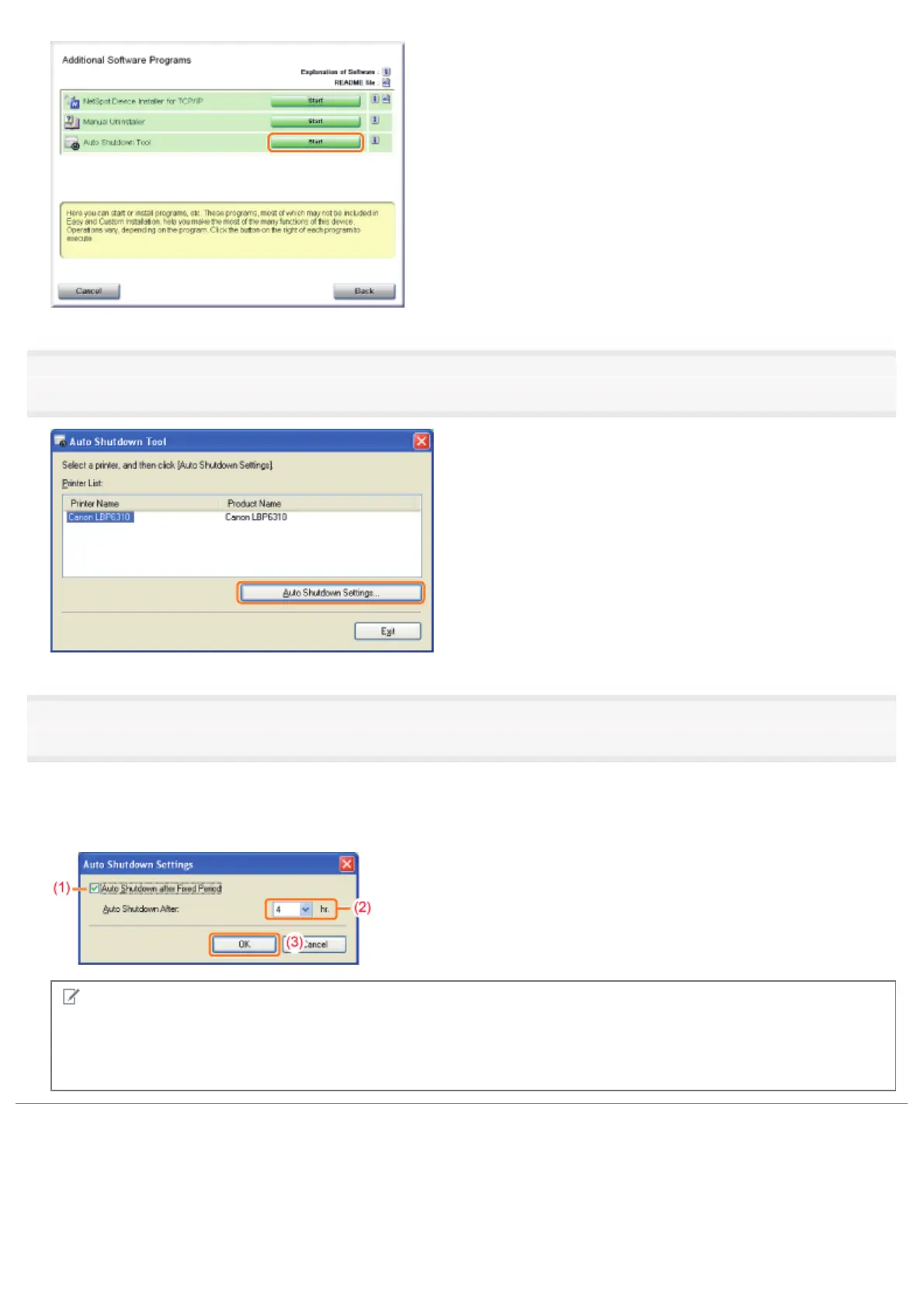
Select a printer, and then click [Auto Shutdown Settings].
5
Specify the settings for auto shutdown.
(1) Select the [Auto Shutdown after Fixed Period] check box.
(2) Specify the time to shut down in [Auto Shutdown After].
(3) Click [OK].
NOTE
About the setting for the time to execute auto shutdown
When [Auto Shutdown After] is changed during sleep mode, the specified time to execute auto shutdown is reset.
You can specify [Auto Shutdown After] for auto shutdown with 1 hour increments between [1hr.] and [8hr.].
㻡㻤㻌㻛㻌㻠㻡㻞














 To Next Page