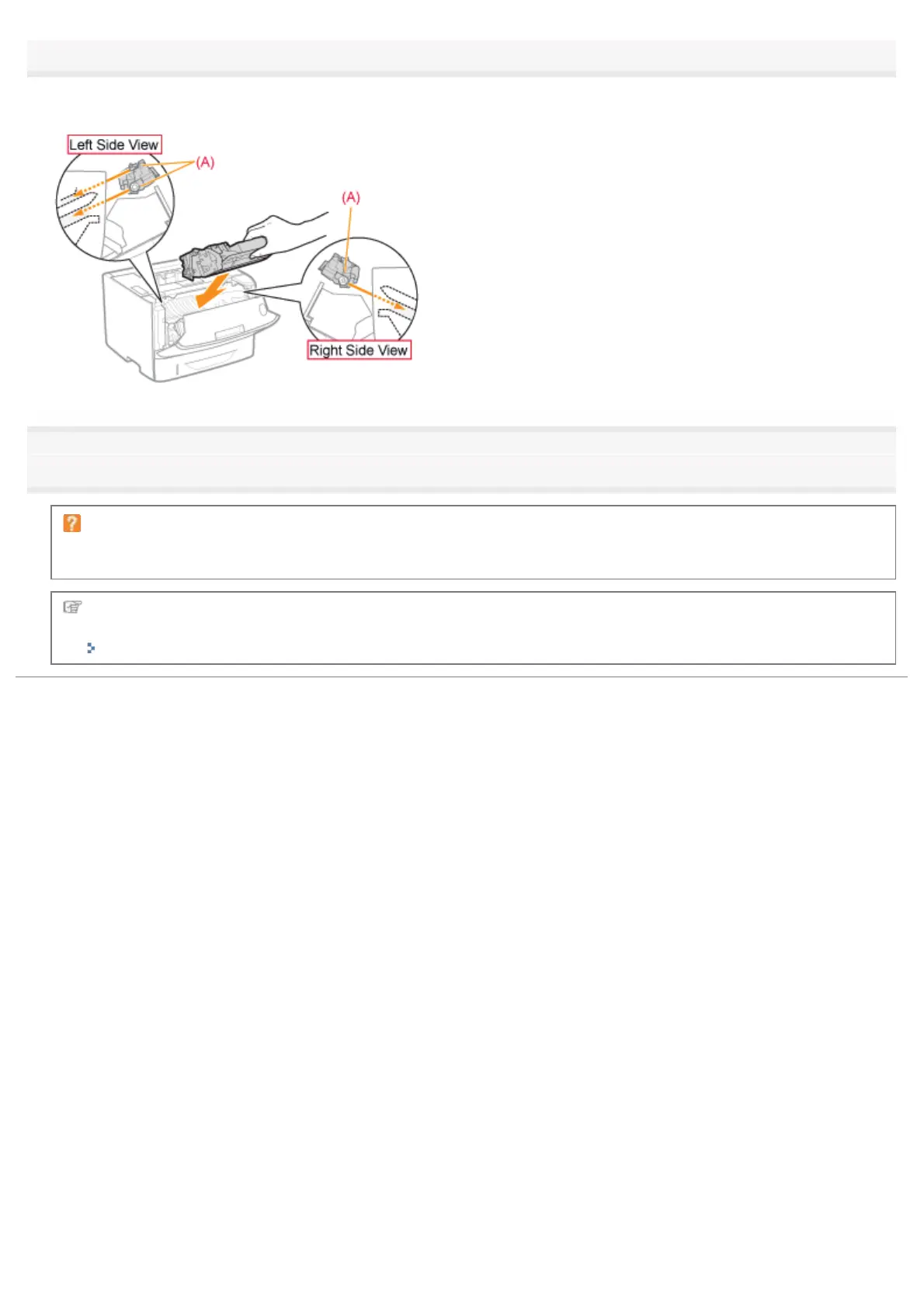
Install the toner cartridge.
Push the toner cartridge into the printer firmly until it touches the back of the printer while aligning (A) on both sides of the
toner cartridge with the toner cartridge guides inside the printer.
5
Close the front cover.
If you cannot close the front cover
Make sure that the toner cartridge is installed in the printer properly. Do not try to forcefully close the front cover, as
this may damage the printer.
If white streaks, unevenness, or faded print appears on printout results even after performing the above
procedure, replace the toner cartridge with a new one.
"Replacing the Toner Cartridge"
㻢㻤㻌㻛㻌㻠㻡㻞














 To Next Page