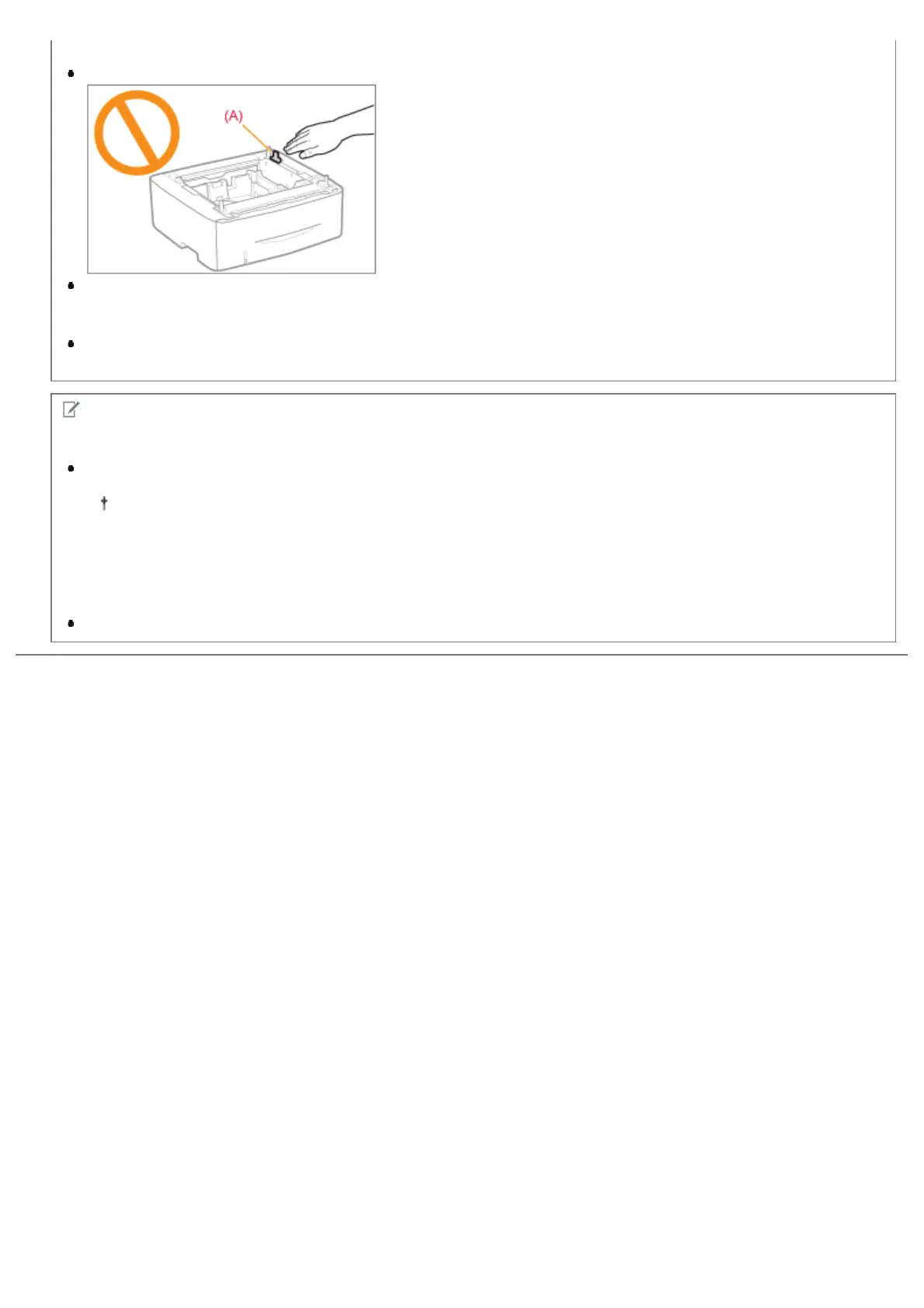
Precautions when installing the paper feeder
Do not touch the connector (A) on the paper feeder. This may result in damage to the printer or misfeeds.
If you cannot place the printer on the paper feeder properly, lift the printer once, hold it horizontally, and place it
again.
If you try to place the printer forcefully without lifting it, the connector and positioning pins may be broken.
Be sure to turn the printer ON once when loading paper in the paper drawer for the first time after installing the
paper feeder.
NOTE
About the toner cartridge included with this printer
The average yield of the included toner cartridge is 2,100 pages.
The average yield is on the basis of "ISO/IEC 19752"
*
when printing A4 paper with the default print density
setting.
*
"ISO/IEC 19752" is the global standard related to "Method for the determination of toner cartridge yield for
monochromatic electrophotographic printers and multi-function devices that contain printer components"
issued by ISO (International Organization for Standardization).
For purchasing replacement toner cartridges, see "Consumables."
㻤㻡㻌㻛㻌㻠㻡㻞














 To Next Page