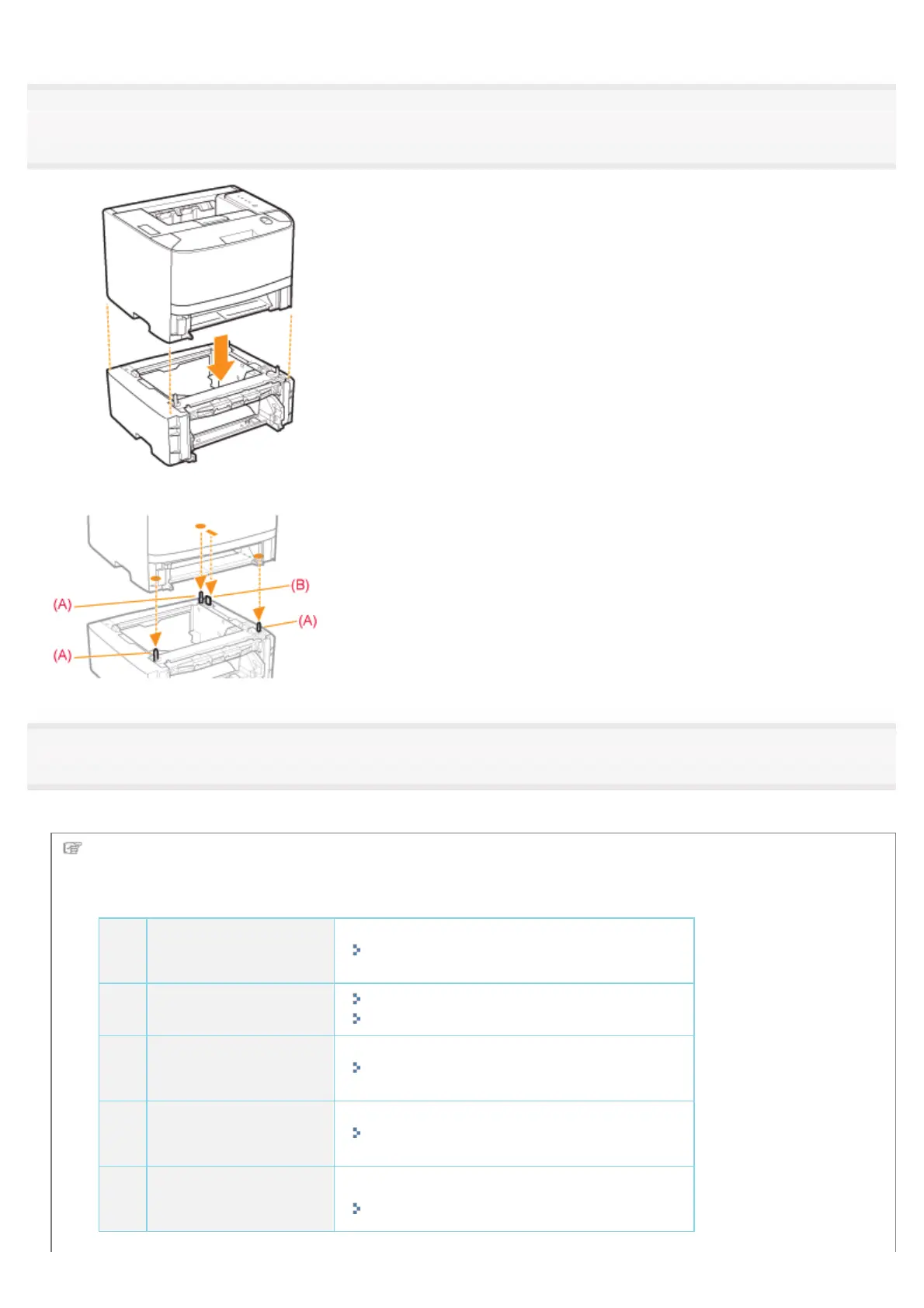
7
Gently place the printer on the paper feeder so that each surface of the printer is flush with the front
or side surfaces of the paper feeder.
Also, match the positioning pins (A) and connector (B) when placing the printer.
8
Insert the paper drawers in the printer and paper feeder.
Push them into the printer and paper feeder firmly.
Next, perform the following procedures.
If you install the printer and paper feeder at the same time
1
Connect the power
cord.
"Connecting the Power Cord"
2
Load paper.
"Loading Paper in the Paper Drawer"
"Loading Paper in the Multi-purpose Tray"
3
Install the printer
driver.
"Installing the Printer Driver"
4
Register a paper
size.
"Registering the Paper Size"
5
Check the printing
operation.
Check the operations by Configuration Page Print.
"Checking the Printer Settings"
㻥㻣㻌㻛㻌㻠㻡㻞














 To Next Page