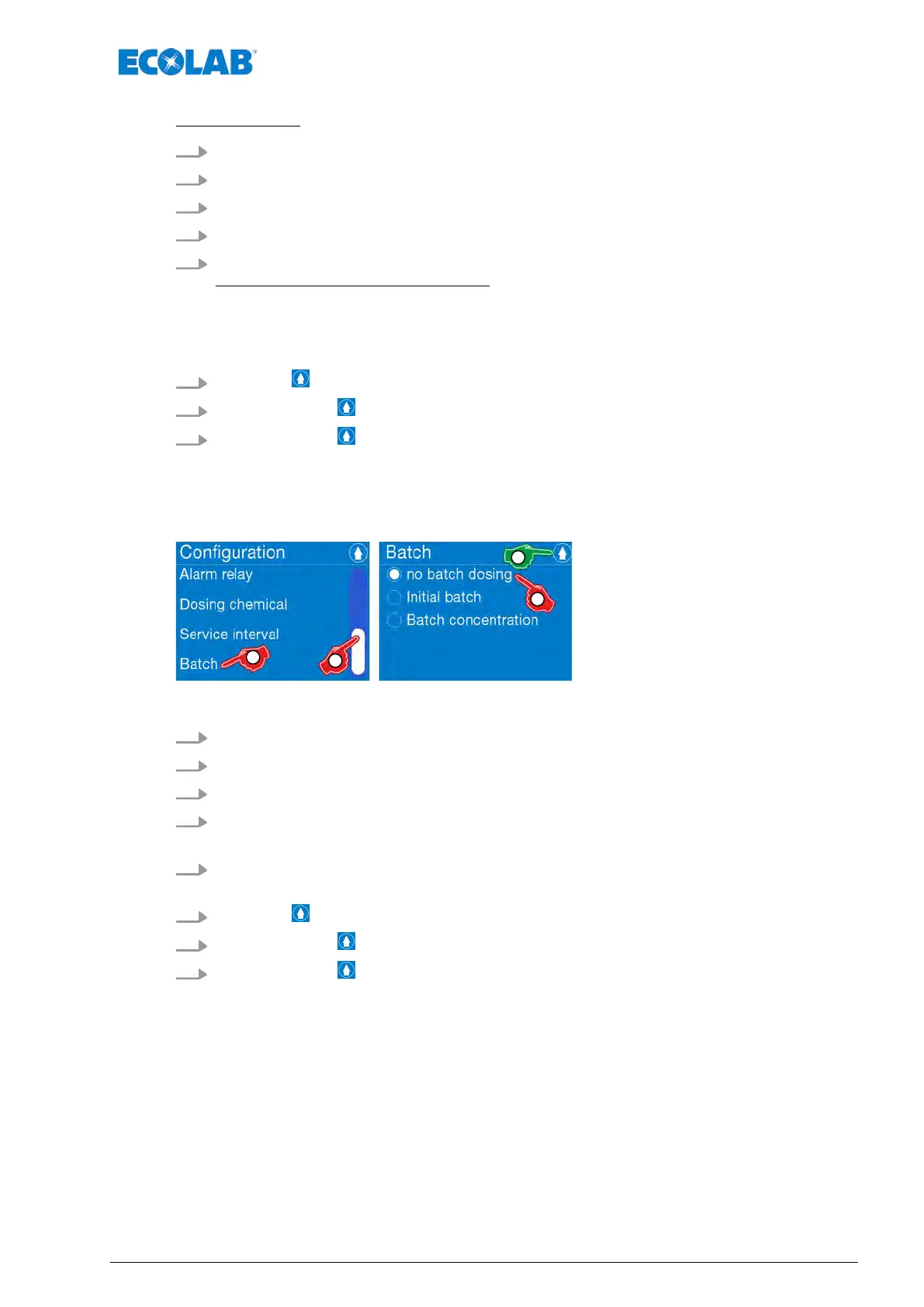
[Select Batch] :
1.
[Call up the Main menu] :
Ä
Chapter 7.7 ‘Main menu’ on page 73
2.
[Select Configuration] :
Ä
Chapter 7.10 ‘Overview - Configuration’ on page 92
3. Use the scrollbar to scroll to the [menu item Batch] .
4. [Select Batch] .
5. Select the required charge:
The following charges can be set:
n
Ä
Chapter 7.10.12.1 ‘[Batch] - [No batch metering]’ on page 115
n
Ä
Chapter 7.10.12.2 ‘[Batch] - [Initial preparation]’ on page 116
n
Ä
Chapter 7.10.12.3 ‘[Batch] - [Initial concentration]’ on page 117
6.
Press the button to return to the menu: [Select Configuration].
7.
By pressing the button, you can return to the [main menu].
8.
By pressing the button, you can return to the [operating display].
7.10.12.1 [Batch] - [No batch metering]
Fig. 66: Batch - [No batch metering]
1.
[Call up the Main menu] :
Ä
Chapter 7.7 ‘Main menu’ on page 73
2.
[Select Configuration] :
Ä
Chapter 7.10 ‘Overview - Configuration’ on page 92
3. Use the scrollbar to scroll to the [menu item Batch] .
4. [Select Batch] .
ð
Screen switches to the selection level [Batch]
5. [Select No batch metering] .
ð
The option field ‘No batch metering
’ is marked.
6.
Press the button to return to the menu: [Configuration].
7.
By pressing the button, you can return to the [main menu].
8.
By pressing the button, you can return to the [operating display].
Control / Software
115 417102276 Rev. 5-02.2020



 To Next Page