93
_____________________________________________________________________________________________
6.3 Program Setting State
______________________________________________________________________________________________
Test-voltage value: 500 V
Upper-limit value: 100 MΩ
Lower-limit value: OFF
Test time: 5.0 s
Delay time: 0.5 s
Test-voltage value: 500 V
Upper-limit value: 100 MΩ
Lower-limit value: OFF
Test time: 5.0 s
Delay time: 0.5 s
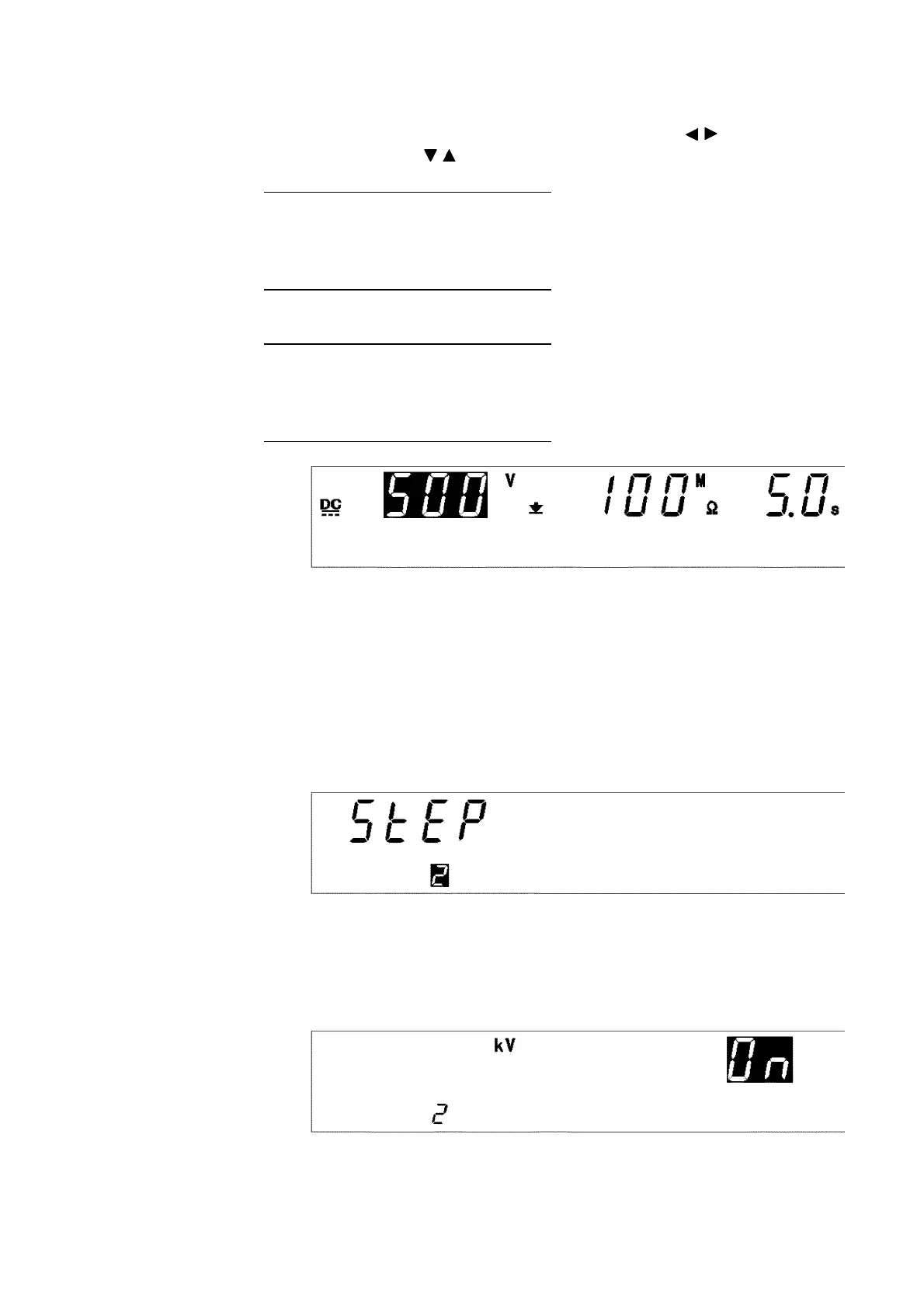
(6) Setting test conditions in step 1
Set the conditions of the test to be conducted in step 1. The
DATA INPUT
lamp will light up. Move the flashing cursor using the / keys, and set the
conditions using the / keys. The setting method is the same as that for
each mode. The test conditions in step 1 are as follows:
Therefore, set them as follows:
When the test conditions have been set, press the
ENTER
key. Pressing the
ENTER
key at this point finalizes settings (3) to (6). When the settings have
been finalized, the step number selected in (3) is fixed as that for the
settings.
(7) Setting of step 2
Select
2
as the step number. Press the
ENTER
key, and proceed to the next
setting.
(8) Type of test performed in step 2
The test to be performed in step 2 is a withstand-voltage test. Therefore, the
W
key should be pressed. In addition, as the test is continued in step 3,
select
ON
using the
ON/OFF
key.



 To Next Page