WinMax Lathe Conversational Part Programming v546CO Conversational Part Programming 2-81
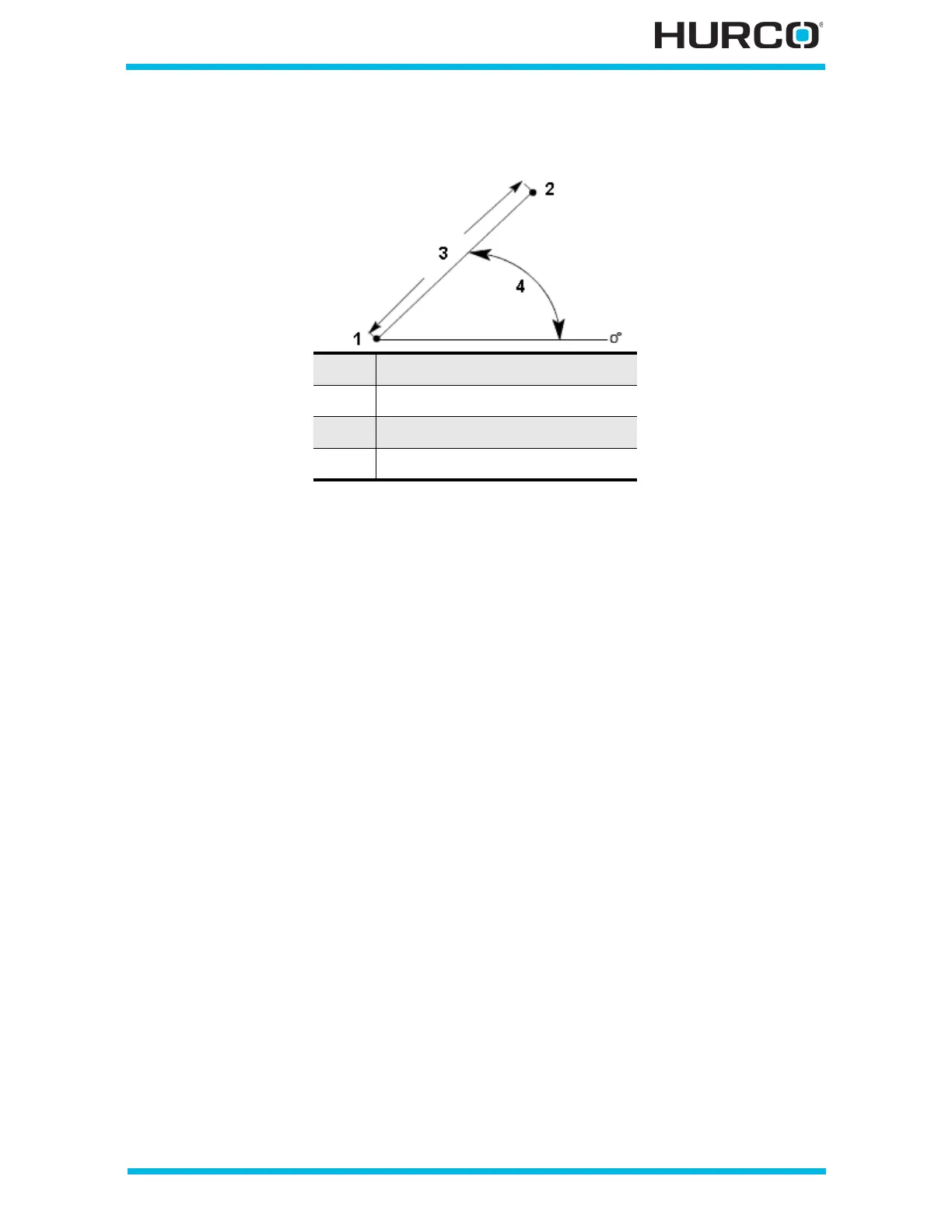
The following figure shows the Length, Angle, and end point relationship:
Figure 2–69. Line segment coordinates
The Calc-Assist feature calculates certain unknown line segment dimensions
automatically, after sufficient data has been entered. A parameter with a calculated value
is indicated with “CAL” preceding the value.
• If the End coordinates are entered, the control automatically calculates the
Length and the Angle values.
• If both end points are unknown, but Length and Angle are programmed, the
control automatically calculates both End parameters.
• If one end point coordinate and the Angle are programmed, the control
calculates the unknown end point and the Length.
• If one end point coordinate and the Length are programmed, the control
calculates the unknown end point and the Angle. However, two possible
solutions may exist for the unknown end point. When two possible solutions
exist, the message, “Another end point exists” appears along with one of the
two possible solutions. To determine the correct end point:
• Select the Draw console key for the currently displayed end point. If this
solution is correct, press Enter to accept.
• Select the FIND ANOTHER end point F5 softkey to view the alternative
solution. Select the Draw console key again to view the alternate solution.
Press Enter to accept.
• Select the FIND ANOTHER end point F5 softkey to review the first end
point solution.
1 Start Point
2 End Point
3 Length
4 Angle



 To Next Page