2 - 142 Conversational Part Programming v546CO WinMax Lathe Conversational Part Programming
• LINEAR Y MOTION—select this checkbox to cause Y-Axis Motion using the X
and X’ axes. When this checkbox is clear, Y-Axis Motion occurs using the X
and C axes. Please refer to Programming Coordinates and Linear Y Motion, on
page 2 - 68 for examples. This field is available with TMX MY and TMX MYS
series machines.
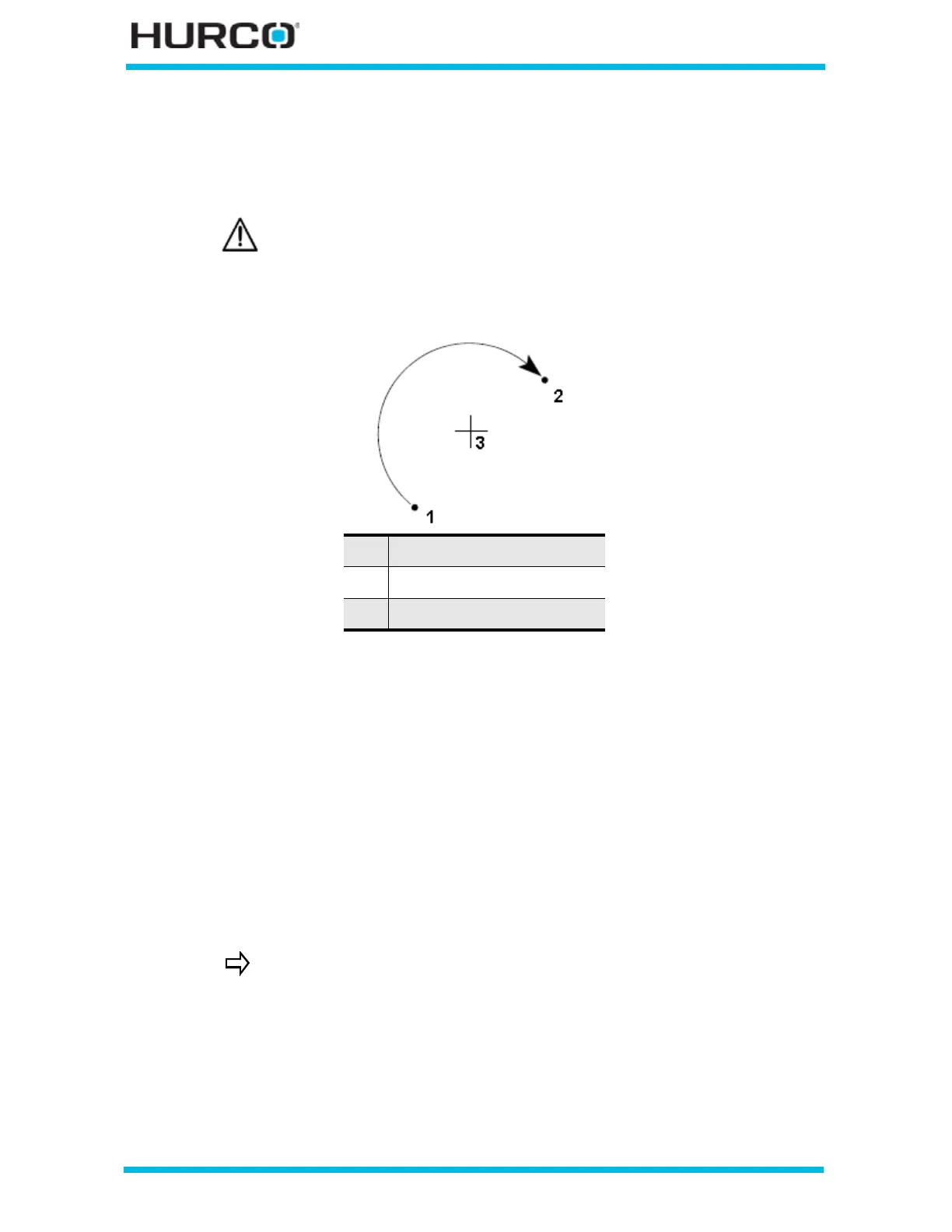
Examples of these coordinates for a clockwise arc are shown below:
Figure 2–119. Coordinates of a Clockwise Arc
The Calc-Assist feature calculates certain unknown arc segment dimensions
automatically, after sufficient data has been entered. A parameter with a calculated value
is indicated with “CAL” preceding the value.
• The values of center points plus start point or end point coordinates s are
used to calculate the arc radius.
• Start point and end point coordinates plus the radius are used to calculate
two possible center point coordinates.
• Either of the end point values and the center point coordinate supplies the
value of the other end point and the radius parameter.
• A known center point, start point, or end point and radius are used to
calculate an unknown center point coordinate.
Linear Y-Axis Motion is limited. The amount of Y travel is affected by
the X position and by any X-Axis tool length offset.
1 Start Point
2 End Point
3 Center Point
A series of arcs and lines can be programmed in a single data block
to form a complete contour. Press the Ctrl + arrow key to program
additional Line and Arc segments for the current data block.



 To Next Page