2MN/2N1
1-2-40
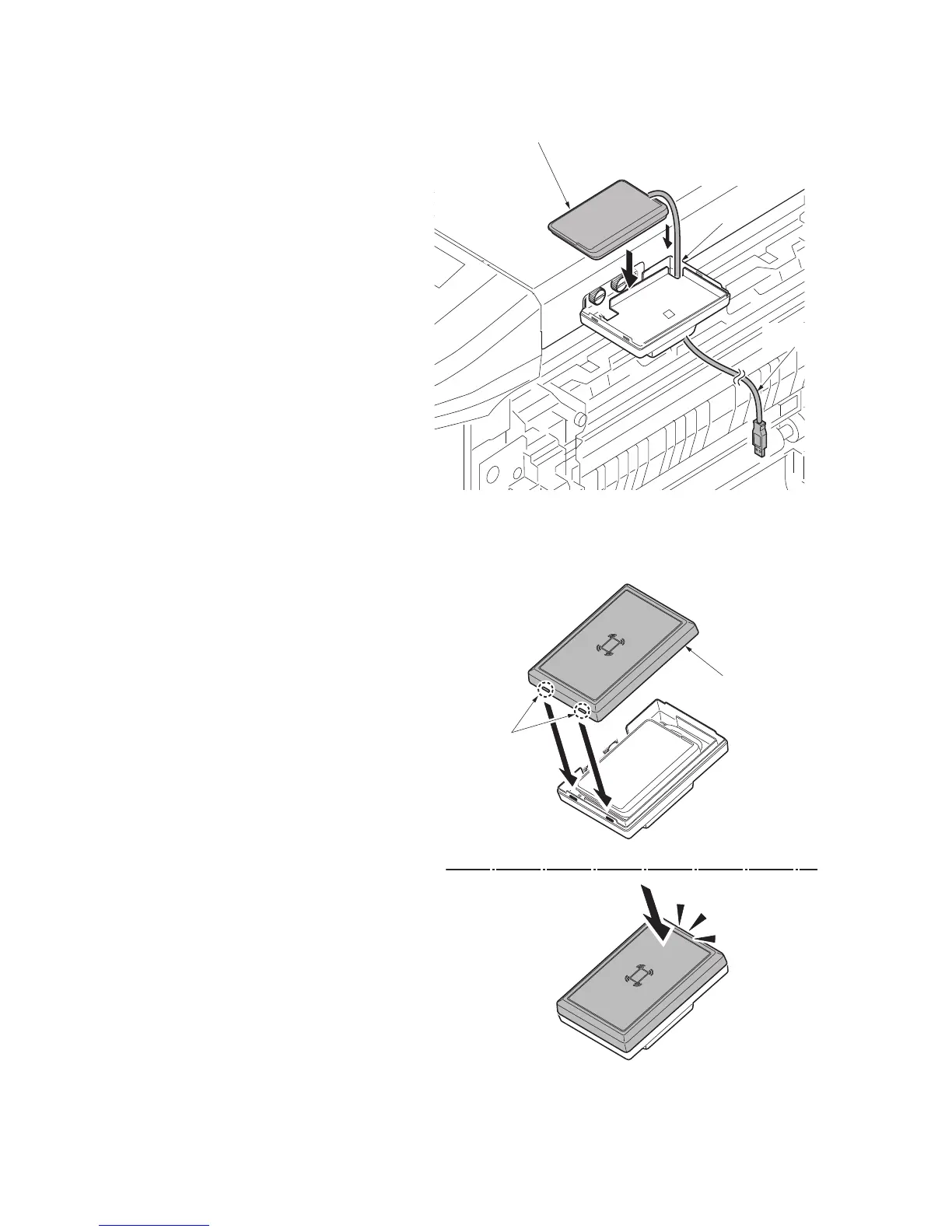
9. Route the USB wire of the IC card
reader through the aperture of the card
reader base and mount the IC card
reader on the card reader base.
Figure 1-2-58
10. Hook the two hooks of the card reader
case to fit the card reader case to the
card reader base.
Press its top until it clicks in.
Figure 1-2-59
Aperture
USB wire
IC card reader
Hooks
Card reader
case



 To Next Page
 Loading...






