13-20 Event History Display Model 831 Manual
Left/Right Arrow Keys
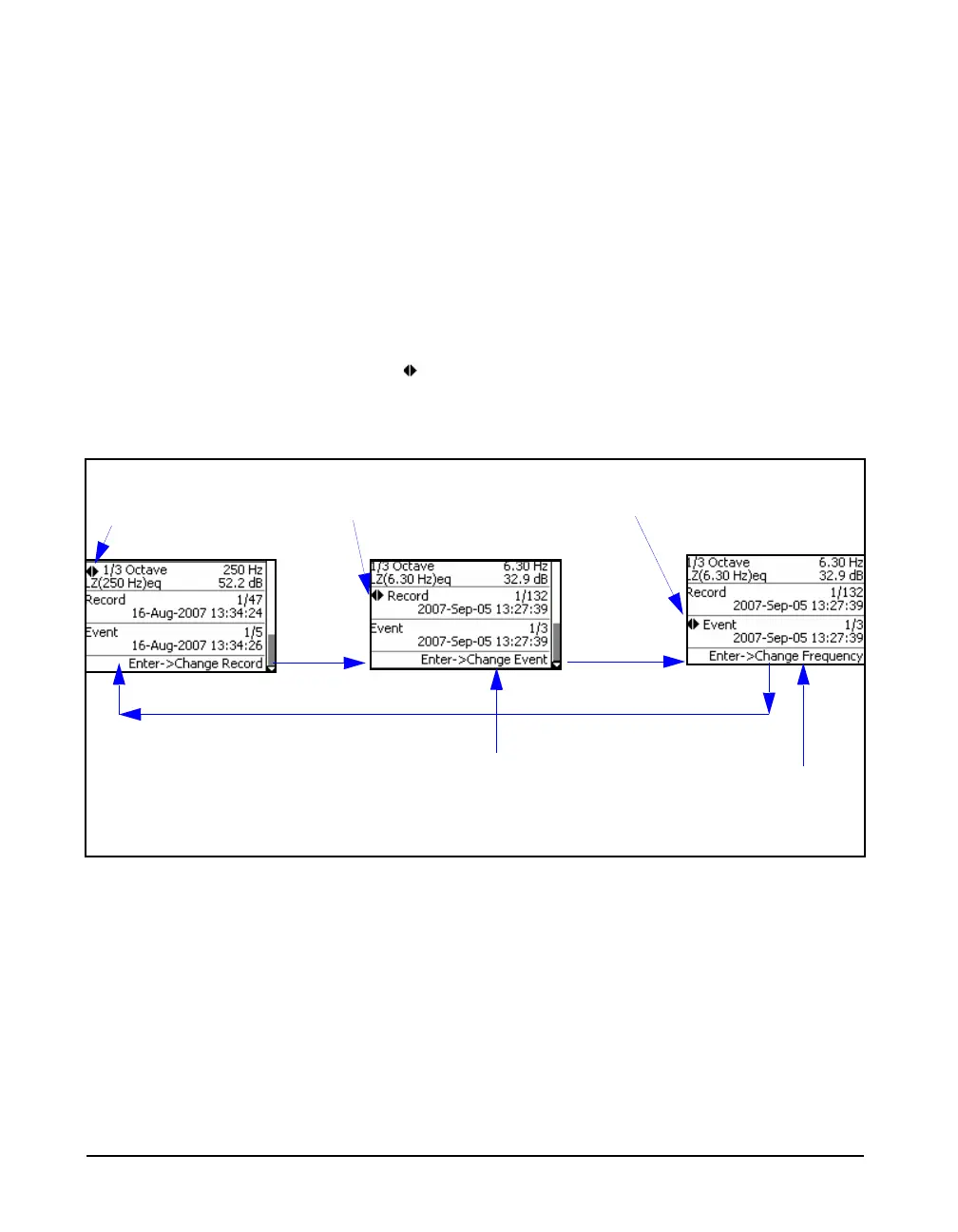
For the display shown in FIGURE 13-19, the 4 and 6 arrow
keys have three roles as listed below. Use
5 to step
through them:
• Change Frequency
• Change Record
• Change Event
At any time, the role of the left and right arrow keys is
indicated by the left/right arrow icon
and the action of
5 to change their role is indicated in the
lower portions of the display, as shown in FIGURE 13-15.
FIGURE 13-20 Role of Left/Right Arrow Keys: Event Spectra Time History
Left and Right Arrow keys
Change Frequency
Left and Right Arrow keys
Change Record
Left and Right Arrow keys
Change Event
Switch role of left/right
arrow keys from
“Change Frequency” to
“Change Record”
Switch role of left/right arrow keys
from “Change Record” to “Change
Event”
Switch role of left/right
arrow keys from “Change
Event” to “Change
Frequency”
55
5



 To Next Page