20-24 Troubleshooting Model 831 Manual
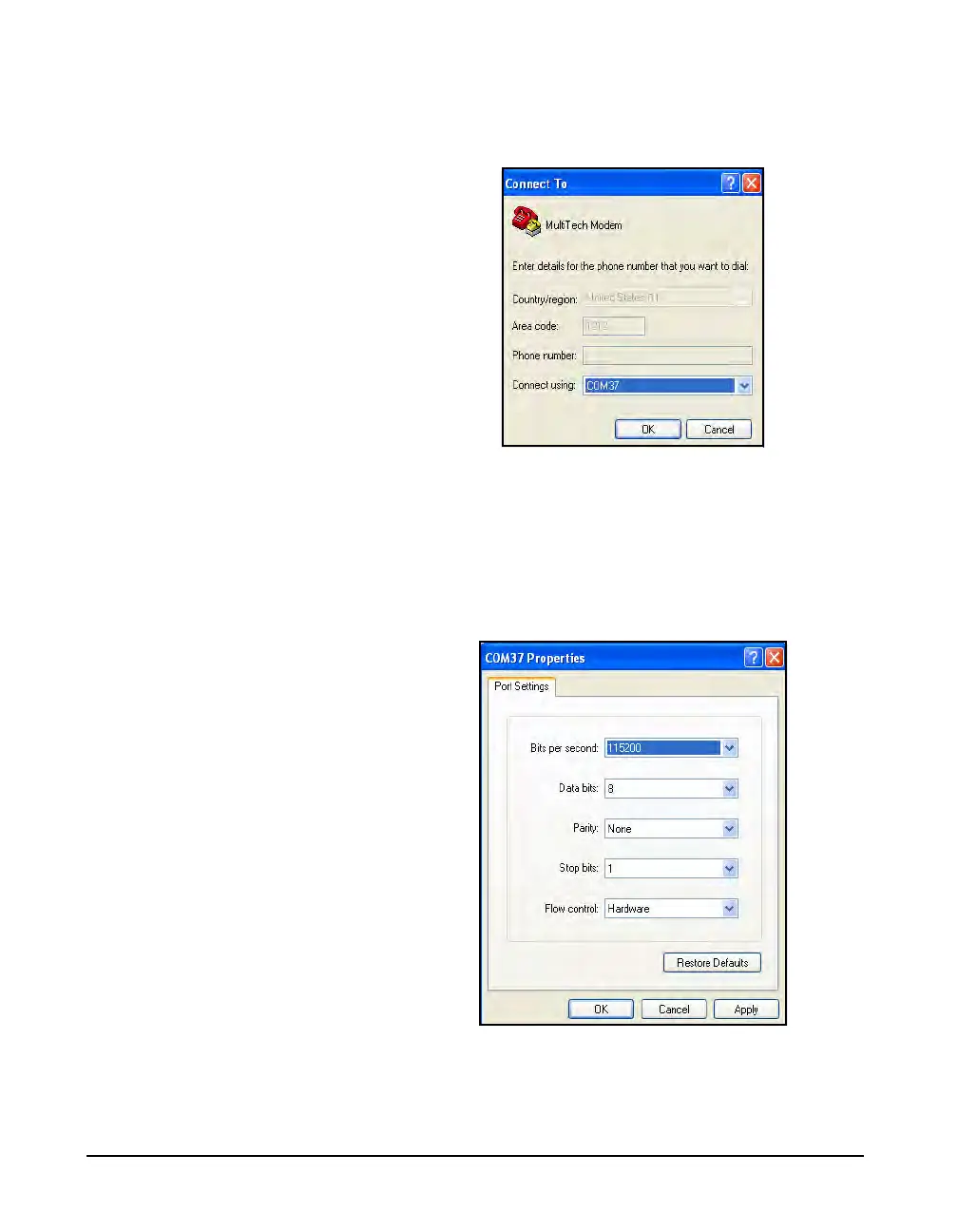
Step 4 In the Connect Using drop down menu, select the
COM port to which the Modem is connected (This can be
found from the device manager settings. Click OK.
FIGURE 20-28 COM PORT Selection
Step 5 In Properties specify the following settings.
•Bits per second: 230400
•Data bits: 8
•Parity: None
•Stop bits: 1
•Flow control: Hardware.
FIGURE 20-29 Port Settings
Step 6 From the Modem Properties dialog box click the
ASCII Setup button and specify the following:



 To Next Page