Page 121 of 237
Version: 5.1.6 – June 4
th
, 2018
Use the default setting for the authentication protocol. In principle this is preset when a
dial-up connection is set up.
Use the default setting for the authentication protocol. In principle this is preset when a
dial-up connection is set up. As a rule, CHAP is the process used by ISPs for Internet ac-
cess log in via a modem or ISDN adapter.
After the length of time entered here, dialing attempts will stop, and restart anew.
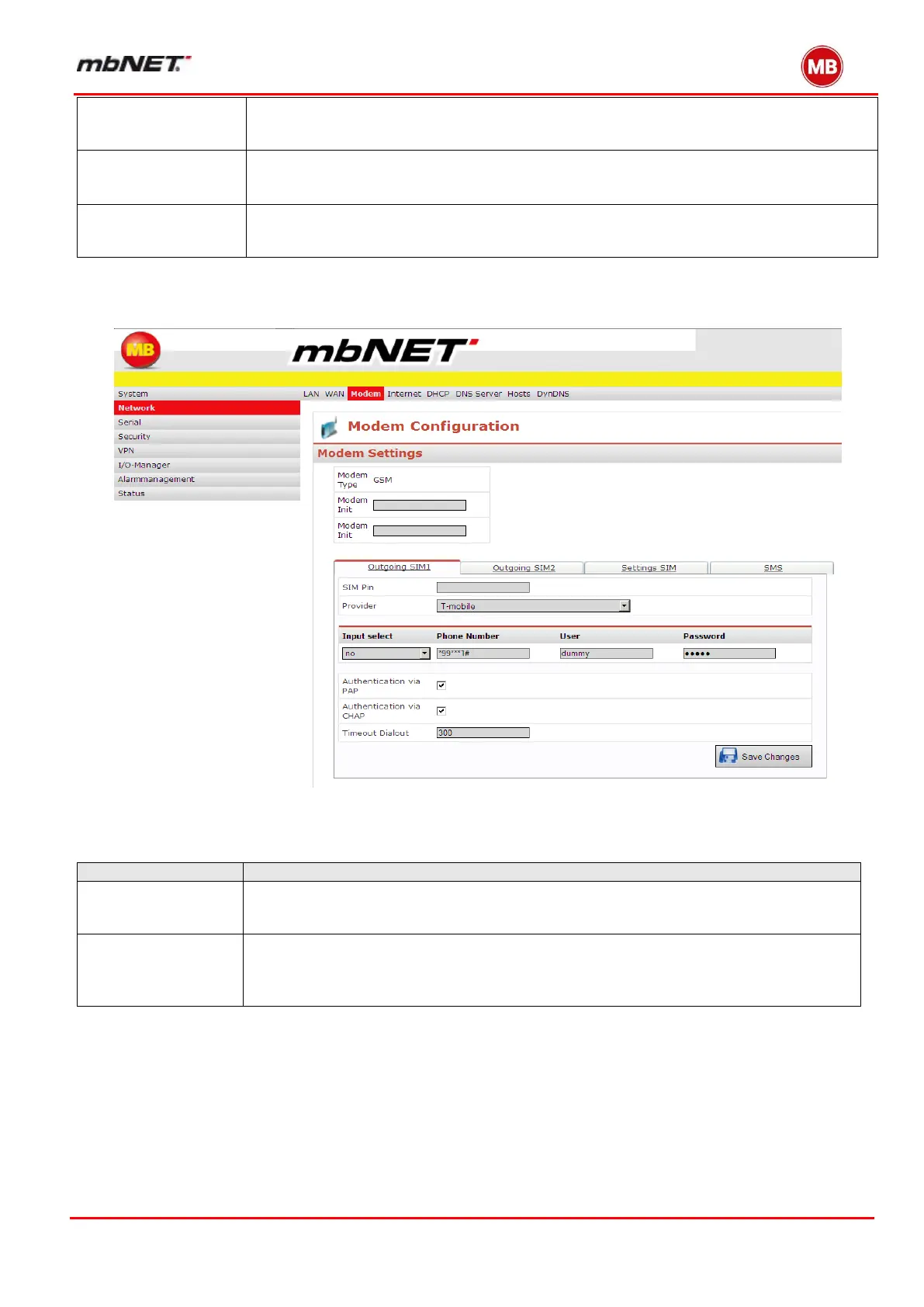
For MDH8xx mobile broadband devices there are two “Outgoing” menus. These are simply SIM1 and SIM2. There is
also a second menu, “SMS” settings.
Various provider specifications for every SIM card possible.
Switching between SIM1 and SIM2 at network disturbances or roaming.
SMS remote control
Enter the SIM card personal identification number (PIN) to ensure access. If you would
like to switch PIN security on or off, you will need a cellphone
You can select your mobile broadband provider here. If it does not appear, select
"Other". If your provider was not shown, you can also manually enter the APN (Access
Point Name) here. You can obtain details of the APN from your mobile broadband pro-
vider.


 To Next Page
 Loading...



