Page 57 of 237
Version: 5.1.6 – June 4
th
, 2018
Configuring the router – client connection over the telephone network
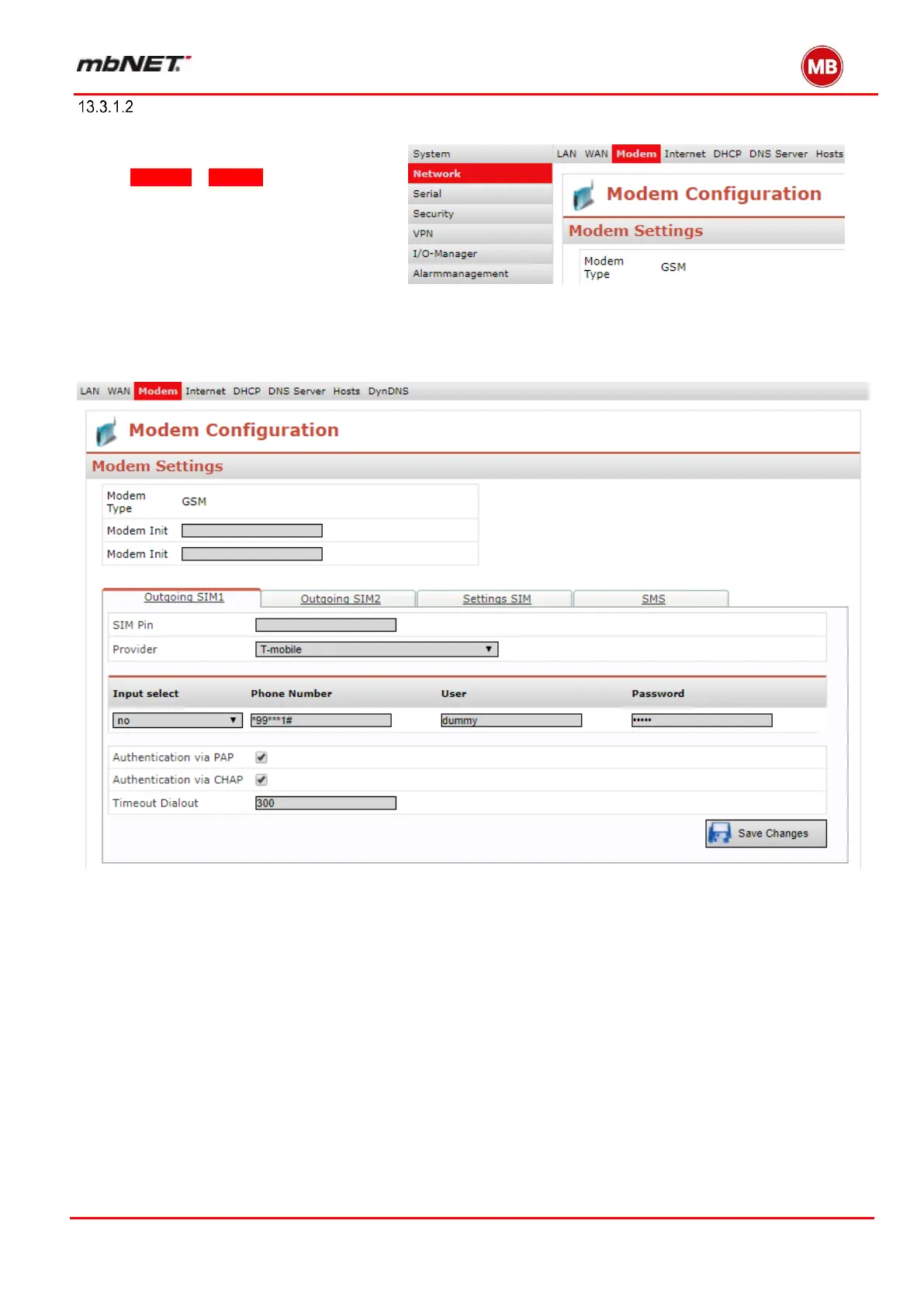
On the web interface home page, click
on Network – Modem and then click the
Outgoing SIM1 tab when a SIM card
is in the SIM card Slot1.
The following screen is displayed.
Follow the descriptions on the following pages.


 To Next Page
 Loading...



