Page 88 of 237
Version: 5.1.6 – June 4
th
, 2019
Root certificate extensions
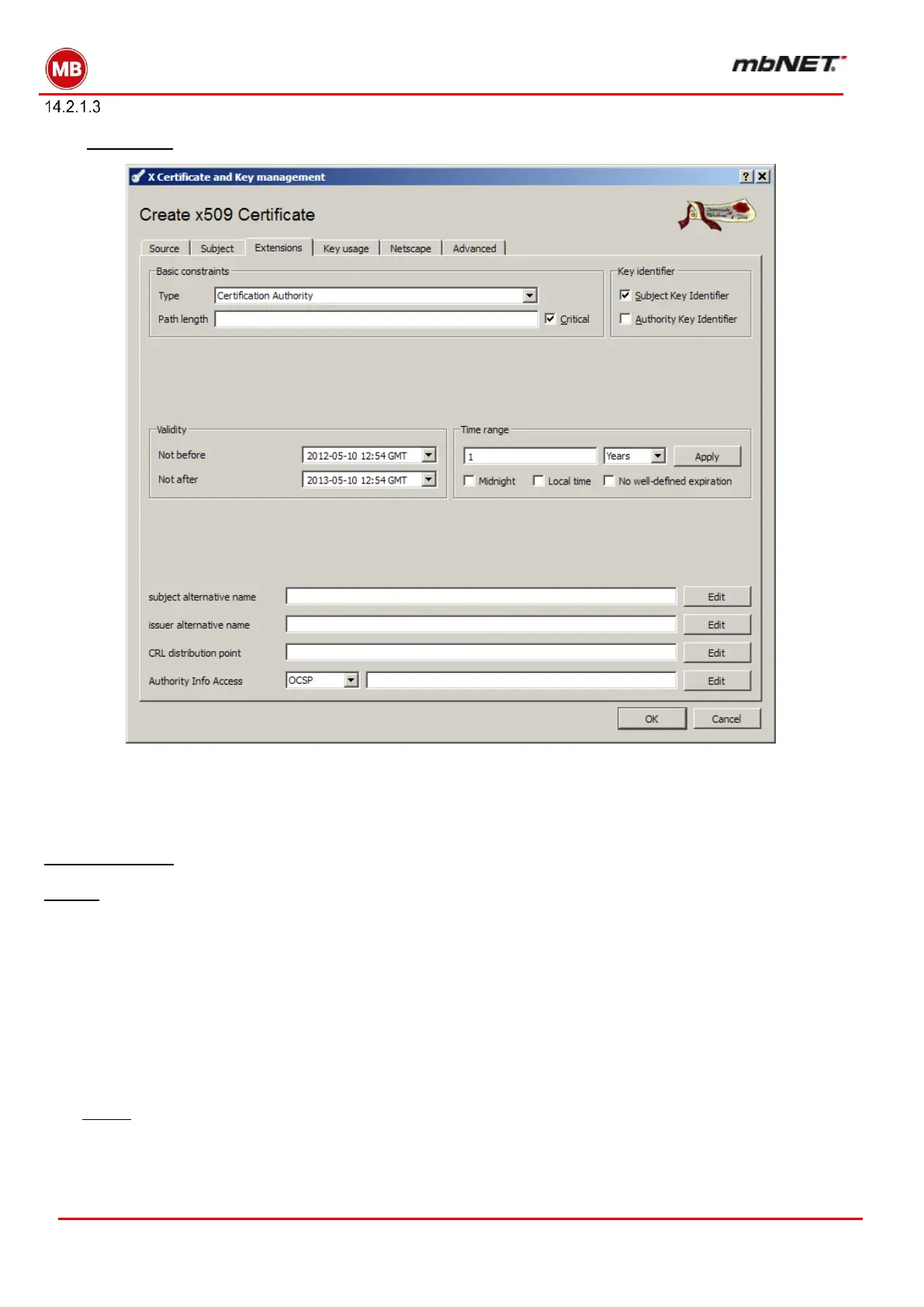
In the “Extensions” tab you will find the settings for certificate type and validity.
Basic constraints
Type = Certificate Authority (CA)
Check the box labeled Critical
and Key identifier
Check the box labeled Subject Key Identifier
Validity
You can enter a specific start and end date in the relevant fields or use the adjacent Time Range field.
Time Range
In the dialog boxes to the right, enter the number of days, months or years. The list below specifies how long
individual certificates should be valid for:
Personal certificates should be valid for 1 year.
Server (SSL) certificates, 1 year.
Router certificates should be valid for 1 year (external routers) or 10 years (internal routers).
CA certificates should have an extended lifespan (e.g. >10 years).
Click “Apply” to confirm the Time Range values.


 To Next Page
 Loading...



