Page 147 of 237
Version: 5.1.6 – June 4
th
, 2018
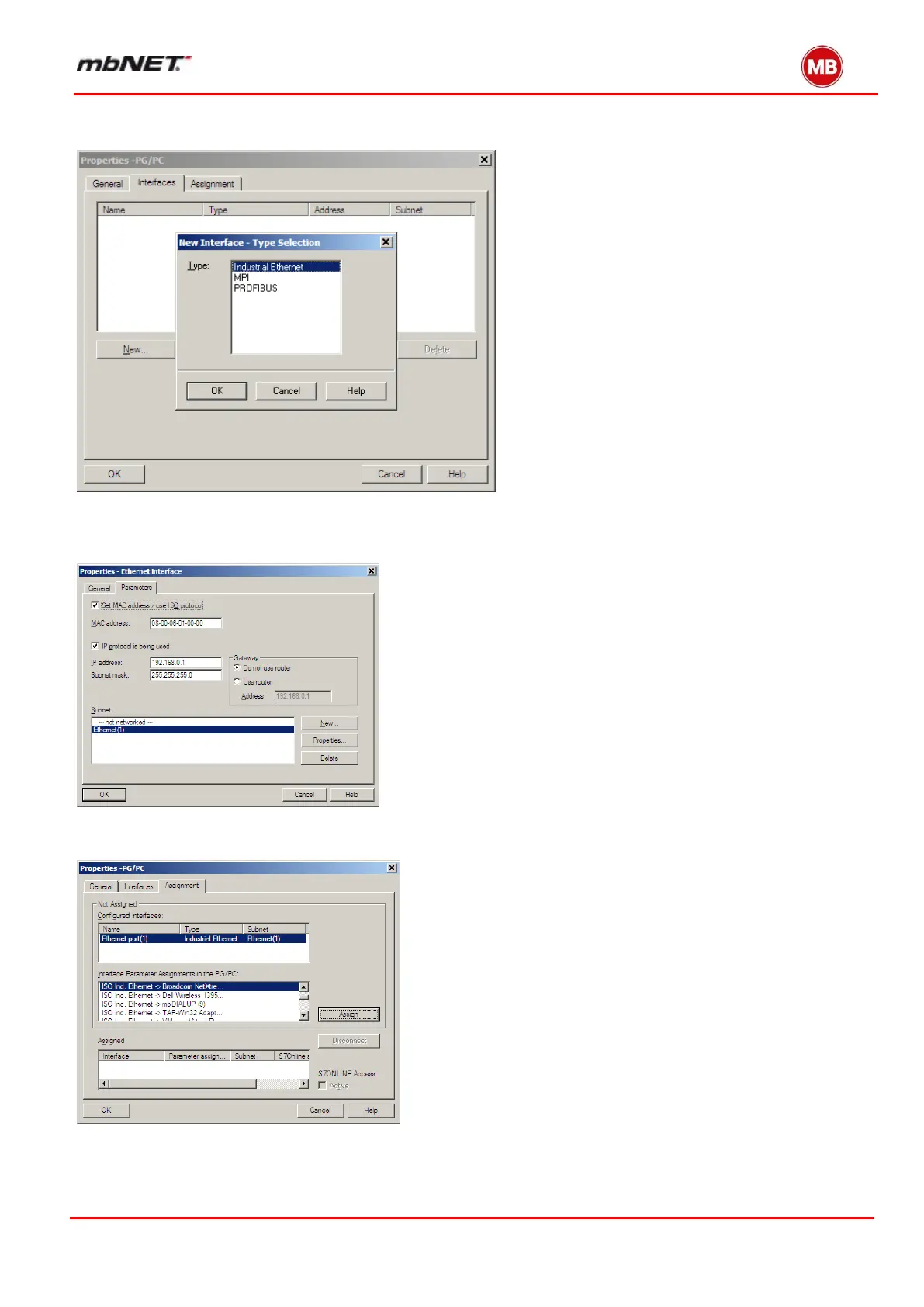
Double clicking on “PG/PC Station” opens the Properties window for this. Here, you need to add this interface by
selecting “Interfaces -> New …-> Industrial Ethernet“.
This opens a window where you need to make the “Industrial Ethernet” settings for the PC.
Specify the PG/PC subnet mask and IP address here. The PG/PC IP address can be from anywhere in the network
range but may not overlap with other addresses on the network and must not be the real IP address of the PG/PC.
Next, in the “Assignment” tab, find the interface that you intend to use as the “Ethernet Interface” and link this to
“TCP/IP (Auto) -> xxx” (the LAN card in use) by clicking on the “Assign” button.
After assigning your chosen interface, the window should look like this. S7ONLINE access must be set to „Active“.


 To Next Page
 Loading...



