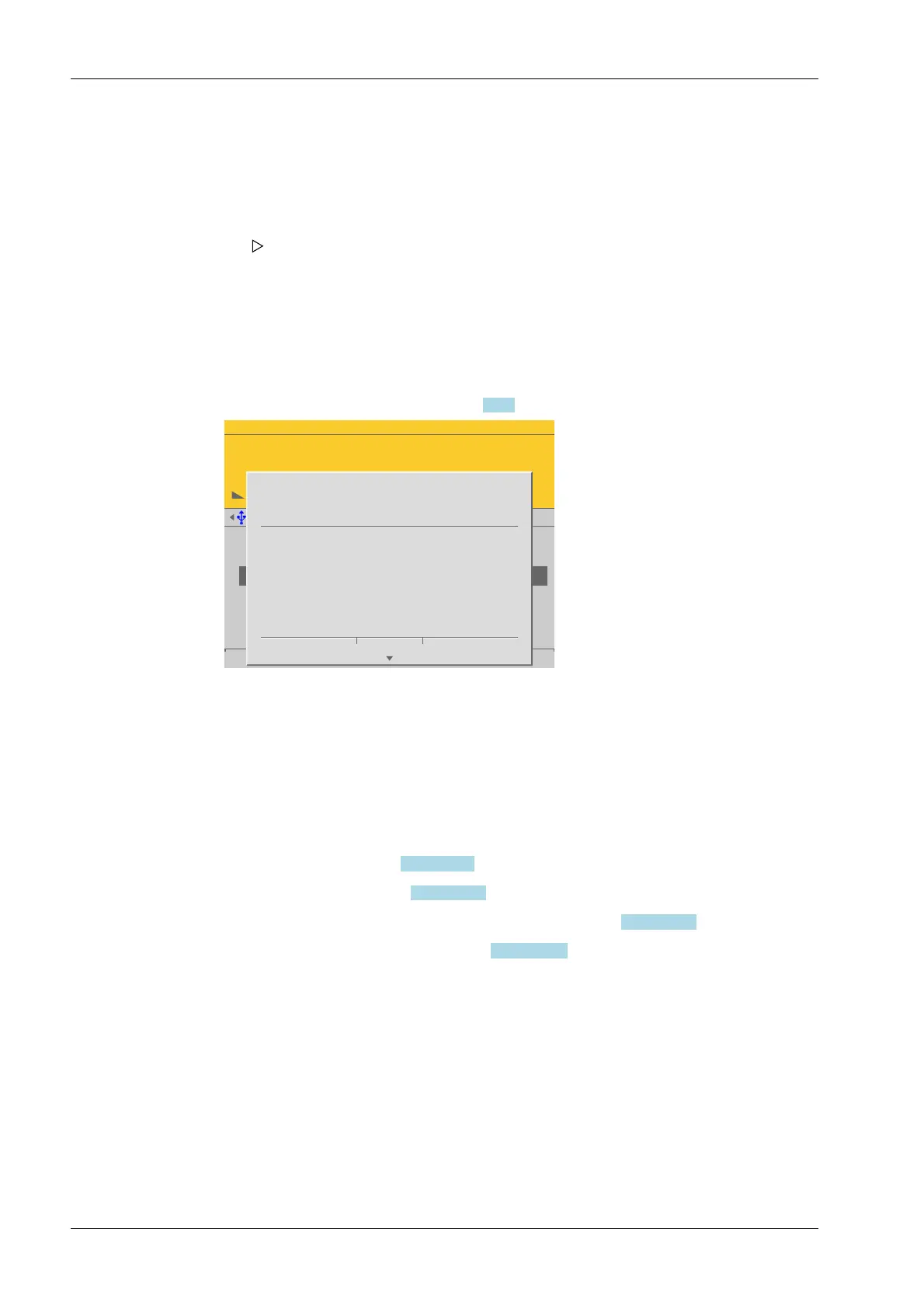
To use the empty scale or vessel as dead load (normal case):
[Save] is deactivated for new calibrations.
Possible error messages, see Chapter 9.7.3.
WP-A
Max 3000g d= 0.1g
00
+
g
Max
Scale interval
Dead load at
Max at
calibrated at
Sensitivity
3000.0 g
0.1 g
mV/V
mV/V
mV/V
µV/d
0.040800
1.177688
0.987567
0.470919
30000 d
1 d
102.832 g
3000.000 g
2516.5 g
98.14 cnt/d
by load by mV/V Save
STOP
Set dead load failed.
> phys. Max
Ok
This message is displayed when the dead load entered in mV/V plus scale interval in mV/
V is higher than 3 mV/V (= 36 mV).
Press [OK] to cancel the setting.
4.7.1.2.1.4 Max at
In this menu item (under New/Modify), calibration of the Internal weighing point
weighing electronics is conducted and congured with or without weights (by mV/V
values or data) or linearization is performed and congured.
- [by load], see Chapter 4.7.1.2.1.4.1.
- [by mV/V], see Chapter 4.7.1.2.1.4.2.
- [by data] Load cell data (smart calibration), see Chapter 4.7.1.2.1.4.3.
- [Linear.] (linearization), see Chapter 4.7.1.2.1.4.4.
Accessible via MENU - [Operating] - [System setup] - [Weighing points] - [Weighing
point x] - [Calib] - [New/Modify] - [Max at] .
1. Empty the scale or vessel.
2. Press the [By load] soft key.
3. Conrm the entries.
If the mV/V value of the dead load was calculated, or if it is known from the
previous calibration, the value can be overwritten by pressing the [by mV/V] soft
key.
The conrmation is displayed with "Setting dead load…"
4. Press the [Save] soft key to save the calibration.
Process Controller Maxxis 5 PR 5900 4 System setup
Minebea Intec EN-110



 To Next Page