120 MI-42-0001 Rev. 19
SCANNING: Typical Scan Sequence: New Scan
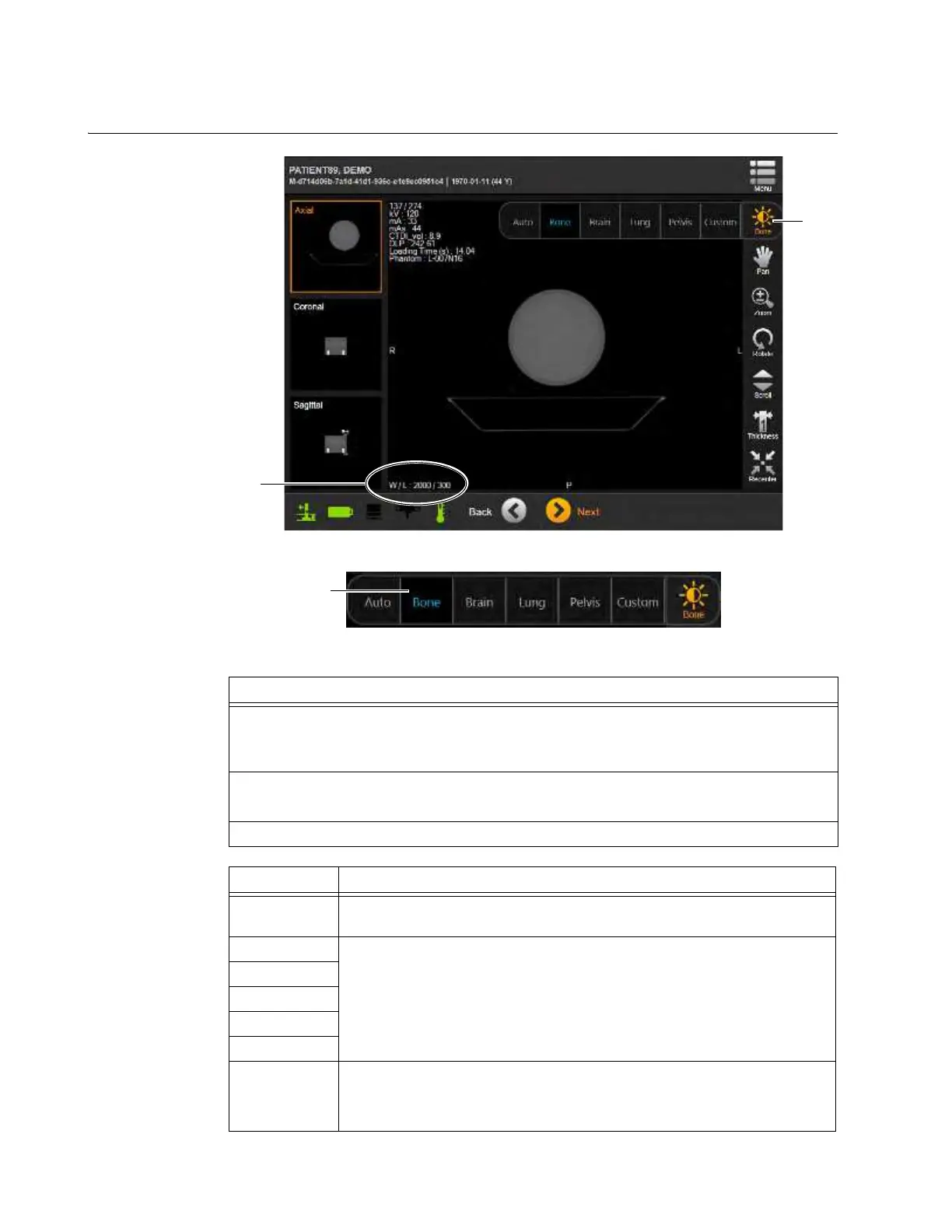
6.8.21 Window/Level
How to Change the
Window and Level
in the Viewer
Figure 93
Figure 94
Steps
1. Touch
Window
button a to see menu.
NOTE: The menu in Figure 94 is an example. Different exam regions and protocols may
have different menu options.
2. Touch a menu item s to select.
The screen shows new values for window width and center level
d.
3. Touch the button a again to hide menu.
Options Effect
Auto
Automatically chooses values for window width and center level based on
analyzing the intensities in the acquired CT image.
Bone
Presets the values of window width and center level based on the known
Hounsfield units of the tissue of interest.
Cranial Soft
Brain
Lung
Pelvis
Custom
Manually adjust the values of the window width and center level.
• To adjust the window width, drag a finger horizontally across the screen.
• To adjust the center level, drag a finger vertically across the screen.



 To Next Page