MI-42-0001 Rev. 19 91
SCANNING: Typical Scan Sequence: New Scan
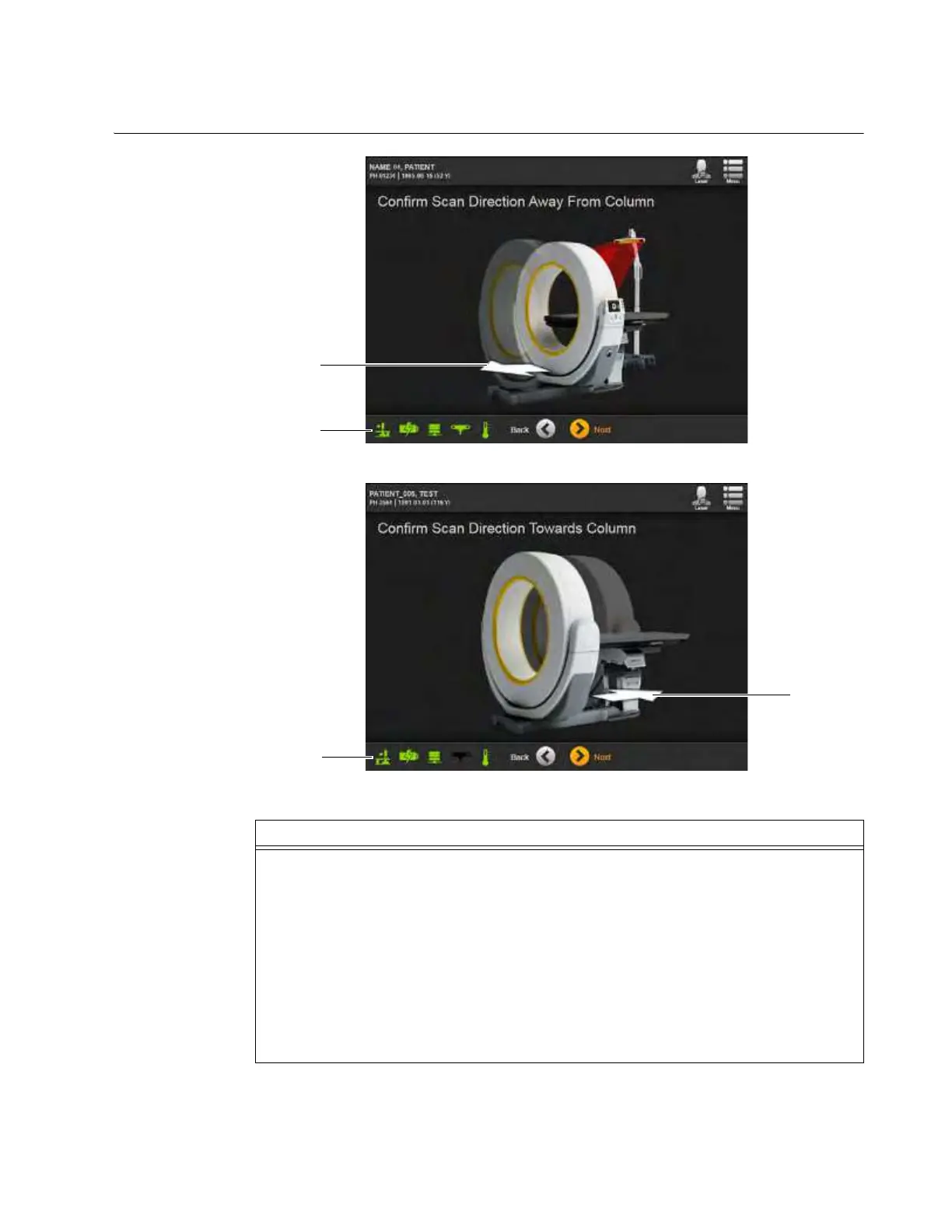
6.8.6 Confirming Scan Direction
How to Confirm the
Scan Direction
Figure 61
Figure 62
Step
Confirm the Ring orientation and the direction of Z-axis translation for scanning.
Two orientations are possible:
• Confirm Scan Direction Away From Column (Figure 61) shows the system in SAB orientation
with the SAB icon
s and scan direction indicator arrow d.
• Confirm Scan Direction Toward Column (Figure 62) shows the system in STB orientation with
the STB icon
f and the indicator arrow g.
NOTES:
• Figure 61 shows this screen for scans on AIRO with connected Navigation systems.
• Figure 62 shows this screen for scans on AIRO without connected Navigation systems.
• The bore window should be at the beginning of the area to be scanned.



 To Next Page