MI-42-0001 Rev. 19 81
SCANNING: Daily Warm Up Scan
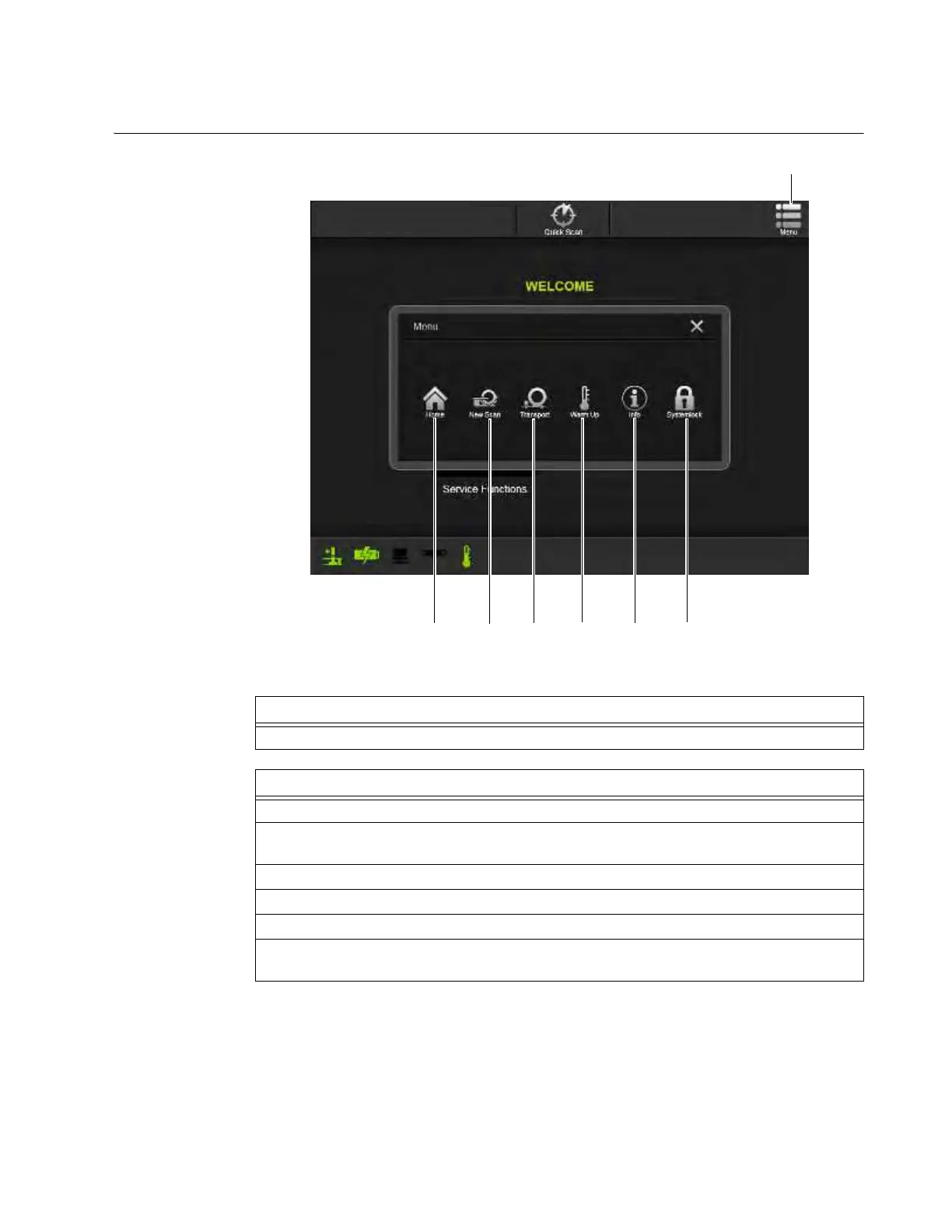
6.7.4 Menu in Scan Mode
Universal Option:
Menu in Scan Mode
Figure 47
Step
Touch Menu
a at any time to access the main Menu with Scan mode options.
Scan Mode Options
Select s Home to return to the Choose Mode screen. See section 6.3.2 Choosing Scan Mode.
Select d New Scan to enter information and setup a new scan. See section 6.8 Typical Scan
Sequence: New Scan.
Select f Transport to exit Scan mode and enable system transport.
Select g Warm Up to initiate warm up scan sequence.
Select
h Info to learn more about AIRO.
Select j Systemlock to enable security requiring a password to access system functions. See
section 3.3.2 Logging In.



 To Next Page