MI-42-0001 Rev. 19 147
MAINTENANCE: Service Functions
7.2.8 Option: Single Shot Scan
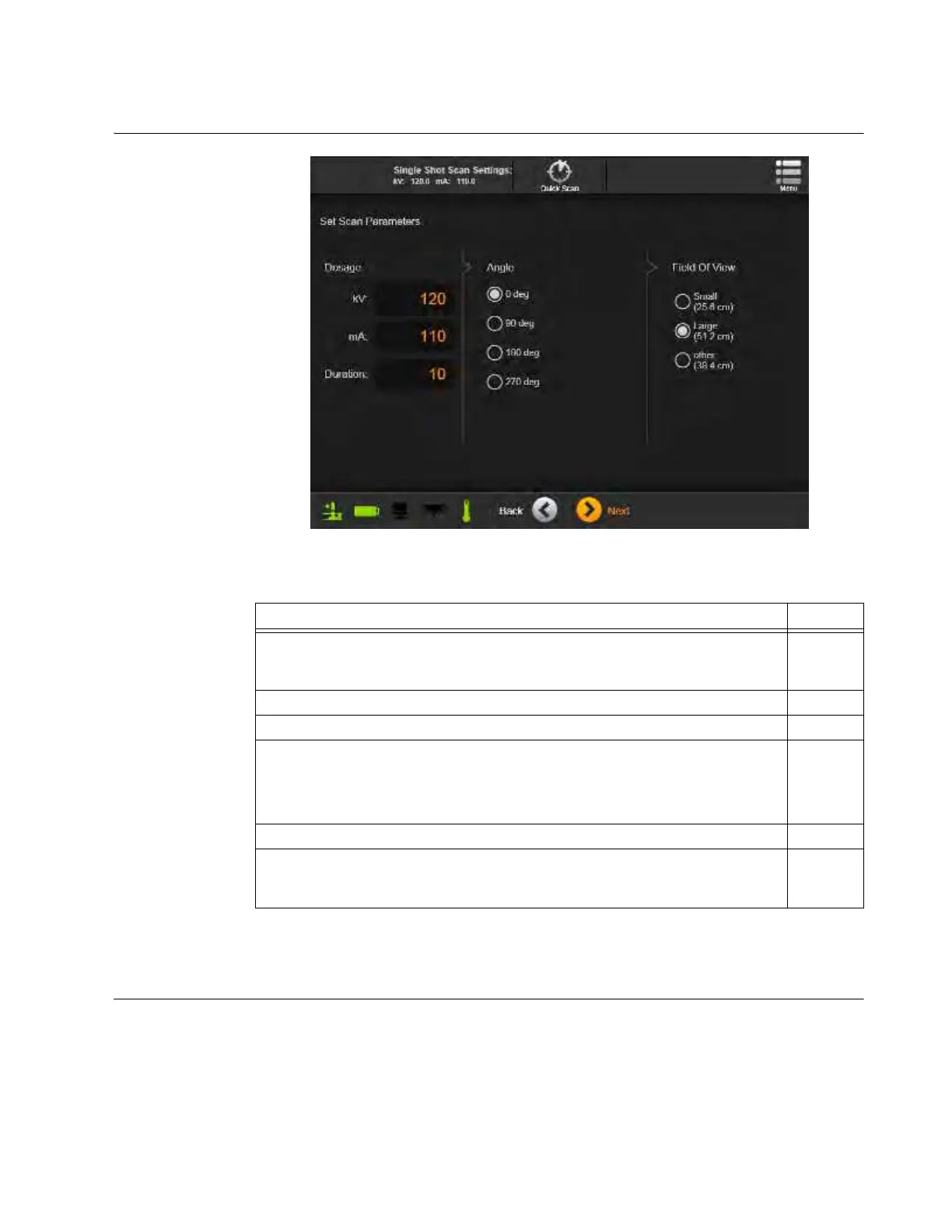
How to perform a
Single Shot Scan
Figure 121
NOTE: The Single Shot Scan feature is not intended for use on patients.
7.2.9 Quality Check Scans
How to Access
Quality Control
Scans
Quality Check (QC) scans are required to verify and maintain the quality of scan images. All QC
scans use the supplied Gammex 464 Phantom to test image quality against a known spacial profile.
In this process, the Full Helical and Full Axial QC scans adjust system baseline parameters for
quality 120 kV, 100 kV, and 80 kV scans. The Daily Helical and Daily Axial QC scans verify that the
system and current operating conditions continue to match these parameters. For multi-kV QC
cycles, the baseline 120 kV parameters are configured for compliance with the ACR 2017 Computed
Tomography Quality Control Manual. 100 kV and 80 kV portions of QC cycles examine a subset of
Steps See
1. Select Single Shot from the Hospital Service screen.
7.2.1
&
7.2.2
2. Confirm Ring Rotation is correct. 6.8.6
3. Touch Next.
4. Enter desired Single Shot Scan parameters.(kV, mA, Duration, Angle, Field of
View)
NOTE: For
Dosage
, only use kV values of 80, 100, or 120 kV, and mA values
from 5 to 250 mA.
5. Touch Next.
6. Perform the Scan.
6.8.18
&
6.8.19



 To Next Page