MI-42-0001 Rev. 19 9
GENERAL INFORMATION: Overview of Components
Ring. Doing so can cause irreparable damage to the Ring Cover, especially in the area
of the window. If a damaged Ring Cover is not replaced, further damage to the system
can occur due to the ingress of fluids.
1.5.2 Scan Mode
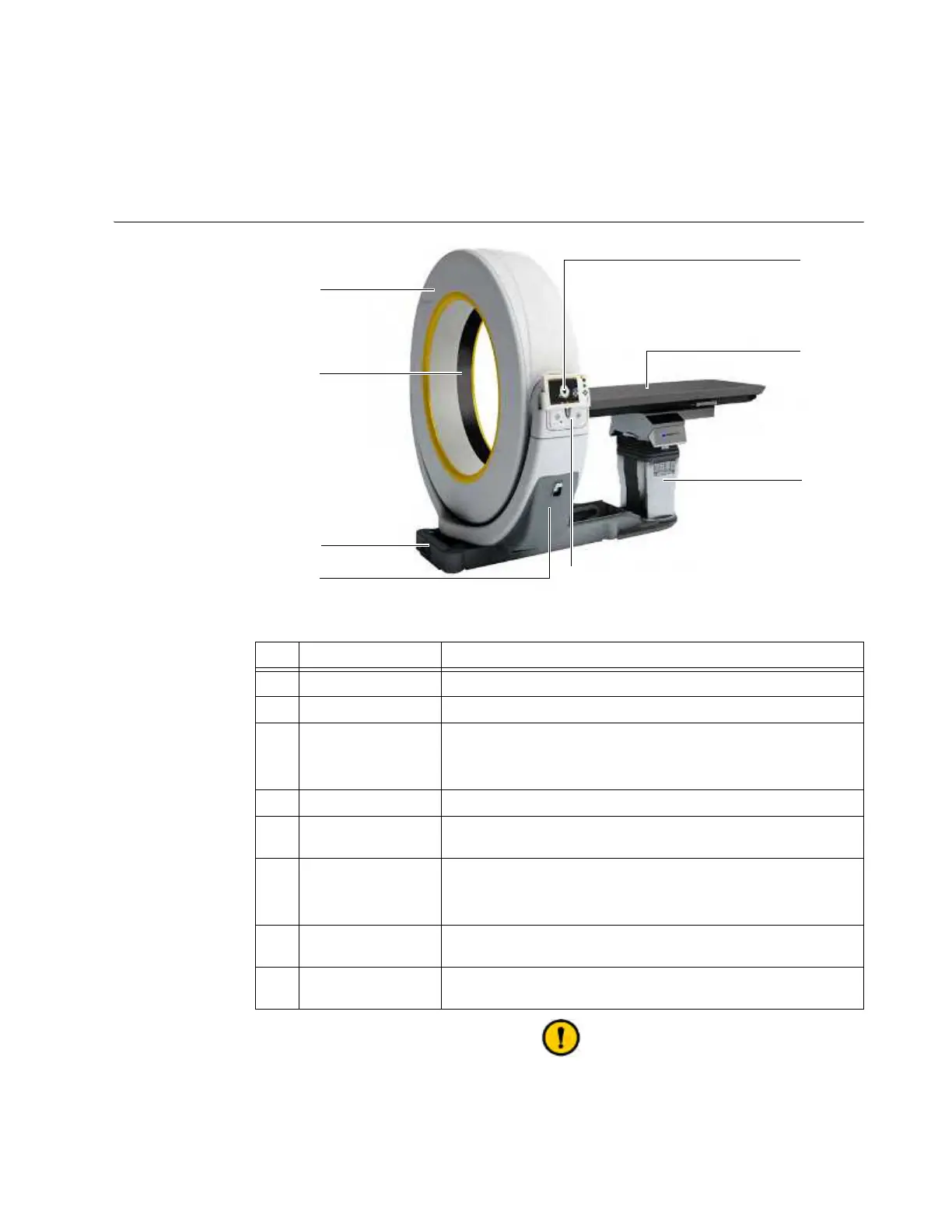
Diagram: Scan
Mode
Figure 3
The inside of the Ring is not designed to support weight. When transporting,
operating, cleaning, or disinfecting AIRO, do not lean, sit, or kneel on the inside of the
Ring. Doing so can cause irreparable damage to the Ring Cover, especially in the area
of the window. If a damaged Ring Cover is not replaced, further damage to the system
can occur due to the ingress of fluids.
No. Component Function/Usage
a
Ring Scans patient and sends data to Pendant.
s
Window Opening in bore through which scan is taken.
d
Base
Supports and moves the system. Location of power and network
connections.
NOTE: Casters are retracted into the base.
f
Gimbal Holds the Ring and Pendant Display.
g
Control Panel
Holds key switch,
On
button, USB port, and both power and
battery-charging indicator lights.
h
Column
Supports some Trumpf radiolucent surgical tabletops/chairs.
For information about which integrated column your AIRO
features, see chapter 4 COLUMN AND TABLE.
j
Surgical Table
Interchangeable with some models of Trumpf patient supports.
See chapter 11 ALLOWED EQUIPMENT.
k
Pendant Display
Touchscreen that controls system movement, imaging, and data
storage.



 To Next Page