40 MI-42-0001 Rev. 19
TRANSPORT MODE: Controls
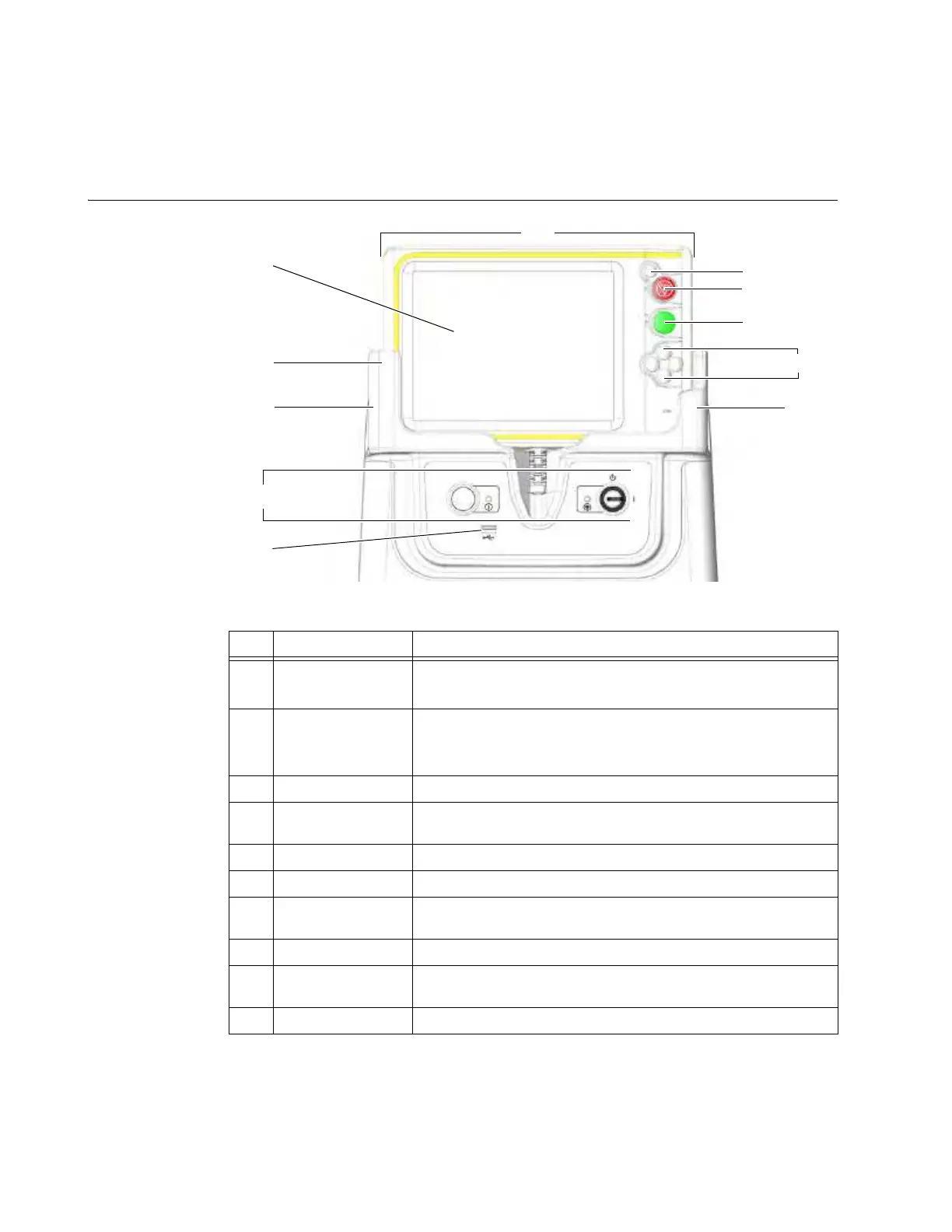
3.2 Controls
3.2.1 Pendant and Power
Diagram of
Controls
Figure 16
No. Component Function/Usage
a
Pendant
All controls for transport and scanning except power
NOTE: The column has separate controls.
s
Pendant Display
Transport mode:
Displays front image for moving the system
Scan mode:
Displays features, options, and controls for
operating, configuring, and maintaining system
d
Holster Holds Pendant
f
Hand grips
Molded into holster; user places hands here when driving and to
turn the system
g
Power Controls Key switch for mains power, and
Start
button to enable Pendant
h
USB Port Data transfer
j
Motion Controls
Move system forward and back (left and right are disabled in
Transport mode)
k
Scan
Button To initiate or stop a scan
l
Emergency Stop
button
Stops all functions immediately
;
Reset Button Resets the system after an Emergency Stop



 To Next Page