MI-42-0001 Rev. 19 41
TRANSPORT MODE: Controls
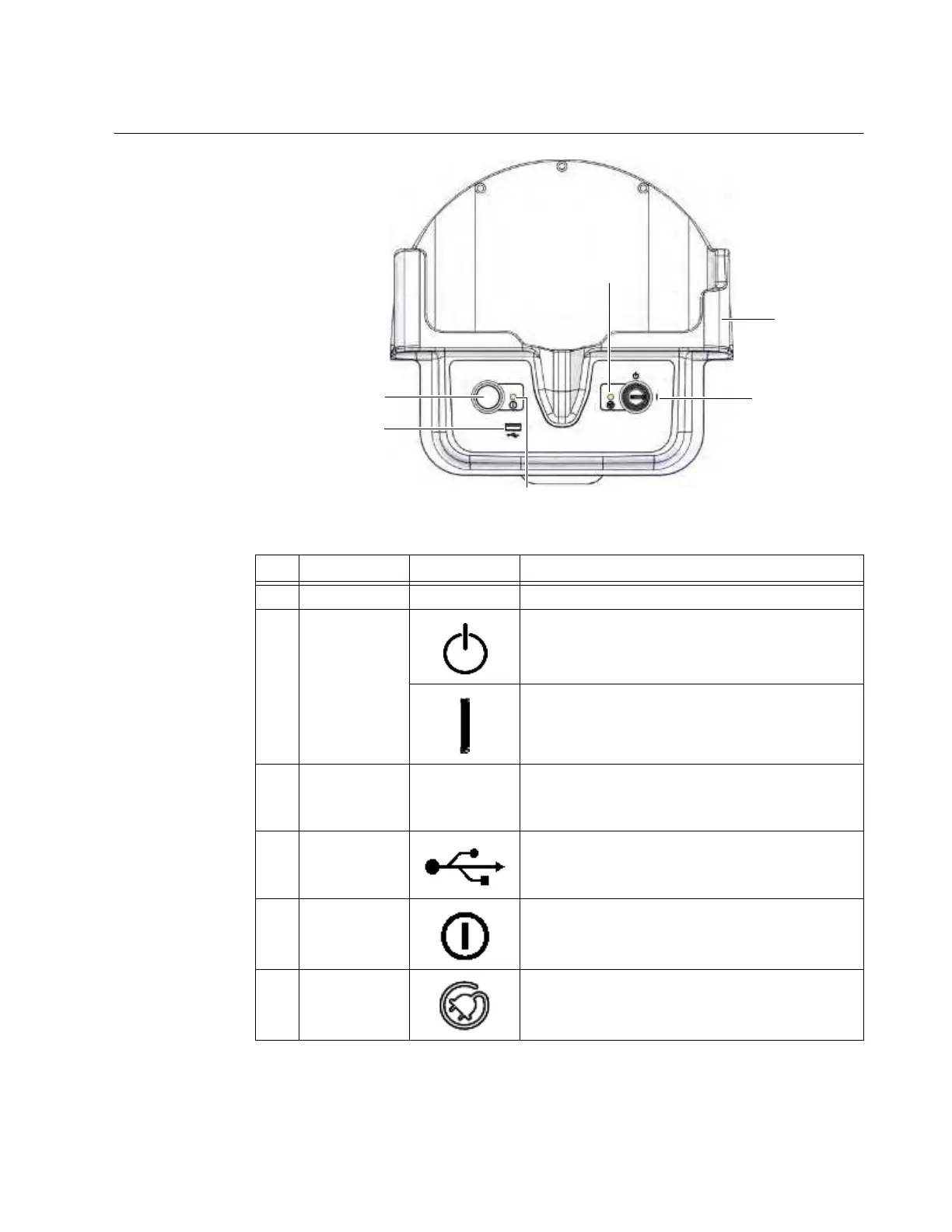
3.2.2 Power Switches
Mains Power
Figure 17
No. Component Icon Function/Usage
a
Holster Holds Pendant
s
Key Switch
Standby position
: No functions available except
battery charging
On position
: Turns on system power
d
Power
Indicator Light
Illuminates yellow when the key switch is in the
On
position
s and the Start button g is pressed.
Blinks during system shut-down.
f
USB port Enables data export
g
Start Enables the Pendant
h
Charging
Indicator Light
Illuminates green to show that the batteries are
charging when system is plugged into an AC power
connection.



 To Next Page