MI-42-0001 Rev. 19 73
SCANNING: Before Scanning
System Enforced
Maintenance Scans
The warm-up scan is enforced if the last scan on the system was performed more than 18 hours
earlier.
Unlike the warm-up scan, Gain Calibration, quality checks and the E-Stop tests are not enforced.
Scanning can be performed if the tests have expired. However, both Gain Calibration and quality
checks can affect image quality.
In addition, the system must be powered on and in Scan mode for at least 30 minutes before running
a calibration when the system both:
• Requests Gain Calibration.
• Has been powered down, or in Transport mode, for more than 10 minutes.
6.3.3 Connecting System
How to Connect to
Power and Hospital
Network
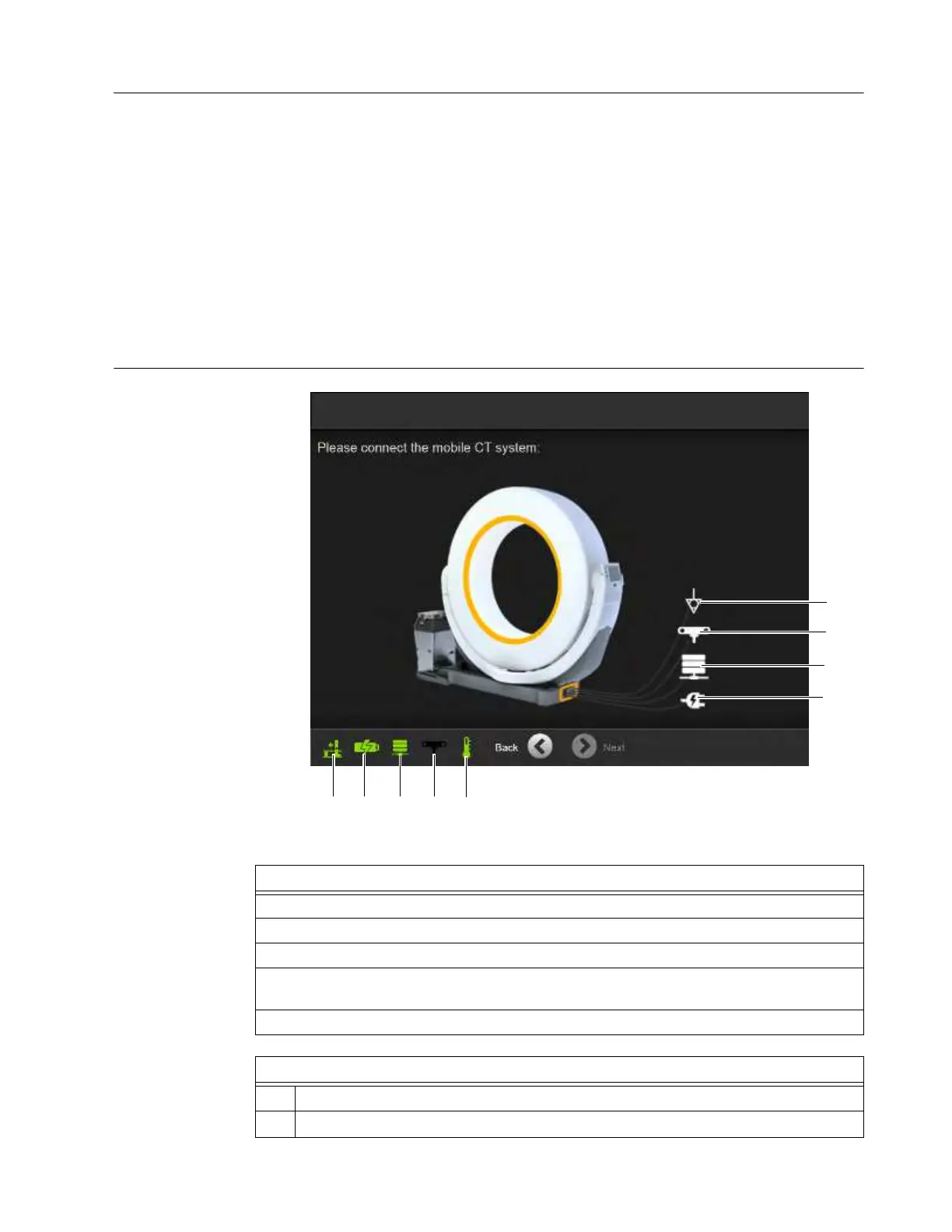
Figure 40
Steps
1. Connect power cord to standard wall outlet
a.
2. Option: Connect Ethernet wire to hospital network s.
3. Option: Connect to surgical navigation system d.
4. If required for electrostatic protection from other equipment, connect equipotential stud
f
to ground.
5. Touch Next.
Task Bar icons
g
Ring orientation.
h
Battery power/charging



 To Next Page