76 MI-42-0001 Rev. 19
SCANNING: Prepare Scan Field of View
6.5 Prepare Scan Field of View
6.5.1 Position and Diameter of Scan Field of View
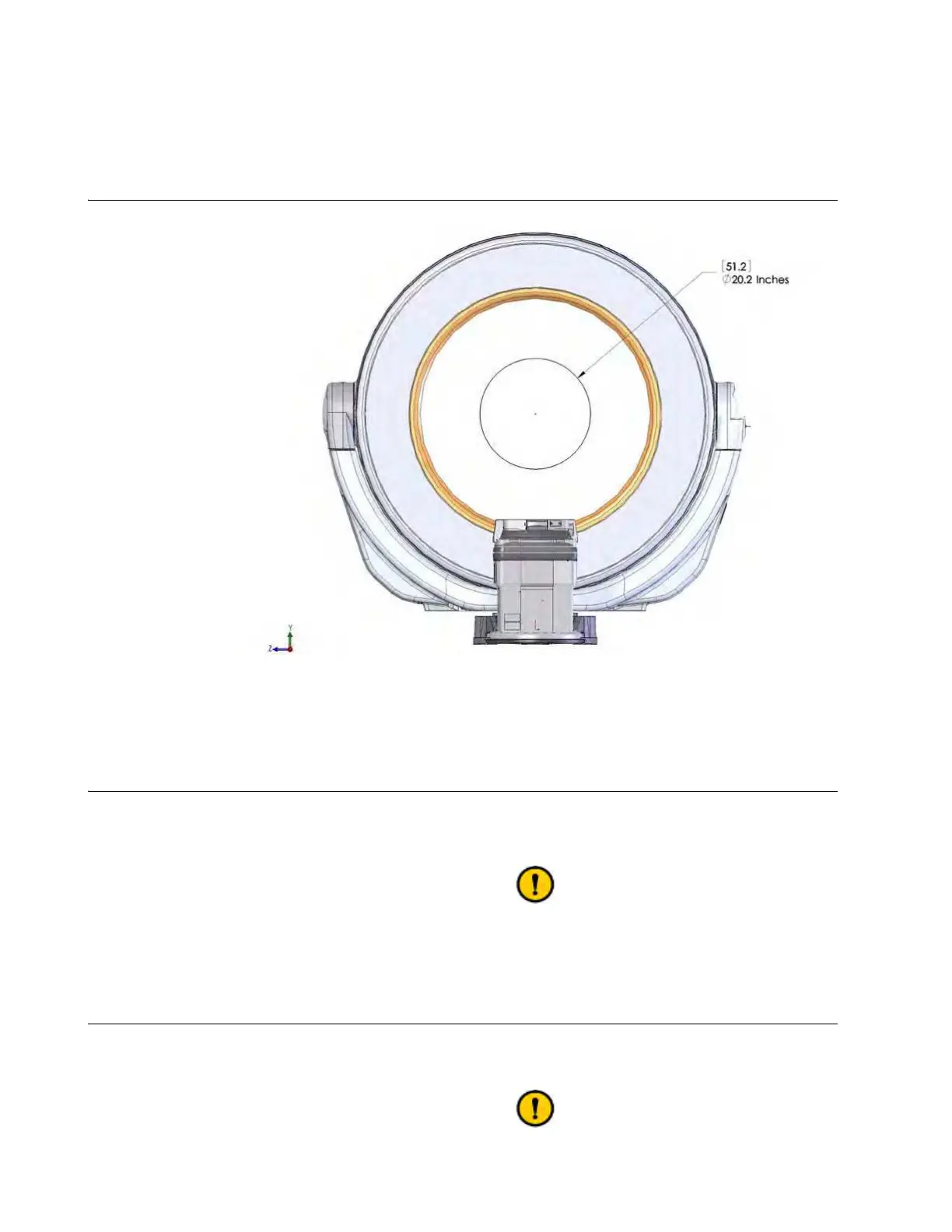
Scan Field of View
Figure 42
The scan field of view is a 51.2 cm (20.2”) diameter circle at the center of and parallel to the bore.
6.5.2 Remove Non-Essential Objects
Non-Essential
Objects
Remove all non-essential objects and equipment from the Ring bore and the scan field of view
before scanning. When necessary, place IV tubes where the motion of the system will not affect
them.
Extra objects in the Ring bore, even when they are out of the scan field of view, may
degrade the scan image.
6.5.3 Remove Metal Objects
Keep Metal Objects
Away from System
Be sure there are no metal or other radiopaque objects in the bore or near the scan field of view.
NOTE: This includes table accessories such as arm boards.
Metal objects in or near the scan field of view can degrade the scan image.



 To Next Page