146 MI-42-0001 Rev. 19
MAINTENANCE: Service Functions
7.2.7 Option: Manual Scan
How to perform a
Manual Scan
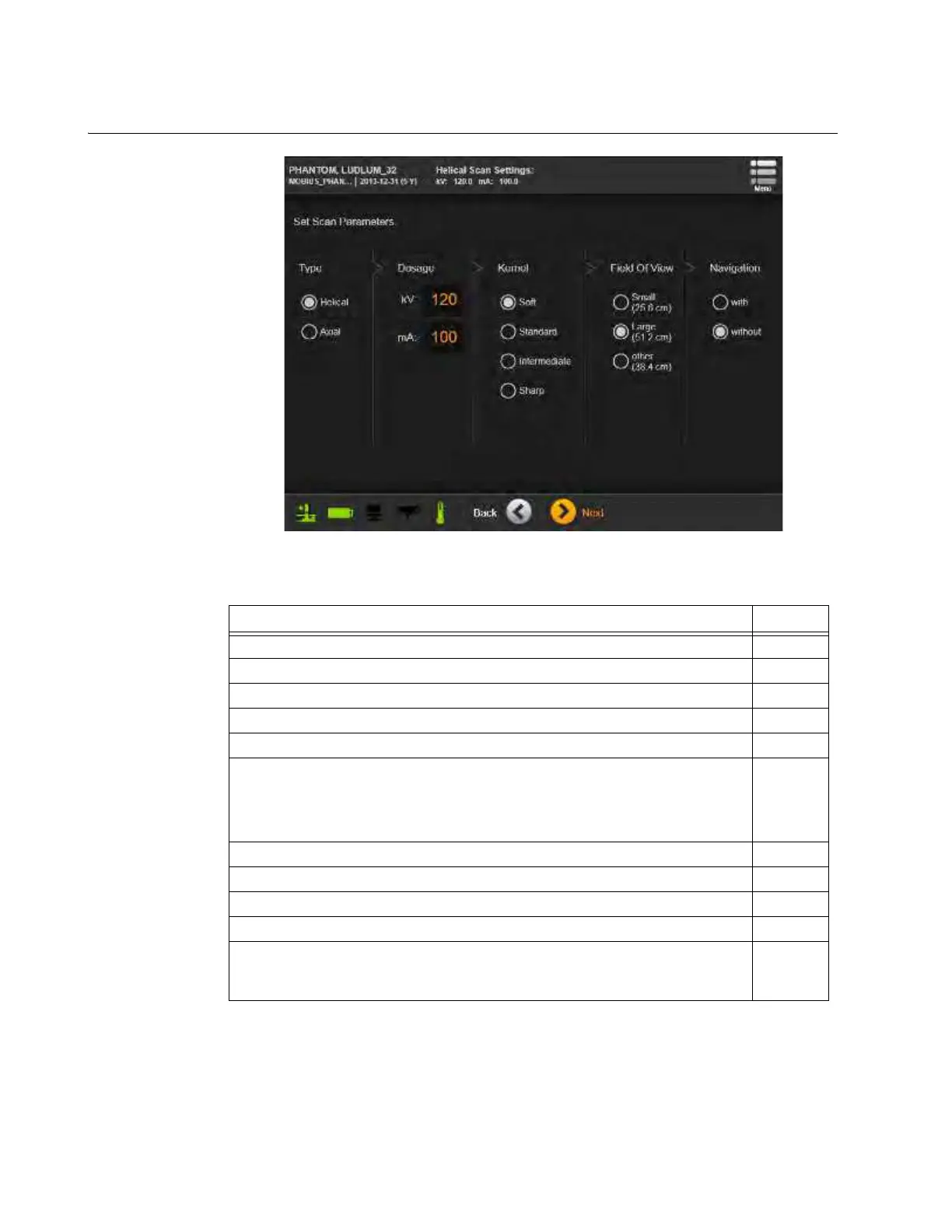
Figure 120
NOTE: The Manual Scan feature is not intended for use on patients.
Steps See
1. Select Manual Scan from the Hospital Service screen. 7.2.2
2. Choose a Phantom from the Phantom Selection list.
3. Touch Next.
4. Confirm Ring Rotation is correct. 6.8.6
5. Touch Next.
6. Select and enter desired manual scan parameters for
Type
,
Dosage
,
Kernel
,
Field of View
, and
Navigation
.
NOTE: For Dosage, only use kV values of 80, 100, or 120 kV, and mA values
from 5 to 250 mA.
7. Touch Next.
8. Select Patient’s
Orientation
and
Position
. 6.8.9
9. Select and perform
2D Scout scan
if desired. 6.8.10
10. Select
Start
and
End
points of the scan. 6.8.11
11. Perform the Scan.
6.8.18
&
6.8.19



 To Next Page