MI-42-0001 Rev. 19 15
SAFETY: In Case of Emergency
2.3 In Case of Emergency
2.3.1 Overview
How to Respond to
an Emergency
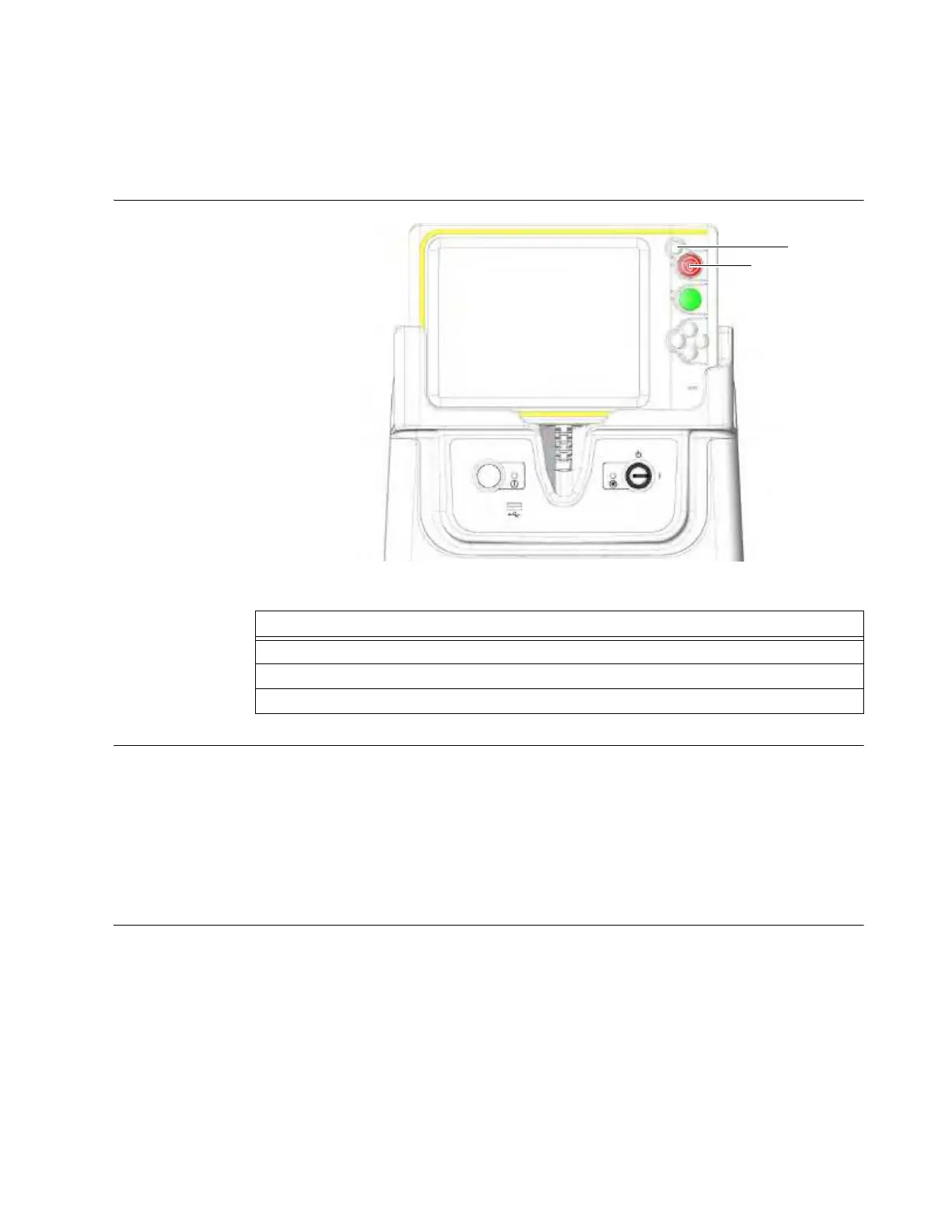
Figure 4
Emergency
Interlock Device
An interface to the Emergency interlock is available upon request.
In order to interface to the Emergency interlock (when installed), the user must provide a normally-
closed Interlock switch with 2-wires for connection to a mating connector, provided by Mobius.
Customers using the Emergency interlock will need to disconnect the interlock switch and connect
to a custom connector, provided by Mobius, in order to enable the system to be transported.
To schedule Emergency interlock installation and purchase the mating and custom connectors,
contact your distributor. See section 1.2 Contact Data.
When to Press
Emerge
ncy Stop
Press the
Emergency Stop
button:
• If the system moves without a command from the user
• If releasing a key does not stop the movement
• If the Ring does not stop as expected
• If the Ring moves in the wrong direction during a scan
• If for any reason during scanning or transportation it becomes necessary to stop motion.
If any system malfunctions are detected, immediately shut down the system and contact technical
support.
Steps
1. Press
Emergency Stop
a on the System Controls.
2. Follow emergency safety procedures established by your organization.
3. Press the
Reset Button
s.



 To Next Page