260 MI-42-0001 Rev. 19
TROUBLESHOOTING: Rotation Sensor Error
12.4 Rotation Sensor Error
12.4.1 Verifying Scan Direction During Scan Setup
How to Ensure
Rotation Sensor
Agrees with Scan
Setup
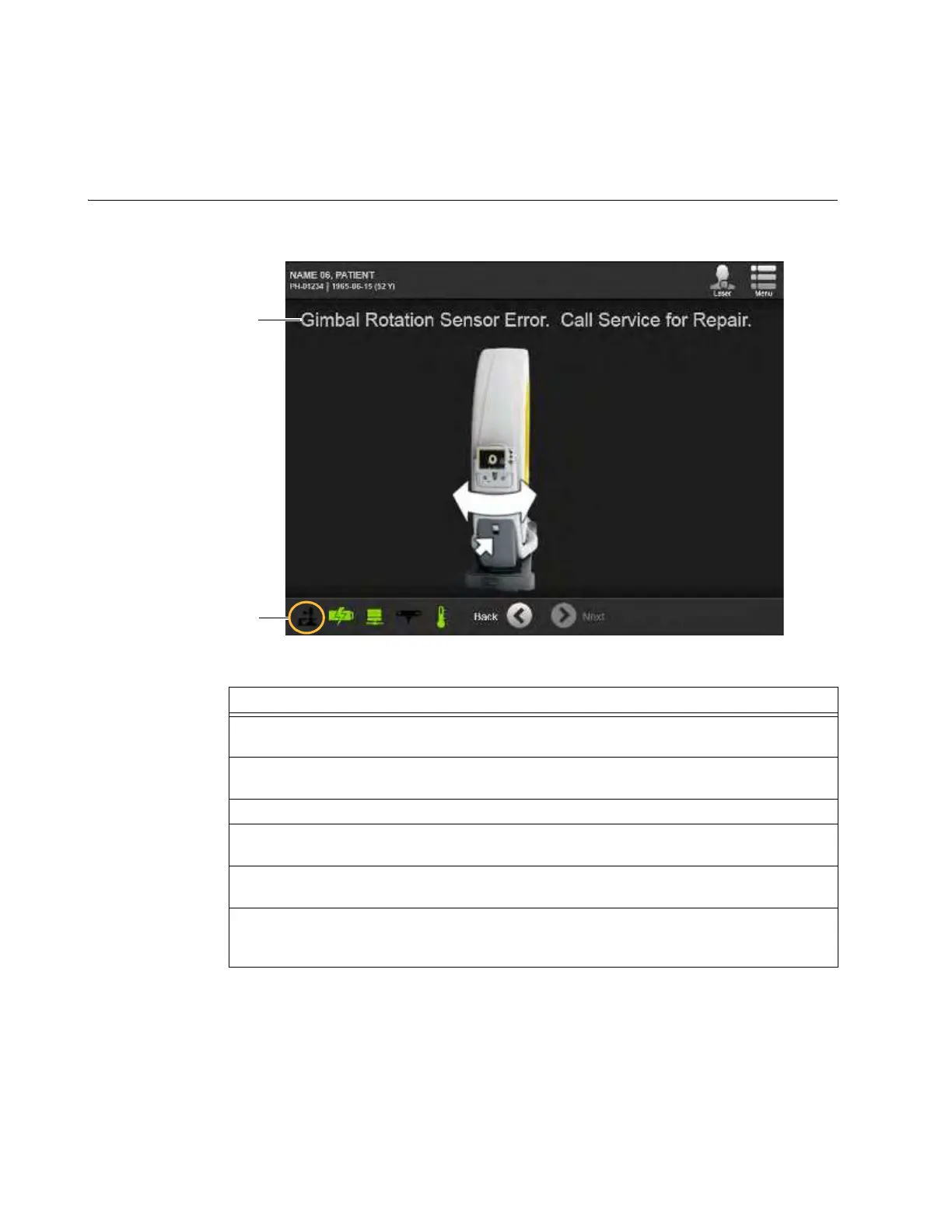
When setting up or scanning a patient, the system verifies the orientation of the Ring. When
orientation or rotation issues are detected, the system shows a error.
Figure 176
Steps
1. When the Gimbal Rotation Sensor Error screen appears
a, shut down the system. See
section 3.4 Powering Down on page 62.
2. When the yellow power indicator LED stops blinking, restart the system See sections
3.3.1 Turn On Power on page 43 and 3.3.2 Logging In on page 43.
3. Put AIRO into Scan mode. See section 6.3.2 Choosing Scan Mode on page 70.
4. Repeat the scan set up sequence. See sections 6.8 Typical Scan Sequence: New Scan
and following starting on page 82.
5. After placing the Ring in SAB or STB orientation, verify that the orientation icons s are
green and show the correct orientation. See section 6.8.6 Confirming Scan Direction.
6. If either the Gimbal Rotation Sensor Error reappears or the scan direction icons do not
match the required direction, call technical support. See section 1.2.1 Contacting the
Company on page 2.



 To Next Page