86 MI-42-0001 Rev. 19
SCANNING: Typical Scan Sequence: New Scan
6.8.3 Select Existing Patient Data
How to Select a
Patient With
Existing Scans
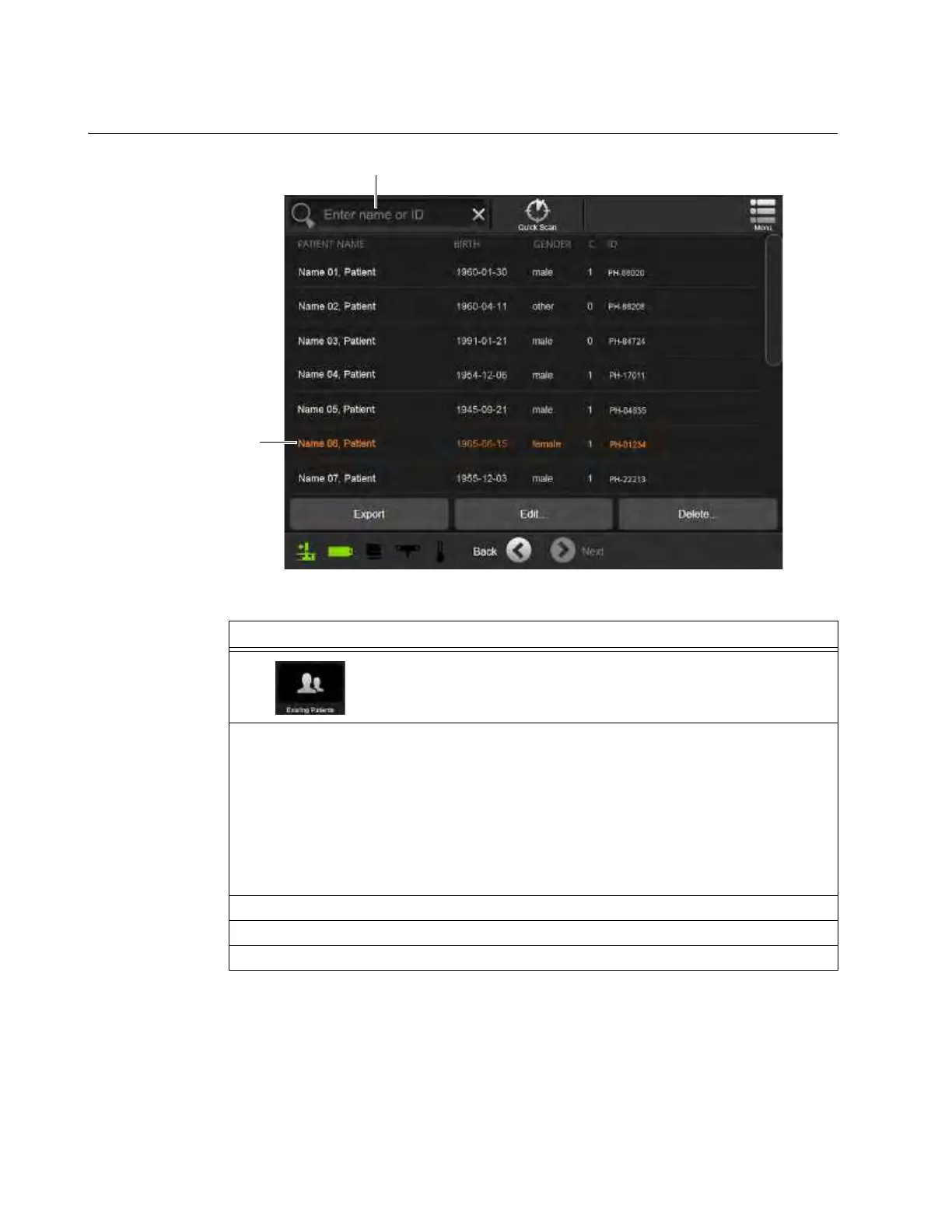
Figure 52
Steps
1.
Select Existing Patients from the Patient Data Screen. See section
6.8.1 New Scan.
2. Select an existing Patient Name from the list
a or search by patient name or ID s.
To facilitate the search for patient records, the patient list includes:
• Patient name
• Birth date
• Gender
• Study count
• Patient ID either automatically generated by AIRO, or assigned by the operator or the
hospital
3. Touch
Next
.
4. Fill in the patient’s height and weight. See Figure 51.
5. Touch Next. See section 6.8.6 Confirming Scan Direction.



 To Next Page